Lenovo ThinkPad Hybrid USB-C with USB-A Dock
~£118.99typical UK price when we researched itAffiliate link. As an Amazon Associate I earn from qualifying purchases. Details
Lenovo ThinkPad Hybrid USB-C with USB-A Dock review
Researched, not hands-on tested.How we review ›
by SudoPicks Research · editor Paul HR · published 29 Oct 2026 · updated 29 Oct 2026
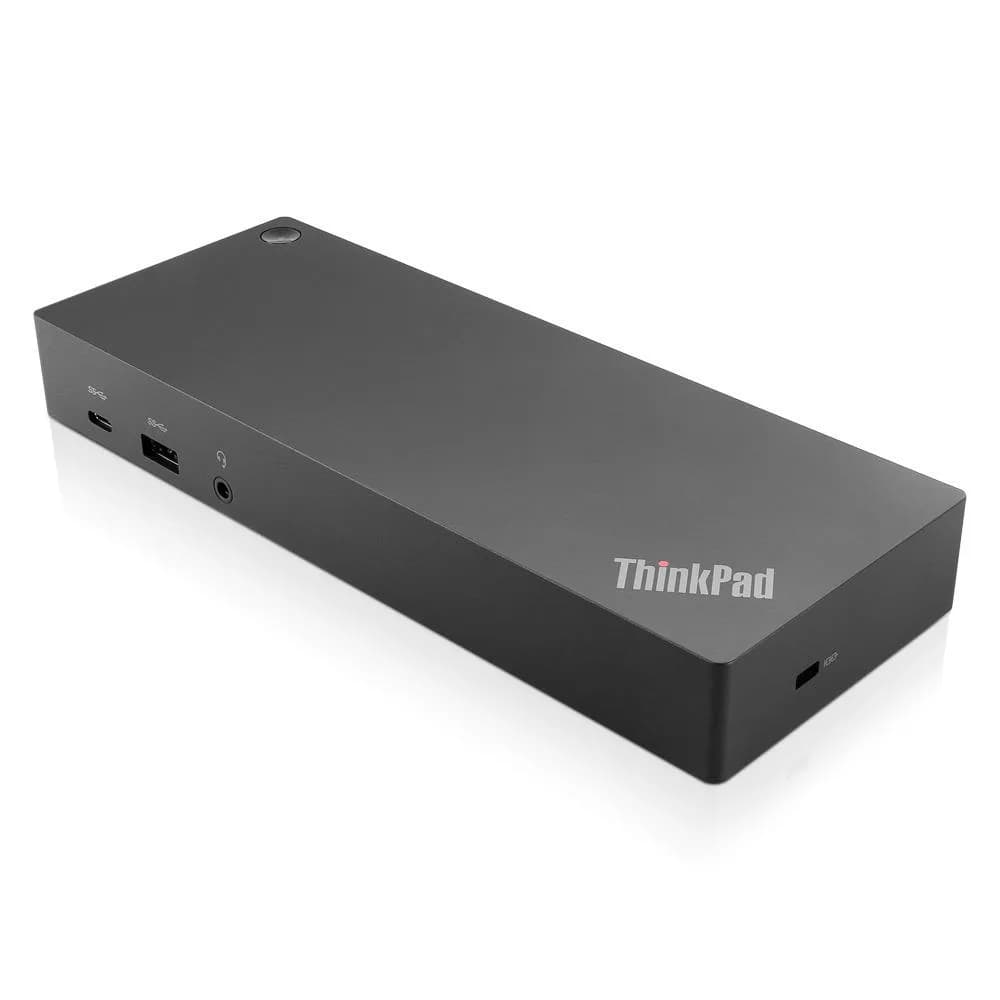
This dock suits someone who wants one USB-C cable to run two 4K monitors, wired network and a batch of USB devices from a laptop. It fits desk setups, especially managed ones that use PXE boot, Wake-on-LAN or MAC pass-through.
3rd of 9 docking stations we've reviewedAffiliate link. As an Amazon Associate I earn from qualifying purchases. Details
New to docking stations? What they are and what to look for
A docking station connects your laptop to your monitors, keyboard, network and charger with one cable.
Do you need a docking station? Worth it if you plug your laptop into the same desk every day and are tired of unplugging five cables.
What to look for
- Enough charging power for your laptop (check its charger's watts)
- Support for the number of screens you want on your laptop (Macs differ)
- Ethernet, and its own power supply for all-day use
Unsure about a word? Jargon explained
How the 5.8 adds up
Our docking stations rubric- Displays25% of score
- Charging and power20% of score
- Ports and bandwidth20% of score
- Compatibility and reliability20% of score
- Ethernet and value15% of score
Against the 9 docking stations we've reviewed
bar = the range of all 9 · dot = this one · better →
- Overall score 5.8/103rd of 9
- Price £118.994th cheapest
- Value for money About average4th best of 7
Support and features
| Software updates | No end date announced; the only support term found is a 3-year warranty, which is not a software support end date. |
|---|
Compatibility
| Linux | Partly works on Linux. Lenovo's datasheet lists Ubuntu 22.04 support, but video output depends on DisplayLink, which owners report is unreliable on Linux, and the linux-hardware.org database lists no kernel driver up to 6.18. source |
|---|
Pros and cons
+ pros
- Two 4K 60 Hz outputs, with a 5K option
- Five USB-A ports, three at 10 Gbps
- Ships with its own 135 W power adapter
− cons
- Owners report display dropouts and black screens
- Reports of random disconnects and wake failures
- Gigabit Ethernet only, and no card reader
Price history
Price history appears here once we have tracked this product for a few days.
The full review
Where it fits
This is a Lenovo dock that connects to a laptop through a single USB-C cable. Lenovo lists support for USB-C, USB4, Thunderbolt 3, Thunderbolt 4 and USB-A laptops. The bundle includes a USB-C to USB-A dongle for the USB-A case. The upstream link runs at 10 Gbps. Listed operating systems are Windows 10, Windows 11, macOS 13, macOS 14, Ubuntu 22.04 and ChromeOS. The dock measures 210 x 80 x 30 mm and weighs 480 g, so it is small enough to leave on a desk or carry between desks.
Displays6/10
The dock drives up to two UHD displays through DisplayPort 1.4 or HDMI 2.0. Each port gives 3840x2160 at 60 Hz. When DP1 and DP2 drive one monitor, the dock supports 5120x2880 at 60 Hz. That is useful for a single high-resolution panel as well as a dual 4K desk.
Video runs over DisplayLink, according to an owner review, and the Lenovo datasheet footnote lists DisplayLink among the supported laptop video modes. This is where owner feedback is weakest. Owners report display dropouts, black screens and driver faults. The fix they cite is reinstalling the DisplayLink driver. Anyone who needs a monitor to stay up all day without attention should weigh that against the resolution headroom.
Ports and data7/10
The port list is generous for a dock this size. There are three USB-A 3.2 Gen 2 ports at 10 Gbps, and one of them is always-on. Two USB-A 2.0 ports handle keyboards, mice and other low-speed devices. A USB-C port runs at 10 Gbps, and a 3.5 mm combo jack covers headset audio. There is also an RJ45 port and a DC power-in socket.
There is no card reader. The host link is 10 Gbps rather than Thunderbolt or USB4, so every connected device shares that 10 Gbps upstream link. That suits a desk of peripherals, storage and a headset better than several fast drives running at once.
Owners praise the number of ports and good performance while the dock is active. They also like how it handles quick host changes. One complaint concerns the bundled cable, which owners say causes problems with multiple devices or daisy chaining. Keep the chain short.
Power6/10
The dock ships with a separate ThinkPad Slim-tip 135 W AC adapter, so it has its own supply rather than drawing from the laptop. Owners point out that the dock does not charge the laptop without that separate supply connected. In practice, that means one more brick under the desk, with the dock powered from the wall.
Network and management
Ethernet is Gigabit, with 10, 100 and 1000 Mbit/s rates and no 10G support. For a homelab or office desk, that is enough for ordinary traffic and falls short of anything faster.
The dock supports PXE boot, Wake-on-LAN and MAC pass-through. Those suit setups where machines are imaged or managed over the network, or where a network policy ties access to a single MAC address. Lenovo gives the dock a 3-year warranty term.
Reliability4/10
Owner reports on stability are mixed. Some describe random disconnects when the system is idle or asleep. Others describe a laptop that fails to wake from the keyboard or from the dock's power button. These reports sit alongside the display dropouts above. Support for Windows, macOS, Ubuntu and ChromeOS is listed, but the owner feedback suggests treating sleep and wake behaviour as the main risk.
Who it suits
It suits a user who wants two 4K screens, many USB-A ports and a wired connection from one cable, and who is comfortable installing and reinstalling a display driver if needed. The PXE, Wake-on-LAN and MAC pass-through support add value for IT-managed desks. A buyer who needs a card reader, faster-than-gigabit Ethernet or a dock that never loses its screens should look at other options.
What owners report
Recurring themes from public owner feedback, summarised in our own words.
- Owners report display dropouts, black screens and driver faults, often fixed by reinstalling the DisplayLink driver.
- Some owners see random disconnects when idle or asleep, and failures to wake from the keyboard or dock power button.
- Owners praise the number of ports, good performance when active and smooth handling of quick host changes.
- The bundled cable causes problems with multiple devices or daisy chaining, and the dock needs its separate supply to charge the laptop.
Who should skip it
- Buyers who need rock-solid multi-monitor video with no driver fuss
- Anyone who wants an SD card reader built into the dock
- Users who need Ethernet faster than gigabit
Full specifications
| Connects with | One USB-C upstream port to laptop (10 Gbps, 5V/3A) with USB-C to USB-A dongle; supports USB-C, USB4, Thunderbolt 3, Thunderbolt 4 and USB-A laptops |
|---|---|
| External displays | Up to two UHD displays via DisplayPort or HDMI; 3840x2160 @ 60 Hz per port, 5120x2880 @ 60 Hz when DP1 and DP2 drive one monitor |
| Ports | USB-C (10 Gbps, 5V/3A); USB-A 3.2 Gen 2 x3 at 10 Gbps (one always-on); USB-A 2.0 x2; DP 1.4 (4K @ 60 Hz); HDMI 2.0 (4K @ 60 Hz); RJ45; DC power-in; 3.5 mm combo audio |
| Ethernet | Gigabit Ethernet |
| Display tech | DisplayLink video connection, per owner review; datasheet footnote lists DisplayLink among supported laptop video modes |
| Power supply | Separate ThinkPad Slim-tip 135 W AC power adapter shipped with the dock |
✓ Specs checked against the maker's data sheet.
Sources
- Lenovo datasheet (WW English, 2025-08)
- Lenovo US product page 40AF0135US
- Lenovo GB product page 40AF0135UK
- Lenovo India store page 40AF0135IN
- Amazon UK listing B07CKG1FXN
- CDW reviews
- Walmart reviews
- Lenovo community forum thread on monitor problems
- HP community forum thread on the dock
- eBay listing reviews (175036182302)
- eBay listing (267316435156)
- Icecat data sheet: Lenovo 40AF0135UK laptop dock/port replicator Wired USB 3.2 Gen 1 (3.1 Gen 1) Type-C Black
Alternatives
Compare head to head
- Lenovo ThinkPad Hybrid USB-C with USB-A Dock vs UGREEN Revodok Pro 210 10-in-1 USB-C Hub ›
- Lenovo ThinkPad Hybrid USB-C with USB-A Dock vs UGREEN Revodok Pro 207 ›
- Lenovo ThinkPad Hybrid USB-C with USB-A Dock vs Anker Prime Charging Docking Station (14-in-1, Dual Display, 160W) ›
- Lenovo ThinkPad Hybrid USB-C with USB-A Dock vs Anker 568 USB-C Docking Station (11-in-1, USB4) ›
- Lenovo ThinkPad Hybrid USB-C with USB-A Dock vs Anker Nano 13-in-1 Laptop Docking Station (A83C3) ›
- Lenovo ThinkPad Hybrid USB-C with USB-A Dock vs UGREEN Revodok Max 213 Thunderbolt 4 Dock ›