Skip to content
sudopicks
esc

Lenovo ThinkPad Hybrid USB-C with USB-A Dock vs UGREEN Revodok Pro 210 10-in-1 USB-C Hub

Researched, not hands-on tested.How we review ›

all judged against docking stations at a similar price

The Lenovo ThinkPad Hybrid USB-C with USB-A Dock scores 5.8/10 overall, ahead of the UGREEN Revodok Pro 210 10-in-1 USB-C Hub at 5.6/10.

The Lenovo ThinkPad Hybrid USB-C with USB-A Dock leads on ports and bandwidth.

The UGREEN Revodok Pro 210 10-in-1 USB-C Hub leads on charging and power.

They score the same on displays, compatibility and reliability and ethernet and value.

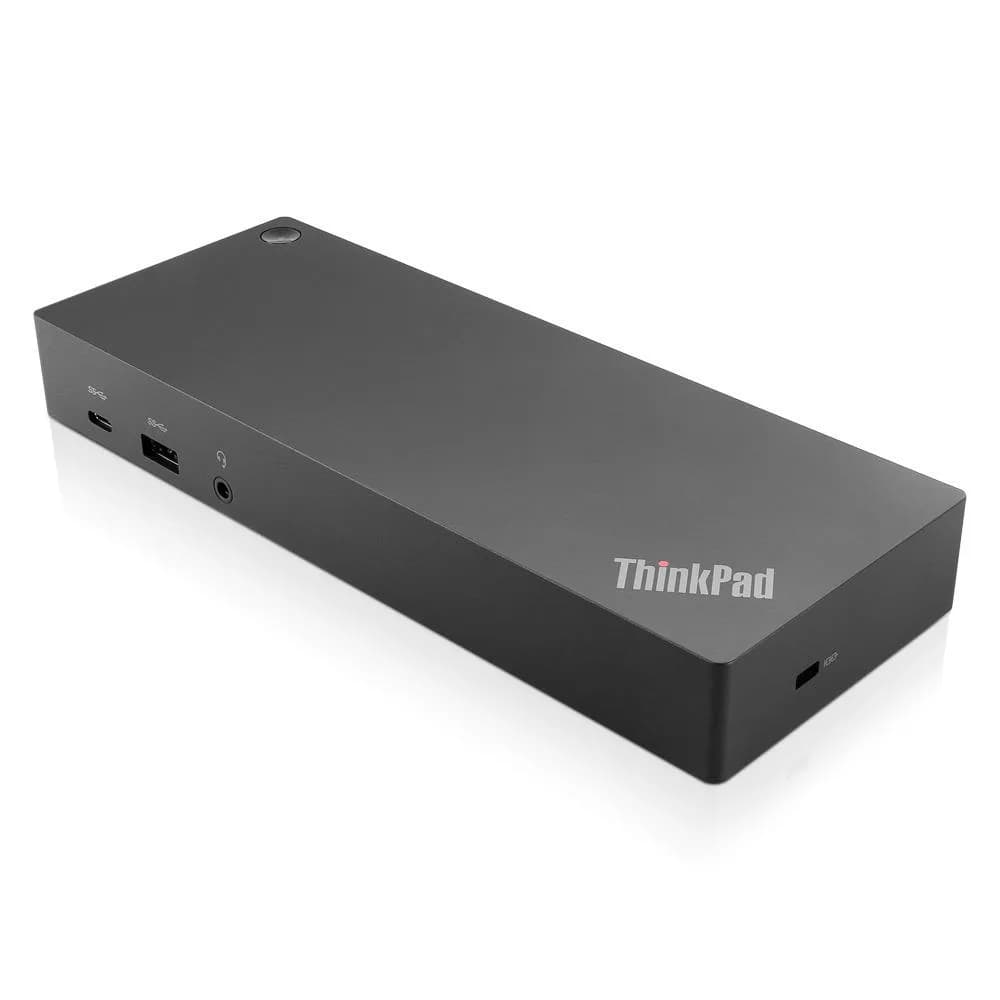
Lenovo ThinkPad Hybrid USB-C with USB-A Dock

Lenovo ThinkPad Hybrid USB-C with USB-A Dock

5.8/10verdict: good, not the best

This dock suits someone who wants one USB-C cable to run two 4K monitors, wired network and a batch of USB devices from a laptop. It fits desk setups, especially managed ones that use PXE boot, Wake-on-LAN or MAC pass-through. It is less suited to anyone who needs rock-solid video or 2.5GbE-class networking.

Typically about £118.99 in the UK when we researched itCheck price at Amazon UK (opens in a new tab, affiliate link)

Affiliate link. As an Amazon Associate I earn from qualifying purchases. Details
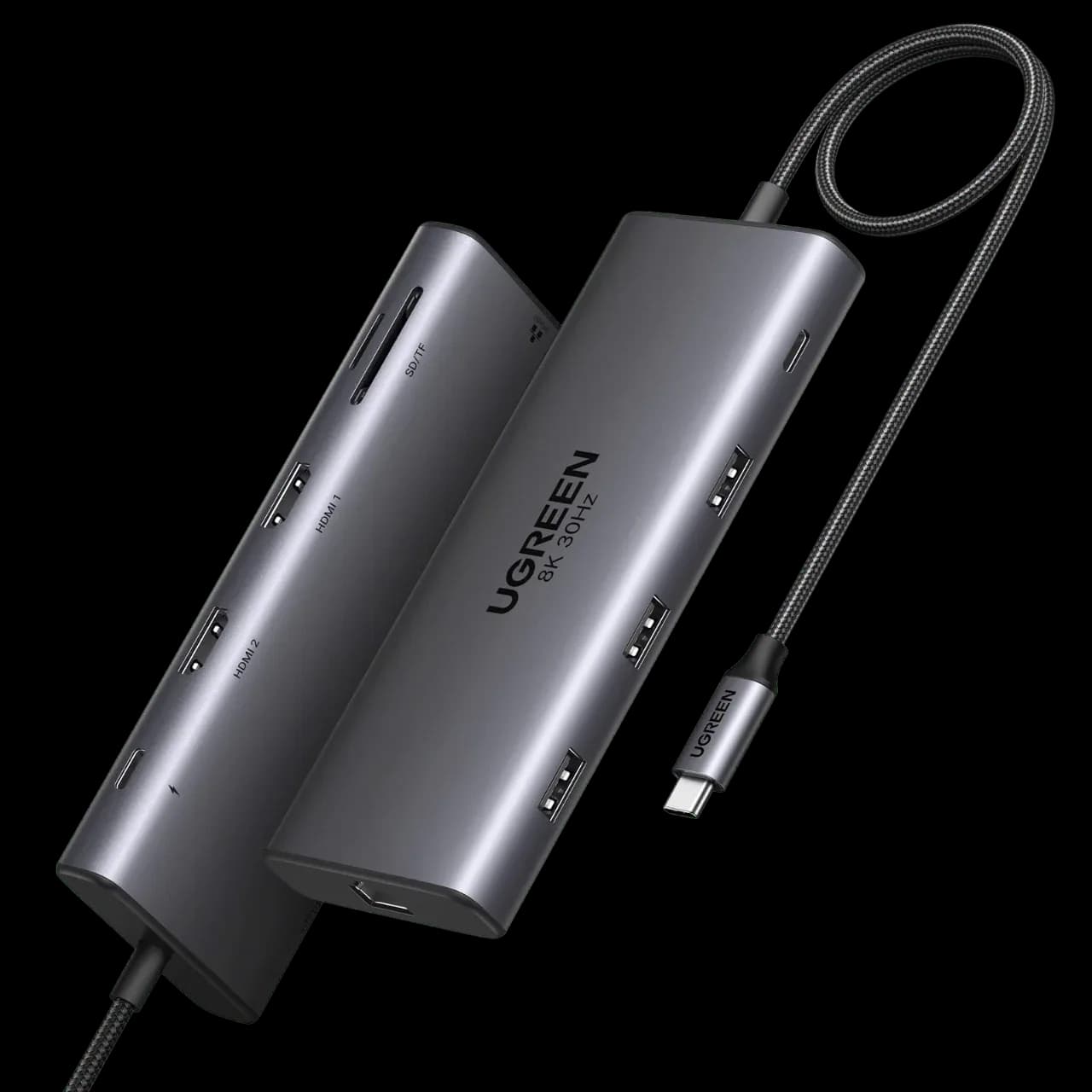
UGREEN Revodok Pro 210 10-in-1 USB-C Hub

UGREEN Revodok Pro 210 10-in-1 USB-C Hub

5.6/10verdict: good, not the best

The Revodok Pro 210 is for people who want a single-cable desk setup with one external screen, Gigabit Ethernet and laptop charging up to 85W. It suits Windows and Mac users who mainly need extra ports and a card reader. Anyone who plans to run two monitors from a MacBook should read the owner reports first.

Typically about £31.53 in the UK when we researched itCheck price at Amazon UK (opens in a new tab, affiliate link)

Affiliate link. As an Amazon Associate I earn from qualifying purchases. Details

Scores, criterion by criterion

CriterionWeightLenovo ThinkPad Hybrid USB-C with USB-A DockUGREEN Revodok Pro 210 10-in-1 USB-C Hub
Displays25%6/106/10
Charging and power20%6/107/10
Ports and bandwidth20%7/105/10
Compatibility and reliability20%4/104/10
Ethernet and value15%6/106/10
Overall5.8/105.6/10

Specifications

SpecLenovo ThinkPad Hybrid USB-C with USB-A DockUGREEN Revodok Pro 210 10-in-1 USB-C Hub
Connects withOne USB-C upstream port to laptop (10 Gbps, 5V/3A) with USB-C to USB-A dongle; supports USB-C, USB4, Thunderbolt 3, Thunderbolt 4 and USB-A laptopsSingle USB-C upstream input, described as USB 3.2 Type-C (Gen1 or Gen2 not confirmed)
External displaysUp to two UHD displays via DisplayPort or HDMI; 3840x2160 @ 60 Hz per port, 5120x2880 @ 60 Hz when DP1 and DP2 drive one monitorSupports 2 external displays: dual HDMI at 4K@60Hz max; single display via HDMI 2 up to 8K@30Hz (Windows only)
Laptop chargingnot listed100W PD input; up to 85W pass-through laptop charging; 15W reserved for dock operation; wall charger not included
PortsUSB-C (10 Gbps, 5V/3A); USB-A 3.2 Gen 2 x3 at 10 Gbps (one always-on); USB-A 2.0 x2; DP 1.4 (4K @ 60 Hz); HDMI 2.0 (4K @ 60 Hz); RJ45; DC power-in; 3.5 mm combo audioTwo HDMI, one 5Gbps USB-C data, one 5Gbps USB-A data, two USB-A 2.0, 1000Mbps Ethernet, SD/TF card slots; 10 ports total
EthernetGigabit EthernetGigabit (1000Mbps)
Display techDisplayLink video connection, per owner review; datasheet footnote lists DisplayLink among supported laptop video modesnot listed
Power supplySeparate ThinkPad Slim-tip 135 W AC power adapter shipped with the docknot listed

Strengths and weaknesses

Lenovo ThinkPad Hybrid USB-C with USB-A Dock

  • + Two 4K 60 Hz outputs, with a 5K option
  • + Five USB-A ports, three at 10 Gbps
  • + Ships with its own 135 W power adapter
  • − Owners report display dropouts and black screens
  • − Reports of random disconnects and wake failures
  • − Gigabit Ethernet only, and no card reader

Skip it if:

  • Buyers who need rock-solid multi-monitor video with no driver fuss
  • Anyone who wants an SD card reader built into the dock
  • Users who need Ethernet faster than gigabit
Read the full Lenovo ThinkPad Hybrid USB-C with USB-A Dock review ›

UGREEN Revodok Pro 210 10-in-1 USB-C Hub

  • + Up to 85W pass-through charging
  • + Owners praise the aluminium build and port variety
  • + Ten ports including Gigabit Ethernet and SD/TF slots
  • − Owners report dual-monitor blanking and drops, mainly on MacBooks
  • − Built-in USB-C cable is short and fixed
  • − Two of the four USB-A/C ports are only USB 2.0

Skip it if:

  • MacBook owners who need a reliable two-monitor setup
  • Anyone needing 2.5GbE, Thunderbolt or USB4 speeds
  • Users whose laptop needs more than 85W of charging power
Read the full UGREEN Revodok Pro 210 10-in-1 USB-C Hub review ›

More comparisons

Compare all docking stations · Best docking stations