UGREEN Revodok Pro 210 10-in-1 USB-C Hub
~£31.53typical UK price when we researched itAffiliate link. As an Amazon Associate I earn from qualifying purchases. Details
UGREEN Revodok Pro 210 10-in-1 USB-C Hub review
Researched, not hands-on tested.How we review ›
by SudoPicks Research · editor Paul HR · published 27 Oct 2026 · updated 27 Oct 2026
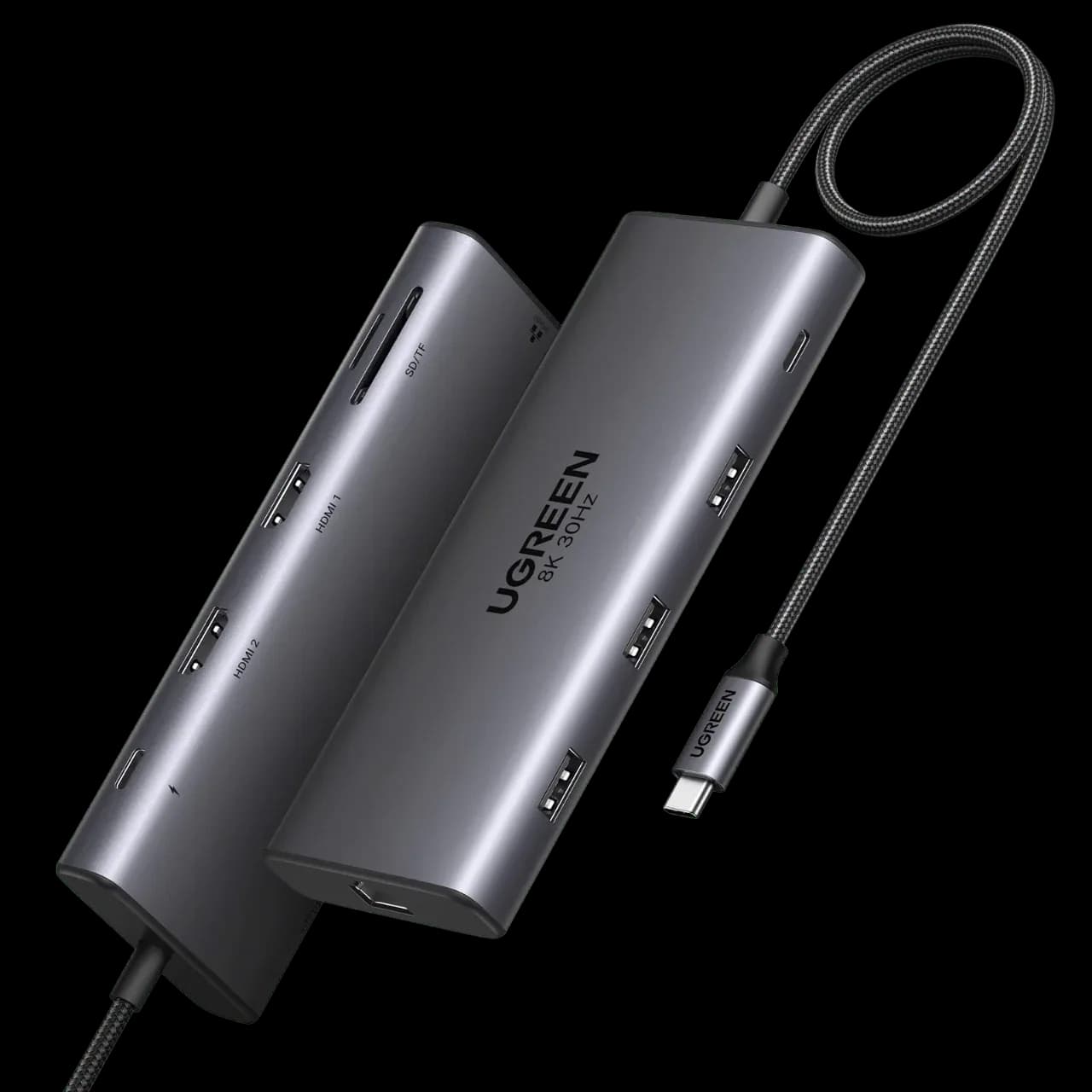
The Revodok Pro 210 is for people who want a single-cable desk setup with one external screen, Gigabit Ethernet and laptop charging up to 85W. It suits Windows and Mac users who mainly need extra ports and a card reader.
joint 3rd of 5 docking stations we've reviewedAffiliate link. As an Amazon Associate I earn from qualifying purchases. Details
New to docking stations? What they are and what to look for
A docking station connects your laptop to your monitors, keyboard, network and charger with one cable.
Do you need a docking station? Worth it if you plug your laptop into the same desk every day and are tired of unplugging five cables.
What to look for
- Enough charging power for your laptop (check its charger's watts)
- Support for the number of screens you want on your laptop (Macs differ)
- Ethernet, and its own power supply for all-day use
Unsure about a word? Jargon explained
How the 5.6 adds up
Our docking stations rubric- Displays25% of score
- Charging and power20% of score
- Ports and bandwidth20% of score
- Compatibility and reliability20% of score
- Ethernet and value15% of score
Against the 5 docking stations we've reviewed
bar = the range of all 5 · dot = this one · better →
- Overall score 5.6/10joint 3rd of 5
- Price £31.532nd cheapest
- Value for money Best value herebest of 4
Support and features
| Software updates | No end-of-support date announced; maker pages mention a 24-month warranty and lifetime technical support. source |
|---|
Compatibility
| Linux | Not confirmed. Conflicting claims: a UK review says the Revodok Pro 210 works with Linux, but UGREEN's listing mentions only Windows and Mac, and no drivers or kernel details were found. source |
|---|
Pros and cons
+ pros
- Up to 85W pass-through charging
- Owners praise the aluminium build and port variety
- Ten ports including Gigabit Ethernet and SD/TF slots
− cons
- Owners report dual-monitor blanking and drops, mainly on MacBooks
- Built-in USB-C cable is short and fixed
- Two of the four USB-A/C ports are only USB 2.0
Price history
Price history appears here once we have tracked this product for a few days.
The full review
Where it fits
The Revodok Pro 210 is a ten-port USB-C hub with a built-in cable. It connects to one USB-C port on the laptop and adds two HDMI outputs, Gigabit Ethernet, SD and TF card slots and four USB ports. It suits a single-cable desk setup with an external screen and a laptop that charges through the hub. The 5Gbps data ceiling and the owner reports on dual displays decide who should look elsewhere.
Displays6/10
UGREEN lists support for two external displays, with dual HDMI at up to 4K at 60Hz. A single display on HDMI 2 can reach 8K at 30Hz, but only on Windows. UGREEN's press material says no additional driver downloads are needed. It does not state whether the chipset is native or DisplayLink, so the specification alone does not tell Mac buyers which approach applies.
Owner reports split by screen count. Single-display use gets praise for being smooth. Dual-monitor use draws complaints of screen blanking, disconnects and inconsistency, especially on MacBooks, plus occasional connection drops with multiple monitors. Given those reports, it suits a one-screen setup better than a dependable two-screen one, and a Mac buyer who needs two screens should be cautious.
Charging and power7/10
The dock accepts up to 100W of USB-C Power Delivery input. Up to 85W passes through to the laptop, and 15W is reserved for the dock's own operation. Macworld's review makes the same point: of the 100 watts at the input, a maximum of 85 watts is available for the MacBook.
An 85W ceiling covers laptops that charge at that level or below. A laptop that needs more than 85W sits outside what the dock passes through. UGREEN does not include a wall charger, so you supply your own.
Ports and data5/10
The port list is varied. There is one 5Gbps USB-C data port, one 5Gbps USB-A port and two USB-A 2.0 ports. Two HDMI outputs, Gigabit Ethernet and SD and TF card slots complete the ten. The card reader is a useful extra for photographers and anyone moving files from cameras.
The data ports top out at 5Gbps, and the upstream connection is described as USB 3.2 Type-C without a confirmed Gen1 or Gen2 speed. This is not a Thunderbolt or USB4 dock. With two of the four USB ports at USB 2.0 speed, those two fit keyboards, mice and similar low-bandwidth devices better than fast external drives. Owners praise the wide port variety, though some say the port labels are hard to read.
Ethernet6/10
The Ethernet port runs at Gigabit (1000Mbps). Macworld's review lists around 65MBps write and 75MBps read over it. There is no 2.5GbE option, so a connection faster than Gigabit is not available through this dock.
Build and cable
Owners praise the premium aluminium build and durability. The main hardware complaint is the cable. It is built in, short and fixed, so the dock sits close to the laptop's USB-C port and cannot be swapped for a longer lead.
Compatibility4/10
UGREEN's Spanish listing names Windows, macOS and iPad compatibility. The only Windows-specific limit in the specifications is the 8K single-display mode. The reliability reports are the main concern: blanking, disconnects and inconsistency on multi-monitor setups, concentrated on MacBooks. Those reports apply to the display function rather than to the ports, Ethernet or card reader.
Verdict
The Revodok Pro 210 offers many ports, 85W pass-through and Gigabit Ethernet, and owners like its metal build. Its weak spot is dual-screen stability, particularly on MacBooks. It fits best with one external screen, a laptop that charges at 85W or below, and no need for fast external storage on the USB 2.0 ports.
What owners report
Recurring themes from public owner feedback, summarised in our own words.
- Owners praise the premium aluminium build and durability.
- Single-display use is described as smooth, and owners like the wide port variety.
- The built-in USB-C cable is short and fixed, which draws complaints.
- Dual-monitor use brings blanking, disconnects and inconsistency, especially on MacBooks, with occasional drops on multi-monitor setups.
Who should skip it
- MacBook owners who need a reliable two-monitor setup
- Anyone needing 2.5GbE, Thunderbolt or USB4 speeds
- Users whose laptop needs more than 85W of charging power
Full specifications
| Connects with | Single USB-C upstream input, described as USB 3.2 Type-C (Gen1 or Gen2 not confirmed) |
|---|---|
| External displays | Supports 2 external displays: dual HDMI at 4K@60Hz max; single display via HDMI 2 up to 8K@30Hz (Windows only) |
| Laptop charging | 100W PD input; up to 85W pass-through laptop charging; 15W reserved for dock operation; wall charger not included |
| Ports | Two HDMI, one 5Gbps USB-C data, one 5Gbps USB-A data, two USB-A 2.0, 1000Mbps Ethernet, SD/TF card slots; 10 ports total |
| Ethernet | Gigabit (1000Mbps) |
✓ Specs checked against the maker's data sheet.
Sources
- UGREEN Revodok Pro 210 product page (EU)
- UGREEN Revodok Pro 210 product page (AU)
- UGREEN Revodok series press release (US)
- UGREEN Revodok Pro 210 listing (Spain)
- Amazon UK listing B0BXDQS4BD
- Macworld: UGREEN Revodok Pro 210 review
- PCTechBits: Revodok Pro 210 review
- Today's Tech Bytes: Revodok Pro 210 review
- Jabba Reviews: Revodok Pro 210 review
- Mighty Gadget: Revodok Pro series review
- Icecat data sheet: Ugreen 15534 interface hub USB Type-C 5000 Mbit/s
Compare head to head
- UGREEN Revodok Pro 210 10-in-1 USB-C Hub vs UGREEN Revodok Pro 207 ›
- UGREEN Revodok Pro 210 10-in-1 USB-C Hub vs Lemorele TC94L USB-C Docking Station ›
- UGREEN Revodok Pro 210 10-in-1 USB-C Hub vs UGREEN Revodok Max 213 Thunderbolt 4 Dock ›
- UGREEN Revodok Pro 210 10-in-1 USB-C Hub vs CalDigit TS4 Thunderbolt 4 Dock ›