CalDigit TS4 Thunderbolt 4 Dock
~£369.99typical UK price when we researched itAffiliate link. As an Amazon Associate I earn from qualifying purchases. Details
CalDigit TS4 Thunderbolt 4 Dock review
Researched, not hands-on tested.How we review ›
by SudoPicks Research · editor Paul HR · published 27 Oct 2026 · updated 27 Oct 2026
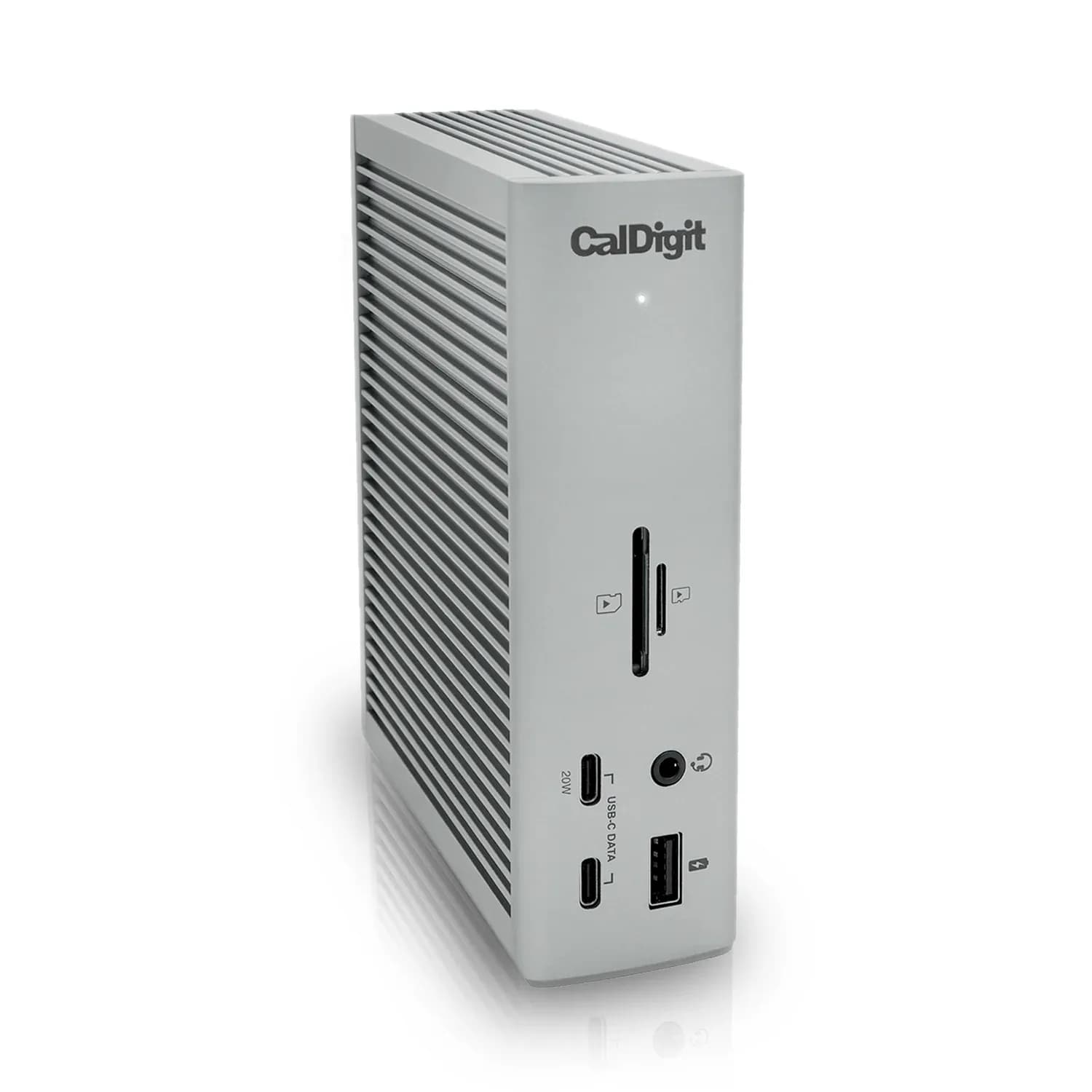
The CalDigit TS4 is for people who want one cable to connect a laptop to a large set of peripherals. It suits Windows laptops, Intel Macs and M1 Pro or M1 Max Macs that need two external screens and lots of fast USB.
1st of 5 docking stations we've reviewedAffiliate link. As an Amazon Associate I earn from qualifying purchases. Details
New to docking stations? What they are and what to look for
A docking station connects your laptop to your monitors, keyboard, network and charger with one cable.
Do you need a docking station? Worth it if you plug your laptop into the same desk every day and are tired of unplugging five cables.
What to look for
- Enough charging power for your laptop (check its charger's watts)
- Support for the number of screens you want on your laptop (Macs differ)
- Ethernet, and its own power supply for all-day use
Unsure about a word? Jargon explained
How the 7.3 adds up
Our docking stations rubric- Displays25% of score
- Charging and power20% of score
- Ports and bandwidth20% of score
- Compatibility and reliability20% of score
- Ethernet and value15% of score
Against the 5 docking stations we've reviewed
bar = the range of all 5 · dot = this one · better →
- Overall score 7.3/101st of 5
- Price £369.994th cheapest
- Value for money Poorer value than most4th best of 4
Support and features
| Software updates | No end date announced; Thunderbolt and USB PD firmware were last updated 01/26/26. source |
|---|
Compatibility
| Linux | Partly works on Linux. Works on Linux hosts via fwupd firmware updates and the bolt package, but monitor identification and Ethernet can be problematic, and CalDigit provides no Linux software. source |
|---|
Pros and cons
+ pros
- 98W laptop charging from its own 230W power supply
- 18 ports, with 10Gbps USB and 2.5GbE
- Native display output with no driver required
− cons
- Original M1 Macs cannot run dual displays
- No HDMI port; one DisplayPort 1.4 output
- Some owners report reconnecting cables after sleep
Price history
Price history appears here once we have tracked this product for a few days.
The full review
Where it fits
The TS4 is a Thunderbolt 4 dock that connects to the host through a single Thunderbolt 4 port. CalDigit lists support for Thunderbolt 4, Thunderbolt 3 and USB4 computers, plus Chromebooks, iPad Pro, Air and mini, iPhone 15 and Windows tablets. The minimum operating systems are macOS 11.4 or Windows 10 (20H2). For Mac users, CalDigit recommends updating to macOS 13 Ventura for the best experience.
It launched in January 2022. It is a desk dock with an external power brick, not a compact travel adapter.
Ports and bandwidth9/10
This is the dock's strongest area. It lists 18 ports in total. Three are Thunderbolt 4 at 40Gb/s, three are USB-C at 10Gb/s and five are USB-A at 10Gb/s. There is also a DisplayPort 1.4 output, an SD 4.0 slot and a microSD 4.0 slot, both UHS-II, and 2.5 Gigabit Ethernet.
Audio is well covered. A front combo jack handles headsets, and separate rear jacks handle audio in and audio out. With five USB-A ports at 10Gb/s, older drives and peripherals can stay plugged in without a hub on top.
Downstream power is limited per port. The Thunderbolt 4 ports supply 15W each and the front USB-C port supplies 20W. The remaining USB-C and USB-A ports supply 7.5W each. That is enough for most peripherals, but the dock is not a charging station for several phones and tablets at speed.
One reviewer noted there is no HDMI port. Anyone with an HDMI monitor would need to plan for that.
Displays7/10
Display output is native, with no driver required. What you get depends on the computer. Intel Macs, Windows PCs and Chrome OS machines can run dual 4K at 60Hz. M1 Pro and M1 Max Macs can run dual 6K at 60Hz. A single monitor can go up to 8K.
The limit is the original M1 Mac, which CalDigit says does not support dual displays through this dock. If you own one and want two screens, this is not the right dock. The dock has a single DisplayPort 1.4 output, so check how your second screen would connect before buying.
Charging and power8/10
The TS4 charges a laptop at up to 98W from the Thunderbolt 4 or USB4 host port. The dock runs from its own 230W external power supply, with a 19.5V 11.8A DC input, so it does not draw its own power from the laptop.
Owners and reviewers single out charging and port count as reasons the dock earns its place on a desk.
Ethernet and firmware6/10
Wired networking is 2.5GbE over RJ45, which suits a faster home or office network. Some users report problems updating firmware after the macOS Ventura release. That evidence is thin, but Mac owners should keep it in mind.
Reliability and owner feedback6/10
Owner and reviewer feedback is largely positive on connectivity and reliability. Reviewers describe the port selection as worth the premium. One complaint is the price, which one review described as high.
A few reports mention needing to reconnect cables after the laptop wakes from sleep. Another reviewer noted orientation quirks. Both come from thin evidence, so treat them as things to watch rather than a pattern.
Warranty terms vary by page. The US product page lists two years, while the open-box page lists one year. Check the terms for the version you buy.
Who it suits
With 98W charging, 10Gbps USB ports, two UHS-II card slots and 2.5GbE, the TS4 suits a permanent desk with many devices. Windows laptops and M1 Pro or Max Macs get dual-display support. Original M1 owners get one screen, which cuts the dock's appeal for a two-monitor setup. The price is the main thing to weigh against the port selection.
What owners report
Recurring themes from public owner feedback, summarised in our own words.
- Reviewers praise the port count and charging, calling connectivity and reliability worth the premium.
- A few users report reconnecting cables after the laptop wakes from sleep, though evidence is thin.
- Some users had trouble updating firmware after macOS Ventura, again on thin evidence.
Who should skip it
- Original M1 Mac owners who want two external displays
- Anyone who needs an HDMI port on the dock
- Buyers who want a compact travel dock
Full specifications
| Connects with | Thunderbolt 4 host port; compatible with Thunderbolt 4, Thunderbolt 3, USB-C (USB4) and USB-C computers, Chromebook, iPad Pro/Air/mini, iPhone 15 (USB-C), Windows Tablet. Minimum OS: macOS 11.4 (Big Sur) or above, Windows 10 (20H2) or above |
|---|---|
| External displays | One built-in DisplayPort 1.4; up to dual 4K 60Hz (Intel Macs, Windows, Chrome OS); up to dual 6K 60Hz (M1 Pro/M1 Max Macs); original M1 Macs do not support dual displays; single monitor up to 8K |
| Laptop charging | 98W laptop charging from Thunderbolt 4/USB4 host port |
| Ports | 18 total: 3 x Thunderbolt 4 (40Gb/s), 3 x USB-C (10Gb/s), 5 x USB-A (10Gb/s), 1 x DisplayPort 1.4, 1 x SD 4.0 (UHS-II), 1 x microSD 4.0 (UHS-II), 1 x 2.5 Gigabit Ethernet, 1 x front combo audio in/out (3.5mm), 1 x rear audio out (3.5mm), 1 x rear audio in (3.5mm), 1 x DC in (19.5V 11.80A) |
| Ethernet | 2.5GbE RJ45 |
| Display tech | Native (no driver required) |
| Power supply | External power supply (230W); DC input 19.5V 11.8A |
Sources
- CalDigit Thunderbolt Station 4 product page
- Introducing the TS4
- CalDigit US TS4 product page
- CalDigit US TS4 open-box page
- CalDigit Asia TS4 US SKU page
- CalDigit TS4 user guide PDF
- Amazon UK CalDigit TS4 listing
- TechRadar CalDigit TS4 review
- docking-stations.info CalDigit TS4 review
- MacRumors forum thread on CalDigit TS4