Anker 568 USB-C Docking Station (11-in-1, USB4)
No live price yetAffiliate link. As an Amazon Associate I earn from qualifying purchases. Details
Anker 568 USB-C Docking Station (11-in-1, USB4) review
Researched, not hands-on tested.How we review ›
by SudoPicks Research · editor Paul HR · published 29 Oct 2026 · updated 29 Oct 2026
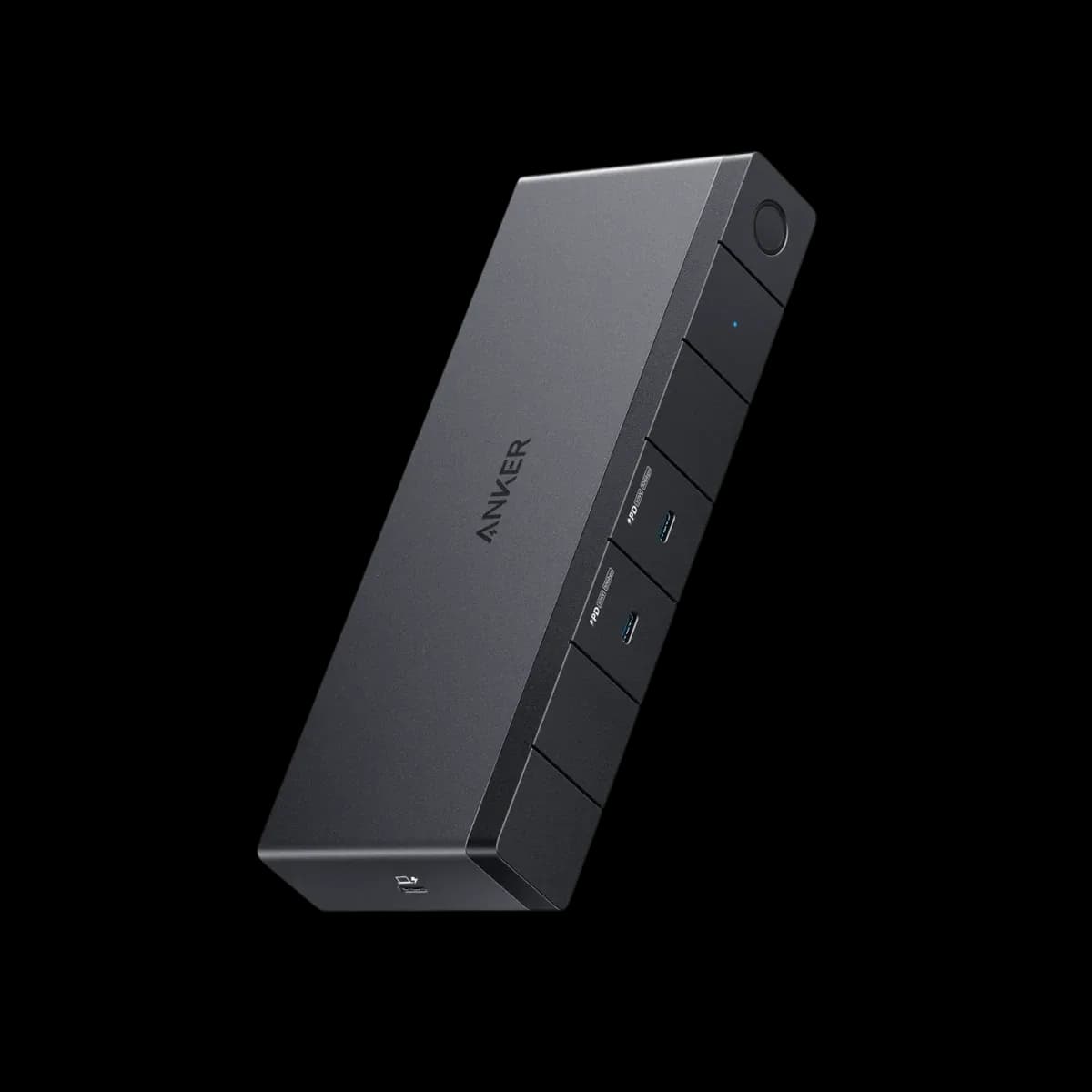
The Anker 568 is a USB4 dock for Windows laptops that need up to three monitors and laptop charging over one cable. It gives the laptop up to 85W after its own draw and adds front USB-C ports with 30W each.
7th of 9 docking stations we've reviewedAffiliate link. As an Amazon Associate I earn from qualifying purchases. Details
New to docking stations? What they are and what to look for
A docking station connects your laptop to your monitors, keyboard, network and charger with one cable.
Do you need a docking station? Worth it if you plug your laptop into the same desk every day and are tired of unplugging five cables.
What to look for
- Enough charging power for your laptop (check its charger's watts)
- Support for the number of screens you want on your laptop (Macs differ)
- Ethernet, and its own power supply for all-day use
Unsure about a word? Jargon explained
How the 5.4 adds up
Our docking stations rubric- Displays25% of score
- Charging and power20% of score
- Ports and bandwidth20% of score
- Compatibility and reliability20% of score
- Ethernet and value15% of score
Against the 9 docking stations we've reviewed
bar = the range of all 9 · dot = this one · better →
- Overall score 5.4/107th of 9
Support and features
| Software updates | No end date announced; NZ page lists an 18-month warranty and Lifetime Customer Support. source |
|---|
Compatibility
| Linux | Partly works on Linux. Anker does not support Linux for this dock, but a Framework 13 owner reported it mostly works on Linux with minor Wayland bugs and known workarounds. source |
|---|
Pros and cons
+ pros
- Native video on HDMI and DisplayPort, no driver needed
- Own 180W adapter with 100W maximum to the laptop
- Two front USB-C ports at 10Gbps and 30W each
− cons
- Three monitors drop to 4K@30Hz
- Not advised for MacBooks; no extended displays on macOS
- Owners report display flicker and Ethernet drops
Price history
Price history appears here once we have tracked this product for a few days.
The full review
Where it fits
The Anker 568 is an 11-in-1 dock that connects to the host over a single USB4 port at 40Gbps. It suits Windows laptops that need several monitors, laptop charging and a spread of USB ports from one cable. Anker lists Windows 10 or later as supported.
Displays5/10
The dock has one HDMI 2.0 port and two DisplayPort outputs. HDMI handles 4K at 60Hz. Each DisplayPort handles 4K at 60Hz or 8K at 30Hz. Connect all three monitors and the maximum drops to 4K at 30Hz. With one or two screens, the 4K@60Hz figure is the one that matters. A three-screen desk gets a lower refresh rate.
Video runs natively over DisplayPort and HDMI, and Anker's FAQ says no driver is needed. That keeps setup simple on Windows. One reviewer said dual monitors on the Thunderbolt 4 port caused no problem.
Macs are a different case. Anker says the dock is not advised for MacBooks, and its NZ page lists it as not compatible with MacBook. Anker's FAQ says dual or triple extended displays do not work on macOS, and the monitors show the same screen. Mac owners who want separate screens should look elsewhere.
Owner reports include display trouble. One reviewer said the screen turns off for a second or two. Another said monitors flicker periodically. MiniPCReviewer reports monitor recognition issues. These reports concern the dock's main job, so they count for more than a missing extra.
Power7/10
The dock has its own external 180W DC adapter, so it does not run only on what the laptop supplies. It sends up to 100W to the laptop through the USB4 port. The dock draws 15W itself, which leaves 85W for the laptop. Check your laptop's charger rating against that 85W figure before buying.
MiniPCReviewer says some laptops detected only 60W. That is a single source, but it is a reason to confirm compatibility with your own machine.
Two USB-C ports on the front give 30W each and carry no video. A reviewer found these front ports convenient. Anker's FAQ says the dock may increase in temperature when charging or transferring at high speed.
Ports and EthernetPorts and bandwidth 6/10Ethernet and value 5/10
The front has two USB-C 3.2 Gen 2 ports at 10Gbps. The rest of the USB set is two USB-A 3.2 Gen 1 ports at 5Gbps and two USB-A 2.0 ports at 480Mbps. With 480Mbps on those last two, they suit keyboards and mice better than external drives.
There is no 3.5mm headphone jack and no SD card reader, according to a Walmart reviewer and Basic-tutorials. Anyone who moves photos from cards or plugs in wired headphones will need a separate solution.
Ethernet is a single gigabit RJ45 port, not 2.5GbE. MiniPCReviewer reports Ethernet disconnections and reduced performance. JudgifyMe reports intermittent connection issues. Those reports matter if the dock is your only network link.
Build and reliability4/10
Basic-tutorials calls the build quality very high. Anker says firmware is updated remotely through Anker Dock Manager, so fixes can reach the dock after purchase.
One Walmart reviewer said the dock stopped their ThinkPad's Thunderbolt port working until a hardware reset. That is a single serious report with no second independent account, so treat it as a caution rather than a pattern. The repeated themes are the display dropouts and connection drops above.
Who it suits
With native video, an 85W laptop allowance and a 40Gbps USB4 link, it fits a Windows desk with one or two 4K monitors and a few USB peripherals. The gigabit port, the missing card reader and the reported flicker and Ethernet drops make it less appealing for buyers who need a dependable all-day connection. MacBook owners should read Anker's own compatibility warnings first.
What owners report
Recurring themes from public owner feedback, summarised in our own words.
- Several reviewers report display dropouts, flicker or monitor recognition problems.
- Ethernet disconnections and intermittent connection issues appear in more than one report.
- Owners note the lack of a headphone jack and SD card reader, while praising the build quality.
- Dual-monitor use and the front 30W USB-C ports get positive mentions.
Who should skip it
- MacBook owners who want extended multi-monitor setups
- Buyers who need an SD card reader or headphone jack
- Anyone wanting 2.5GbE or a certified Thunderbolt dock
Full specifications
| Connects with | USB4 upstream host port, 40 Gbps, up to 100W to the laptop |
|---|---|
| External displays | Up to 3 external monitors: 1 HDMI 2.0 (4K@60Hz) and 2 DisplayPort (8K@30Hz or 4K@60Hz); with three connected, maximum 4K@30Hz |
| Laptop charging | 100W maximum to the laptop via the USB4 port; 85W for the laptop after the dock's own 15W draw |
| Ports | 1 USB4 upstream (PD in); 2 USB-C 3.2 Gen 2 front (10 Gbps, 30W each, no video); 2 USB-A 3.2 Gen 1 (5 Gbps); 2 USB-A 2.0 (480 Mbps); 1 HDMI 2.0; 2 DisplayPort; 1 RJ45; 11 ports total |
| Ethernet | 1 x gigabit RJ45 (1 Gbps) |
| Display tech | Native video over DisplayPort and HDMI; no DisplayLink mentioned; no software or driver needed |
| Power supply | External 180W DC adapter plus 1m USB4 cable |
Sources
- Anker NZ product page (A8399)
- Anker service portal product description
- Anker introduction article
- Anker single 8K / triple 4K display introduction
- Anker 568 USB4 FAQ
- Anker 568 USB-C Hub FAQ
- PCWorld Anker 568 review
- Basic-tutorials Anker 568 review
- Notebookcheck Anker 568 arrival
- Docking-stations.info Anker 568 review
- Walmart US customer reviews
- MiniPCReviewer Anker 568 review
- JudgifyMe Anker 568 product page
Alternatives
Compare head to head
- Anker 568 USB-C Docking Station (11-in-1, USB4) vs UGREEN Revodok Pro 210 10-in-1 USB-C Hub ›
- Anker 568 USB-C Docking Station (11-in-1, USB4) vs UGREEN Revodok Pro 207 ›
- Anker 568 USB-C Docking Station (11-in-1, USB4) vs Anker Prime Charging Docking Station (14-in-1, Dual Display, 160W) ›
- Anker 568 USB-C Docking Station (11-in-1, USB4) vs Anker Nano 13-in-1 Laptop Docking Station (A83C3) ›
- Anker 568 USB-C Docking Station (11-in-1, USB4) vs Lenovo ThinkPad Hybrid USB-C with USB-A Dock ›
- Anker 568 USB-C Docking Station (11-in-1, USB4) vs Lemorele TC94L USB-C Docking Station ›