Logitech Signature M650
~£25.99typical UK price when we researched itAffiliate link. As an Amazon Associate I earn from qualifying purchases. Details
Logitech Signature M650 review
Researched, not hands-on tested.How we review ›
by SudoPicks Research · editor Paul HR · published 29 Oct 2026 · updated 29 Oct 2026
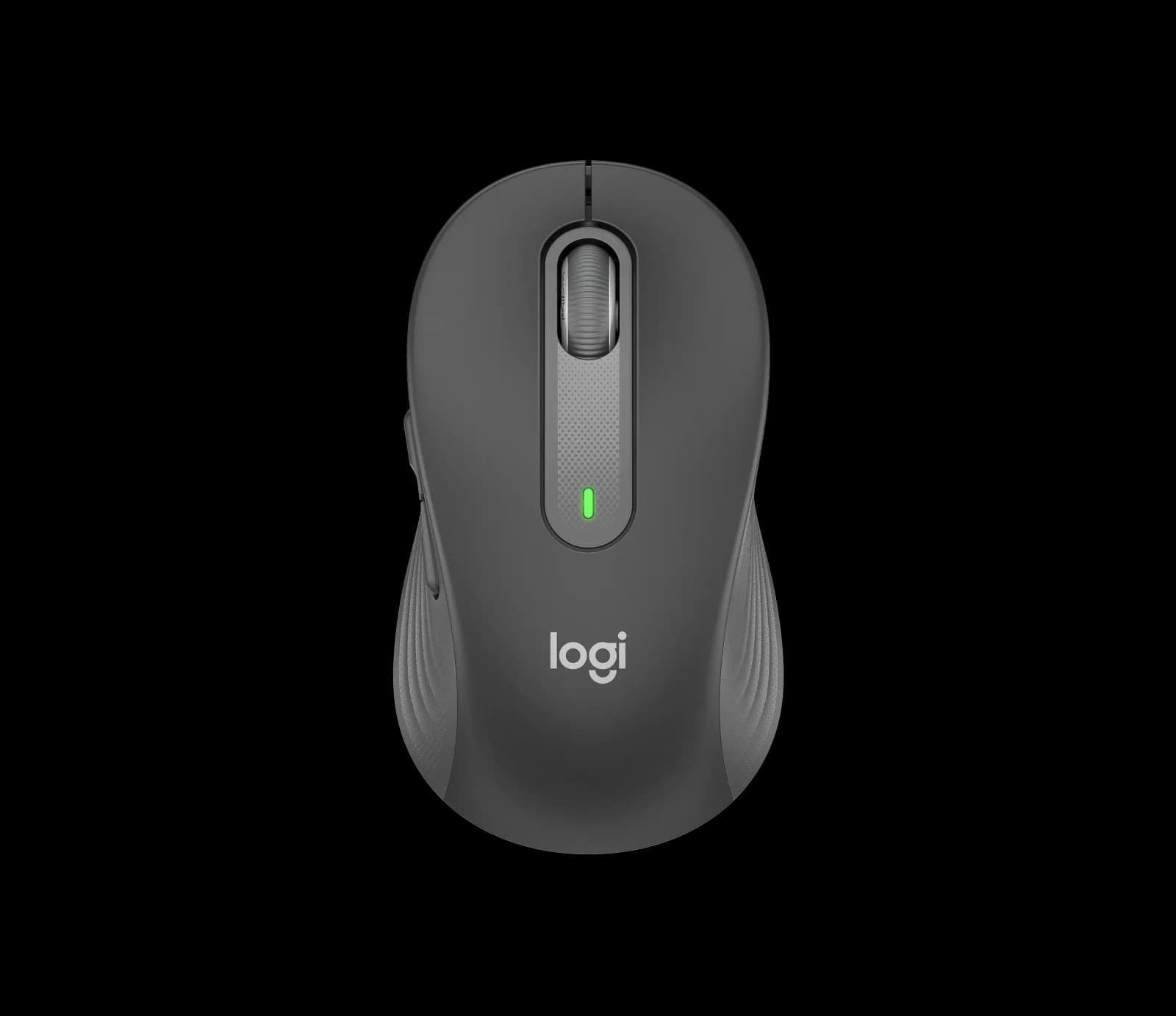
The Logitech Signature M650 is a wireless mouse for office and home desk work where comfort and low noise matter most. It comes in standard, large and left-handed versions, so more people can find a fit.
2nd of 14 mice we've reviewedAffiliate link. As an Amazon Associate I earn from qualifying purchases. Details
New to mice? What they are and what to look for
A mouse is the pointer you move around your screen. A better one is more comfortable, more precise and can work with several computers.
Do you need a new mouse? Worth upgrading if your hand or wrist aches after long days, or you game and want quicker, lighter control.
What to look for
- Comfort: ergonomic shapes suit long workdays
- Both Bluetooth and a USB receiver, and USB-C charging
- Long battery life, and extra buttons if you'll use them
Unsure about a word? Jargon explained
How the 7.1 adds up
Our mice rubric- Comfort and shape25% of score
- Sensor and tracking20% of score
- Connectivity and battery25% of score
- Build and buttons15% of score
- Software and value15% of score
Against the 14 mice we've reviewed
bar = the range of all 14 · dot = this one · better →
- Overall score 7.1/102nd of 14
- Price £25.996th cheapest
- Value for money About average5th best of 12
Support and features
| Software updates | No end date announced source |
|---|
Compatibility
| Linux | Not confirmed. Logitech claims Linux support and lists Linux as a requirement, but no tested results, driver package, or owner reports were found. source |
|---|
Pros and cons
+ pros
- Quiet clicks and a contoured, rubber-gripped shape
- Up to 24 months from one AA battery
- Size options include large and left-handed versions
− cons
- No multi-device switching on this model
- Standard size is aimed at small-to-medium hands
Price history
Price history appears here once we have tracked this product for a few days.
The full review
Where it fits
The M650 is an everyday wireless mouse for desk work. Logitech built it around comfort and quiet operation, and the spec sheet reflects that. You get five buttons, a contoured shape and a choice of connection types.
It is a sensible choice for office use, home working and general admin tasks. That includes long sessions in a terminal, a browser and a ticketing system, where button noise and hand fatigue matter more than raw speed.
Comfort and sizing8/10
The shape is contoured, with a soft thumb area and rubber side grips. The standard model is sized for small-to-medium hands. Logitech lists its dimensions as 108.2 mm H × 61 mm W × 38.8 mm D. It weighs 101.4 g.
Sizing is the strongest part of the range. Logitech also sells the M650 L for large hands and the M650 L Left for left-handed users. That gives left-handed buyers a dedicated version to check before they look at anything else.
Owner comments back up the design. Reviewers describe it as well designed and comfortable, and one owner was happy with both the size and the build quality. One recurring complaint comes from people with large hands who wished the mouse were bigger. The standard model is specified for small-to-medium hands, so those buyers should look at the L version.
Quiet clicks and buttons7/10
Logitech's SilentTouch technology reduces clicking noise by more than 90% compared with the Logitech M185. Owners mention the quiet too, with "super quiet" among the comments. In a shared office or a house where someone is on a call, that matters.
The M650 has five buttons: left and right click, back and forward, and a scroll wheel with middle click. The two side thumb buttons are customisable. The SmartWheel offers line-by-line scrolling and a fast mode, which suits both precise list navigation and long documents or log files.
The button count is modest. If you want a lot of programmable inputs, the specification offers only the two thumb buttons. For general computing, that is enough.
Connection and battery7/10
The mouse connects through a Logi Bolt USB receiver or Bluetooth Low Energy, with a 10 m wireless range. Having both options means it works with a machine that has no spare USB port as well as with one that does.
One AA battery is included. Logitech quotes up to 24 months with the Logi Bolt receiver and up to 20 months over Bluetooth. With a battery life measured in years, you are unlikely to think about power often.
Multi-device switching is not part of this model. Logitech lists that feature on the M750, not the M650. If you want to move one mouse between a laptop and a desktop at the press of a button, this is the main limit.
Tracking and softwareSensor and tracking 6/10Software and value 7/10
The sensor uses Logitech Advanced Optical Tracking. Nominal resolution is 400 DPI, with a maximum of 4000 DPI. That range covers normal desktop work. Logitech gives no polling rate, which fits a mouse built for office use and not for gaming.
Logi Options+ supports the M650 on Windows and macOS. That is where you would set up the thumb buttons and other behaviour. The product page also lists Linux, iPadOS, Android and Chromebook among supported platforms, which is useful if you work across several systems.
The M650 carries a 2-year limited hardware warranty. Logitech's product page labels it as made with recycled plastic.
Verdict
The M650 does the basics well. Quiet clicks, a contoured grip with rubber sides and a battery quoted in years suit a mouse that sits on a desk all day. The size options, including a left-handed model, widen its appeal. Its main limits are the lack of multi-device switching and a standard size aimed at smaller hands. Buyers who can live with those get a comfortable, low-fuss mouse.
What owners report
Recurring themes from public owner feedback, summarised in our own words.
- Owners praise the comfort, design and build quality.
- Owners find the clicks very quiet.
- Some large-hand owners wished the mouse were bigger.
Who should skip it
- Anyone who wants to switch one mouse between several computers
- Gamers who want a published polling rate and high-DPI controls
- People with large hands who would only consider the standard size
Full specifications
| Connection | Logi Bolt USB receiver or Bluetooth Low Energy; 10 m wireless range |
|---|---|
| Sensor and DPI | Logitech Advanced Optical Tracking; 400 DPI nominal, up to 4000 DPI max |
| Battery life | 1 x AA included; up to 24 months with Logi Bolt receiver, up to 20 months with Bluetooth |
| Weight | 101.4 g |
| Buttons | 5 (left/right click, back/forward, scroll wheel with middle click) |
| Shape and hand | Contoured with soft thumb area and rubber side grips; standard size for small-to-medium hands |
| Software | Supported by Logi Options+ on Windows and macOS; page also lists Linux, iPadOS, Android and Chromebook |
Sources
- Logitech Signature M650 product page (US)
- Logitech Signature M650 spec table (HK)
- Logitech M650 product list (test subdomain)
- Logitech Sync Hub M650 specifications (Business variant)
- Logitech press release, Signature M650 (2022)
- Logitech blog, Signature M650 workplace mouse (11 Jan 2022)
- Logitech MK650 combo FAQ
- The Gadgeteer review, Logitech Signature M650
- eBay listing, M650 owner review
- eBay.de listing, M650 German review
Alternatives
Compare head to head
- Logitech Signature M650 vs Logitech MX Master 3S Bluetooth Edition ›
- Logitech Signature M650 vs Logitech Lift Vertical Ergonomic Mouse ›
- Logitech Signature M650 vs Logitech G305 LIGHTSPEED Wireless Gaming Mouse ›
- Logitech Signature M650 vs Razer DeathAdder Essential ›
- Logitech Signature M650 vs Razer Basilisk V3 ›
- Logitech Signature M650 vs TECKNET Wireless Mouse BT5.0/3.0 & 2.4G 4800 DPI Grey ›