Logitech C920 HD Pro Webcam
~£49.99typical UK price when we researched itAffiliate link. As an Amazon Associate I earn from qualifying purchases. Details
Logitech C920 HD Pro Webcam review
Researched, not hands-on tested.How we review ›
by SudoPicks Research · editor Paul HR · published 28 Oct 2026 · updated 28 Oct 2026
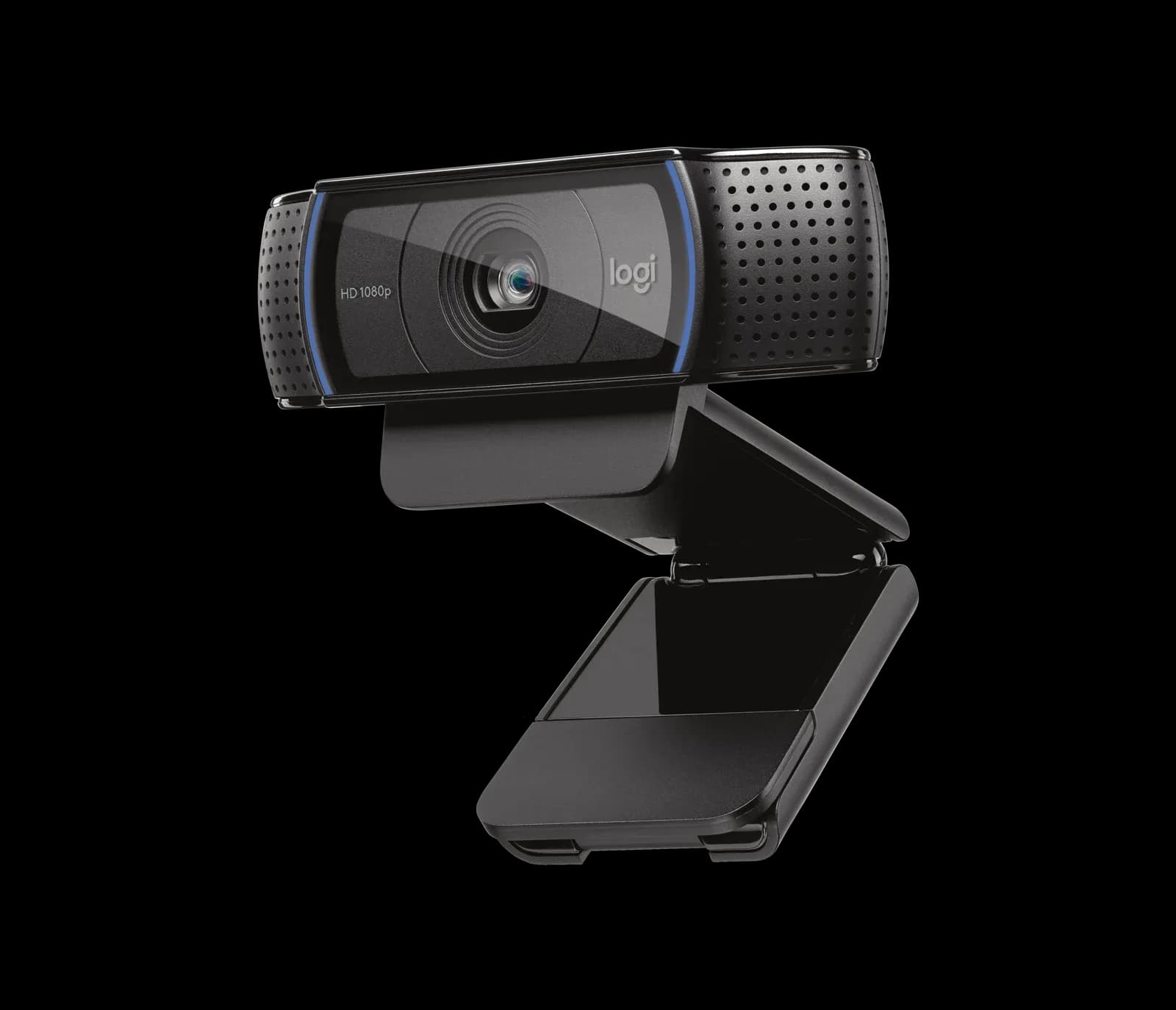
The Logitech C920 is for people who want a simple USB webcam for video calls and streaming from a well-lit desk. It suits buyers who value easy setup and a sharp 1080p image over high frame rates.
joint 7th of 9 webcams we've reviewedAffiliate link. As an Amazon Associate I earn from qualifying purchases. Details
New to webcams? What they are and what to look for
A webcam is a small camera that sits on your monitor for video calls and streaming.
Do you need a webcam? Worth it if your laptop's built-in camera looks grainy, or you use a desktop PC without one.
What to look for
- 1080p is enough for calls; good low-light performance matters more than 4K
- Autofocus and a built-in privacy shutter
- Works without extra software on your computer
Unsure about a word? Jargon explained
How the 5.4 adds up
Our webcams rubric- Picture quality30% of score
- Low light20% of score
- Microphone15% of score
- Features and privacy20% of score
- Compatibility and value15% of score
Against the 9 webcams we've reviewed
bar = the range of all 9 · dot = this one · better →
- Overall score 5.4/10joint 7th of 9
- Price £49.993rd cheapest
- Value for money About average4th best of 9
Support and features
| Software updates | No end date announced source |
|---|
Compatibility
| Linux | Partly works on Linux. UVC webcam with mainline kernel support, so it works out of the box for basic video, but owners report autofocus, pan/tilt, zoom, and detection problems, and Logitech's own software does not run natively on Linux. source |
|---|
Pros and cons
+ pros
- Easy setup and works out of the box
- Sharp, colourful image in good light
- Autofocus on a 1080p sensor
− cons
- Weak in dim rooms
- Capped at 30fps
- Bundled software reported as buggy
Price history
Price history appears here once we have tracked this product for a few days.
The full review
Where it fits
The C920 was announced in January 2012 and is a 1080p USB webcam with autofocus. It records at 1080p or 720p, both at 30fps. It connects over USB-A with a 1.5 m cable. There is no extra hardware to manage and no complicated feature set.
That plain approach is what owners praise most. Reports repeatedly describe easy setup and say it works out of the box. For a sysadmin or developer who wants a camera for stand-ups, client calls or a home office desk, that matters. You plug it in and join the call.
Picture quality6/10
The main strength is the image in good light. Owners describe it as sharp and colourful. The spec sheet lists 1080p at 30fps, with 720p at 30fps as the alternative. Autofocus helps keep you sharp if you lean in or move around.
There are two complaints. The first is a tint from auto white balance, which some owners mention. The second is the frame rate. Both resolution modes top out at 30fps, and owners flag that ceiling. For talking-head calls that is a limit rather than a problem. If you want smoother motion for streaming or gameplay overlays, the spec sheet gives you no higher option.
The field of view is listed as 78° diagonal and fixed. That suits a single person at a desk. Logitech points users to Logi Tune for zoom and field-of-view settings.
Low light4/10
This is the weak spot. Owners report that the camera struggles in dim rooms. Logitech's own page describes auto light correction as giving bright, contrasted images even in a dim setting. Owner reports do not back that up well.
If your workspace has a window or a decent desk lamp, this matters less. The praise for the picture comes from good light, so plan on a lit face. If you work in a dark room, expect to add lighting.
Microphone5/10
The C920 has two microphones, one on each side of the camera, recording in stereo. That is enough to be heard on a call without a headset. Owner feedback is mixed. People call the mics adequate, but they also recommend an external microphone.
If you take calls all day, or you record or stream, a separate mic or headset is the safer choice. If calls are occasional, the built-in pair covers the basics.
Software and features5/10
Owners say the C920 works out of the box, and they like that. The bundled software gets a poorer reception, with reports of bugs. Logi Tune is the tool Logitech points to for zoom and field-of-view changes.
The feature list is short. You get autofocus and the stereo microphones. The listed specs do not include auto-framing, and a built-in privacy shutter does not appear in them either. If you want a physical cover, plan on adding your own.
Who it suits
The C920 suits anyone who wants a webcam that works without fuss and produces a sharp image in a lit room. The owner themes line up around that: praise for setup and daylight picture quality, complaints about dim rooms, the 30fps cap, the white balance tint and the software.
With a fixed 78° view and stereo mics, it is a desk camera for one person. Its autofocus and 1080p image cover that job. Its limits show up when the room is dark, when you need smoother frame rates, or when you want to drop a separate microphone.
What owners report
Recurring themes from public owner feedback, summarised in our own words.
- Owners praise easy setup and say it works straight out of the box.
- The image looks sharp and colourful when the room is well lit.
- Owners complain that it is weak in dim rooms.
- The built-in mics are seen as adequate, but an external mic is recommended.
- The bundled software is described as buggy, and the 30fps cap and white balance tint draw complaints.
Who should skip it
- Anyone working in a dim room without extra lighting
- Streamers who want frame rates above 30fps
- Buyers who want to rely on the built-in mics for daily calls
Full specifications
| Resolution and frame rate | 1080p at 30fps or 720p at 30fps |
|---|---|
| Field of view | 78° diagonal, fixed |
| Focus and framing | Autofocus |
| Microphone | Two microphones, one on either side of the camera, stereo |
| Connection | USB-A, 1.5 m (5 ft) cable |
Alternatives
Compare head to head
- Logitech C920 HD Pro Webcam vs Logitech C922 PRO HD STREAM WEBCAM ›
- Logitech C920 HD Pro Webcam vs Logitech Brio 100 Full HD Webcam ›
- Logitech C920 HD Pro Webcam vs Logitech C920s PRO HD Webcam ›
- Logitech C920 HD Pro Webcam vs Logitech C270 HD Webcam ›
- Logitech C920 HD Pro Webcam vs Logitech MX Brio ›
- Logitech C920 HD Pro Webcam vs Insta360 Link 2 ›