Logitech Brio 500
~£79.99typical UK price when we researched itAffiliate link. As an Amazon Associate I earn from qualifying purchases. Details
Logitech Brio 500 review
Researched, not hands-on tested.How we review ›
by SudoPicks Research · editor Paul HR · published 29 Oct 2026 · updated 29 Oct 2026
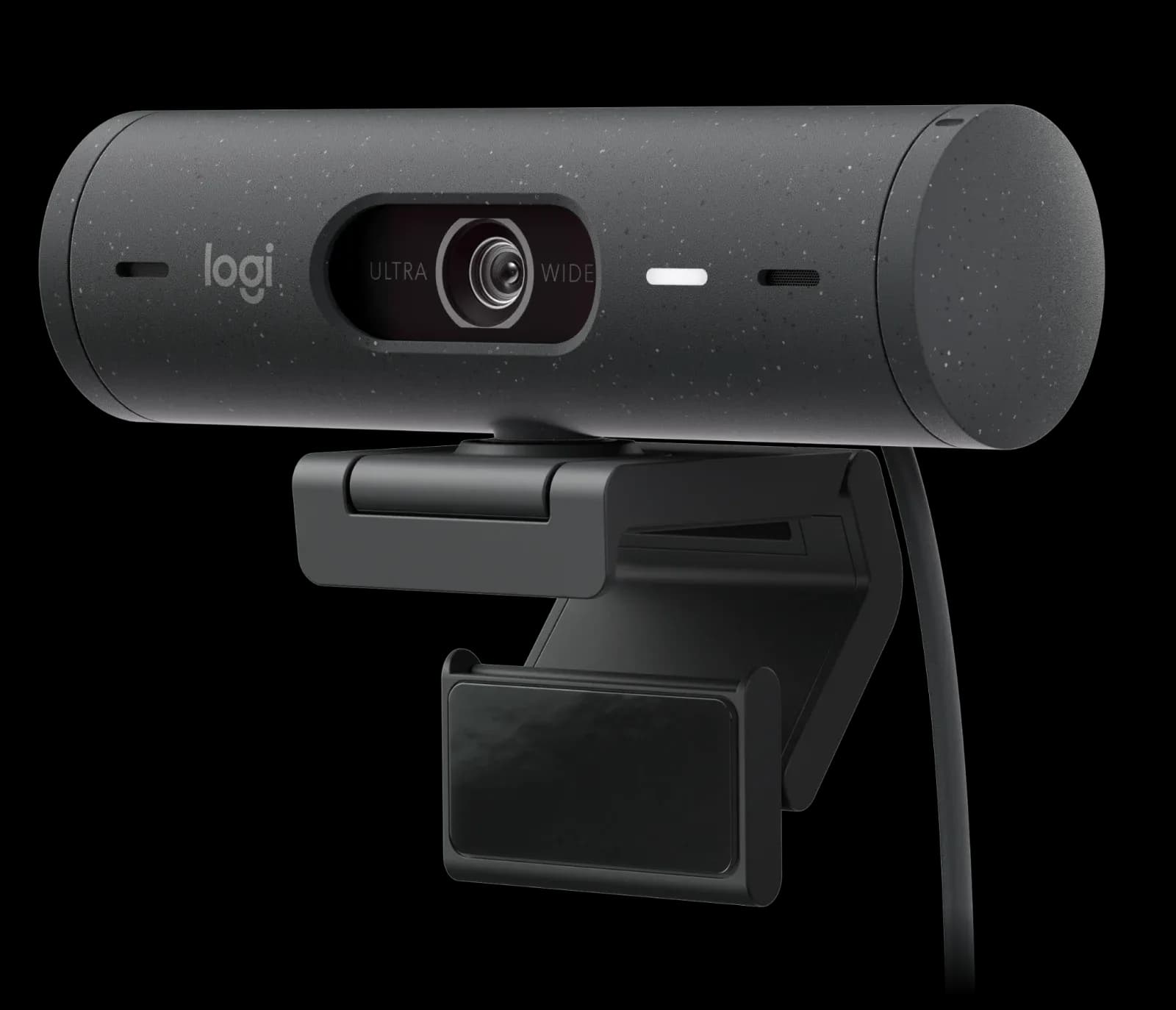
The Logitech Brio 500 is for people who take regular video calls from a desk and want a webcam with a built-in privacy shutter and decent microphones. It suits home workers who care about low-light and backlit performance more than resolution.
joint 2nd of 11 webcams we've reviewedAffiliate link. As an Amazon Associate I earn from qualifying purchases. Details
New to webcams? What they are and what to look for
A webcam is a small camera that sits on your monitor for video calls and streaming.
Do you need a webcam? Worth it if your laptop's built-in camera looks grainy, or you use a desktop PC without one.
What to look for
- 1080p is enough for calls; good low-light performance matters more than 4K
- Autofocus and a built-in privacy shutter
- Works without extra software on your computer
Unsure about a word? Jargon explained
How the 6.8 adds up
Our webcams rubric- Picture quality30% of score
- Low light20% of score
- Microphone15% of score
- Features and privacy20% of score
- Compatibility and value15% of score
Against the 11 webcams we've reviewed
bar = the range of all 11 · dot = this one · better →
- Overall score 6.8/10joint 2nd of 11
- Price £79.997th cheapest
- Value for money About average7th best of 11
Support and features
| Software updates | No end date announced for firmware or software, though Logitech Options has reached end of support. source |
|---|
Compatibility
| Linux | Partly works on Linux. The standard kernel UVC driver works, but Logitech provides no confirmed Linux software for this model and one Fedora user reported a probe control failure. source |
|---|
Pros and cons
+ pros
- Privacy shutter praised by owners as easy to use
- Low light and backlight handling praised over a C920
- Dual noise reduction mics with clear voice pickup
− cons
- Resolution tops out at 1080p, and 60fps only at 720p
- Auto-framing needs Logi Tune, which isn't on ChromeOS
- Adhesive mount complaints; one pad failed within weeks
Price history
Price history appears here once we have tracked this product for a few days.
The full review
Where it fits
The Brio 500 is a USB-C webcam built for video calls at a desk. It records 1080p at 30fps or 720p at 60fps. It has autofocus, dual noise reduction microphones and an integrated privacy shutter. The 1.5 m cable is attached and the camera is plug-and-play, so basic use needs no software. That combination suits someone who wants one device for calls and doesn't plan to buy a separate microphone.
Picture and field of view6/10
The sensor is listed as 4MP. Logitech doesn't publish a sensor size. The top resolution is 1080p at 30fps, and 60fps is only offered at 720p. Owners report a good image in varied lighting, which fits a camera aimed at everyday home-office use.
The camera lists three diagonal field-of-view settings: 90°, 78° and 65°. Owners do raise the 1080p ceiling as a limitation given what the camera costs. If you want 4K or smoother motion at full HD, the specifications show this model doesn't offer either.
Low light and backlight7/10
Owners compare the Brio 500 with a C920 on low light and backlight. Reports praise its performance in both. That comparison comes from owners, and it points to a camera that handles dim rooms and a bright window behind you well. With no published sensor size, the owner reports are the main evidence here. They suggest it copes with imperfect lighting, though a proper desk light will still help any webcam.
Microphone7/10
The two microphones both use noise reduction. Owners praise the clarity and say voices are isolated from background noise. With those reports behind it, the built-in mic looks adequate for calls without a headset or standalone microphone. If you record podcasts or streams, you'd want to judge it against your own standard.
Privacy shutter and auto-framing8/10
The integrated privacy shutter is a physical cover, and owners describe it as easy to use. That matters for anyone who leaves a webcam plugged in all day and wants a clear visual sign that it's blocked.
RightSight 4 auto-framing centres the camera on the user. It requires Logi Tune software. Logi Tune isn't available on ChromeOS. If you want auto-framing, plan to install that software. If you only want plug-and-play video, the camera works without it.
Mount and warranty
Owners report complaints about the double-sided adhesive mount, and one pad failed within weeks. If you plan to fix the camera to a monitor or other surface, that is the part to watch. Logitech lists a 1-year limited hardware warranty.
Who it suits
The Brio 500 suits home workers and anyone on frequent calls who wants a camera that copes with mixed lighting, has a shutter and carries its own microphones. Its autofocus and plug-and-play USB-C connection keep setup simple. The trade-offs are the 1080p/30 ceiling, the Logi Tune requirement for auto-framing and the adhesive mount reports. Judged on those points, it fits call-focused use better than content creation.
What owners report
Recurring themes from public owner feedback, summarised in our own words.
- Owners report a good image in varied lighting, with low light and backlight praised over a C920.
- Owners praise microphone clarity, with voices isolated from background noise.
- Owners find the privacy cover easy to use.
- Some owners complain about the double-sided adhesive mount, with one pad failing within weeks.
- The 1080p resolution ceiling is noted as a limitation given the price.
Who should skip it
- Buyers who want 4K video or 60fps at 1080p
- ChromeOS users who want auto-framing through Logi Tune
- Anyone who doesn't want to rely on a double-sided adhesive mount
Full specifications
| Resolution and frame rate | 1080p/30fps (1920x1080); 720p/60fps (1280x720) |
|---|---|
| Field of view | Diagonal 90°/78°/65° |
| Focus and framing | Autofocus |
| Microphone | Dual noise reduction microphones |
| Privacy shutter | Integrated privacy shutter |
| Connection | USB-C, 1.5 m attached cable, plug-and-play |
Sources
- Logitech Brio 500 test-host product page
- Logitech UK shop page, Brio 500
- Logitech Brio 500 setup guide
- Logi UK shop page, Brio 500
- Tom's Hardware review, Logitech Brio 500
- Trusted Reviews, Logitech Brio 500
- Chester Springs AV review, Logitech Brio 500
- Gowarranty review, Logitech Brio 500
- Best Buy customer reviews, Brio 500
- Redditrecs, Logitech Brio 500
- Bestviewsreviews, Logitech Brio 500
- PriceSpy, Logitech Brio 500
- Amazon UK bundle listing, Brio 500 with MK270
Alternatives
Compare head to head
- Logitech Brio 500 vs UGREEN 4K Webcam for PC Ultra HD 1080P 60FPS Web Camera ›
- Logitech Brio 500 vs OBSBOT Meet 2 AI-Powered 4K Webcam ›
- Logitech Brio 500 vs Anker PowerConf C200 2K Webcam ›
- Logitech Brio 500 vs Logitech MX Brio ›
- Logitech Brio 500 vs Insta360 Link 2 ›
- Logitech Brio 500 vs Logitech C920s PRO HD Webcam ›