Anker Prime Charging Docking Station (14-in-1, Dual Display, 160W)
~£150typical UK price when we researched itAffiliate link. As an Amazon Associate I earn from qualifying purchases. Details
Anker Prime Charging Docking Station (14-in-1, Dual Display, 160W) review
Researched, not hands-on tested.How we review ›
by SudoPicks Research · editor Paul HR · published 28 Oct 2026 · updated 28 Oct 2026
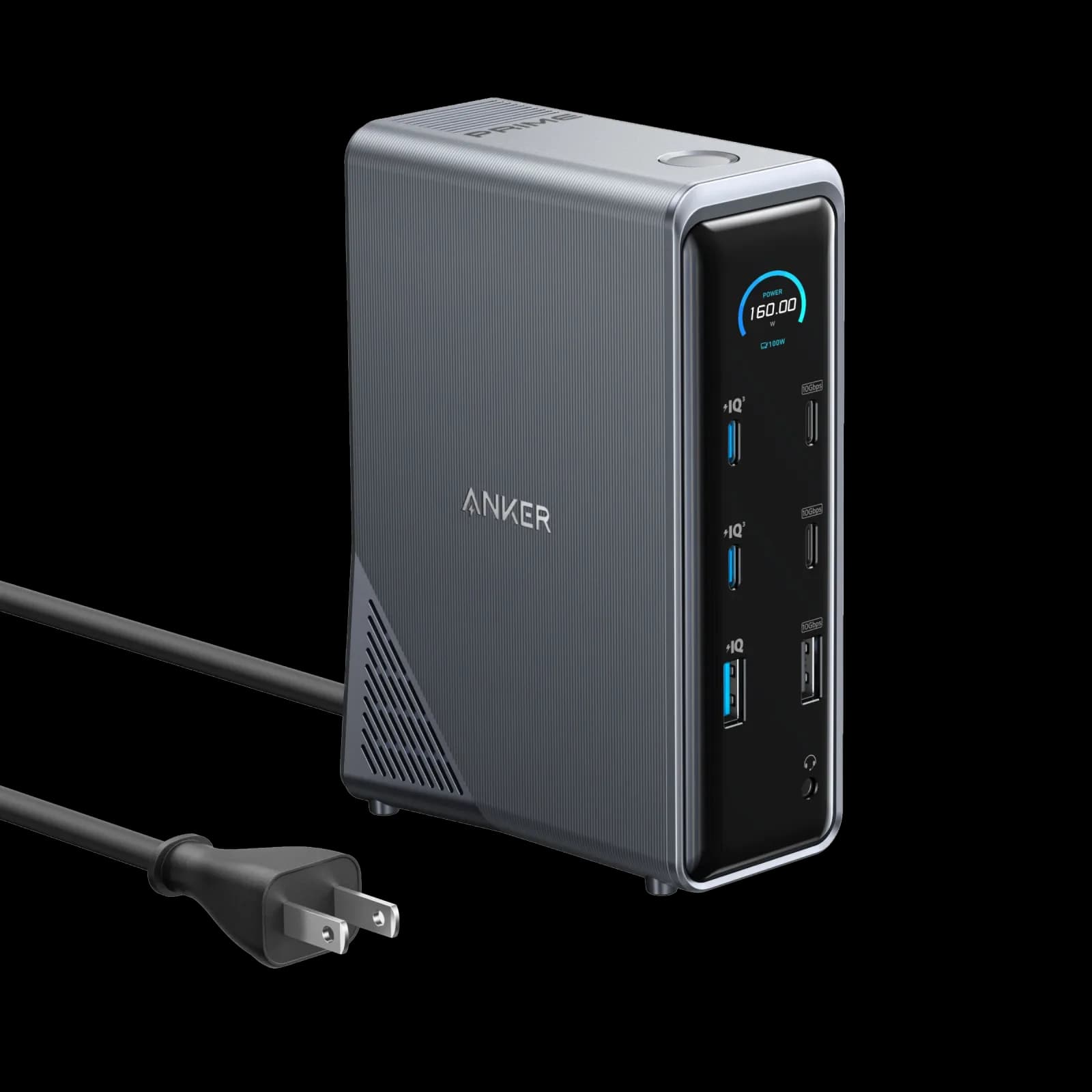
This dock suits Windows laptop users who want one cable to carry power, data and two screens. It fits people who need strong charging and several 10Gbps ports on the desk.
joint 3rd of 6 docking stations we've reviewedAffiliate link. As an Amazon Associate I earn from qualifying purchases. Details
New to docking stations? What they are and what to look for
A docking station connects your laptop to your monitors, keyboard, network and charger with one cable.
Do you need a docking station? Worth it if you plug your laptop into the same desk every day and are tired of unplugging five cables.
What to look for
- Enough charging power for your laptop (check its charger's watts)
- Support for the number of screens you want on your laptop (Macs differ)
- Ethernet, and its own power supply for all-day use
Unsure about a word? Jargon explained
How the 5.6 adds up
Our docking stations rubric- Displays25% of score
- Charging and power20% of score
- Ports and bandwidth20% of score
- Compatibility and reliability20% of score
- Ethernet and value15% of score
Against the 6 docking stations we've reviewed
bar = the range of all 6 · dot = this one · better →
- Overall score 5.6/10joint 3rd of 6
- Price £1503rd cheapest
- Value for money About average3rd best of 5
Support and features
| Software updates | No end date announced; the one search found no end-of-support or end-of-life notice, though this check was limited. source |
|---|
Compatibility
| Linux | Doesn't work on Linux. Anker does not support Linux for this dock: Best Buy's listing says it is not compatible with Linux, and no kernel support, driver, or Linux build of Dock Manager was found. source |
|---|
Pros and cons
+ pros
- 100W upstream charging with 160W total output
- Two 10Gbps USB-C data ports plus one 10Gbps USB-A
- Fan is quiet and runs only under high load
− cons
- macOS shows identical content on both monitors
- No SD or microSD card reader
- Plastic build wobbles when pressed
Price history
Price history appears here once we have tracked this product for a few days.
The full review
Where it fits
The Anker Prime 14-in-1 is a power-first desktop dock. It connects to the laptop over one USB-C 10Gbps upstream port and supplies up to 100W to that laptop. Total dock output is 160W. It has two HDMI 2.0 ports, one gigabit Ethernet port, a combo audio jack and a mix of USB-A and USB-C ports.
The display outputs are native HDMI, not DisplayLink. That means no extra display driver is involved. It also means what you get depends on the laptop and its operating system.
Charging and power8/10
This is the strongest part of the spec sheet. The upstream port delivers up to 100W to the connected laptop. The dock has an integrated GaN AC-DC power module, so it does not lean on the laptop for power. The power cable is not removable, which matters if you want to swap in a longer lead or tidy a desk.
Beyond the laptop connection, two downstream USB-C ports can charge devices at up to 100W each. A USB-A port adds 12W. Owners praise the charging and data performance, saying 10Gbps data and 100W USB-C charging suit most professionals.
One caution: the Amazon UK listing says the dock cannot charge Lenovo Legion laptops. If you own one, check that before buying.
Displays: read the small print4/10
Anker's figures for the two HDMI 2.0 ports differ. They are listed at 4K@60Hz. Anker's more detailed note gives 2K@60Hz with a DisplayPort 1.4 laptop, or 1080p@60Hz with a DisplayPort 1.2 laptop. Treat the lower figures as the safer planning assumption, and check which DisplayPort version your laptop supports.
On macOS the limits are clearer. The two external monitors show identical content, which is screen mirroring only. Owners list this, along with limited multi-monitor support, as a complaint. With that restriction, a Mac user who wants two separate extended desktops should look at other docks.
Ports and bandwidth6/10
The port count is generous, and the faster ports are well chosen. There are two downstream USB-C data ports at 10Gbps and one USB-A at 10Gbps. That gives you room for fast external storage and a couple of high-speed peripherals at once.
The other three USB-A ports run at 480Mbps. They suit keyboards, mice and receivers, but not storage you care about. Thunderbolt 4 is supported, but the dock caps it at 10Gbps. The upstream link is 10Gbps too, so everything shares that single connection back to the laptop.
There is no SD or microSD card reader, and owners flag that as a complaint. Photographers and video editors would need a separate reader. The audio combo jack is present.
Ethernet5/10
Wired networking is one RJ45 port at 1000Mbps. That is gigabit, which is fine for office networks and general work. It is not 2.5GbE, so it will not suit anyone who wants faster than gigabit transfers over a wired link.
Compatibility5/10
Anker lists support for Windows 10 and 11, macOS 11 or later, and ChromeOS. Linux is not on that list, so Linux users have no manufacturer-stated support to rely on.
Build and noise
Owners say the fan is quiet and runs only under high load. That suits a desk where the dock sits close to you. The same owners complain about the plastic build, which wobbles when pressed. If the dock will sit untouched behind a monitor, that matters less. If you plug and unplug cables often, it may be more noticeable.
Verdict
The dock's strengths are charging and data. It charges the laptop at up to 100W, adds fast USB-C and USB-A ports, and has its own built-in power module. The limits are clear in the specs and owner reports: macOS gets mirroring only, the display resolution figures conflict, there is no card reader, and Ethernet stops at gigabit. Buy it for the power and data side, and check your laptop and display needs first.
What owners report
Recurring themes from public owner feedback, summarised in our own words.
- Owners praise the charging and data performance, saying 10Gbps data and 100W USB-C charging suit most professionals.
- The fan is described as quiet and runs only under high load.
- Mac users complain of mirroring only and limited multi-monitor support.
- Owners dislike the missing card reader and the plastic build that wobbles when pressed.
Who should skip it
- Mac users who want two different extended displays
- Photographers and video editors who need a built-in SD card reader
- Linux users who want manufacturer-listed support, and Lenovo Legion owners
Full specifications
| Connects with | Upstream USB-C 10Gbps, 100W max output |
|---|---|
| External displays | 2 × HDMI 2.0 listed at 4K@60Hz; Anker's detailed note gives 2K@60Hz with DP 1.4 laptop or 1080p@60Hz with DP 1.2 laptop (conflicting claims) |
| Laptop charging | 160W total dock output; upstream port 100W max |
| Ports | Upstream USB-C 10Gbps; downstream 1 × USB-A 10Gbps, 3 × USB-A 480Mbps, 2 × USB-C data 10Gbps, 2 × HDMI 2.0, 1 × RJ45 1000Mbps, 1 × audio combo jack; charging 2 × USB-C 100W max, 1 × USB-A 12W max |
| Ethernet | 1 × RJ45 1000Mbps (gigabit) |
| Display tech | Native HDMI output (not DisplayLink) |
| Power supply | Integrated GaN AC-DC power module; power cable not removable |
Sources
- Anker product page (A83B6)
- Anker UK product page
- Anker Prime docking station page
- Anker USB docking station collection
- Anker Nordics product page
- Amazon UK listing (B0D62D48FH)
- TechRadar review
- TechRadar price cut article
- Techadvisor review
- Digital Camera World review
- Basic Tutorials review
- Devicology review
- Colamco retailer listing
Alternatives
Compare head to head
- Anker Prime Charging Docking Station (14-in-1, Dual Display, 160W) vs UGREEN Revodok Pro 210 10-in-1 USB-C Hub ›
- Anker Prime Charging Docking Station (14-in-1, Dual Display, 160W) vs UGREEN Revodok Pro 207 ›
- Anker Prime Charging Docking Station (14-in-1, Dual Display, 160W) vs Lemorele TC94L USB-C Docking Station ›
- Anker Prime Charging Docking Station (14-in-1, Dual Display, 160W) vs UGREEN Revodok Max 213 Thunderbolt 4 Dock ›
- Anker Prime Charging Docking Station (14-in-1, Dual Display, 160W) vs CalDigit TS4 Thunderbolt 4 Dock ›