Skip to content
sudopicks
esc

Anker Prime Charging Docking Station (14-in-1, Dual Display, 160W) vs CalDigit TS4 Thunderbolt 4 Dock

Researched, not hands-on tested.How we review ›

all judged against docking stations at a similar price

The CalDigit TS4 Thunderbolt 4 Dock scores 7.3/10 overall, ahead of the Anker Prime Charging Docking Station (14-in-1, Dual Display, 160W) at 5.6/10.

The CalDigit TS4 Thunderbolt 4 Dock leads on displays, ports and bandwidth, compatibility and reliability and ethernet and value.

They score the same on charging and power.

The biggest difference is displays, where the CalDigit TS4 Thunderbolt 4 Dock scores 7/10 to the Anker Prime Charging Docking Station (14-in-1, Dual Display, 160W)'s 4/10.

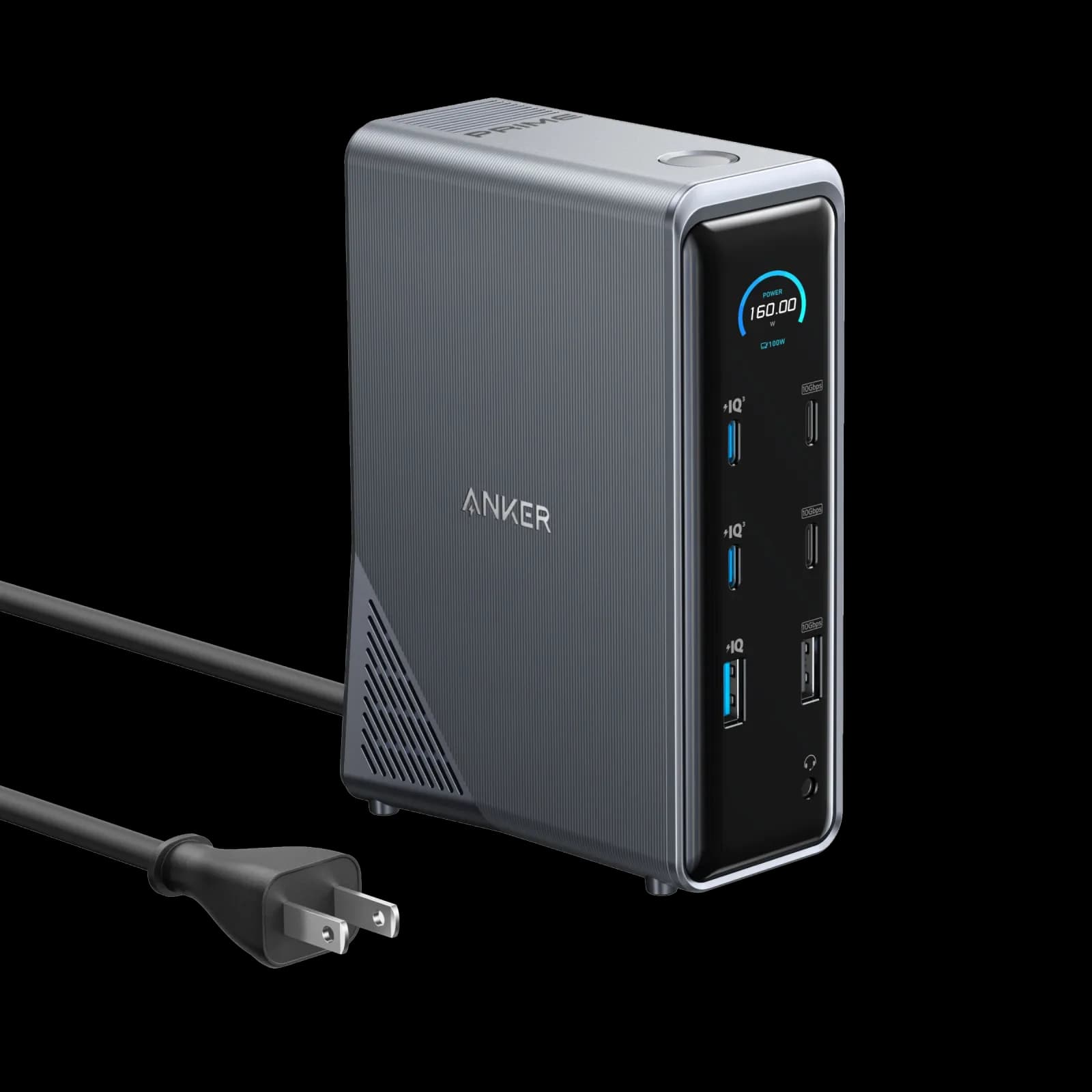
Anker Prime Charging Docking Station (14-in-1, Dual Display, 160W)

Anker Prime Charging Docking Station (14-in-1, Dual Display, 160W)

5.6/10verdict: good, not the best

This dock suits Windows laptop users who want one cable to carry power, data and two screens. It fits people who need strong charging and several 10Gbps ports on the desk. It is a weaker choice for Mac users who want two different displays or anyone who needs a card reader.

Typically about £150 in the UK when we researched itCheck price at Amazon UK (opens in a new tab, affiliate link)

Affiliate link. As an Amazon Associate I earn from qualifying purchases. Details
CalDigit TS4 Thunderbolt 4 Dock

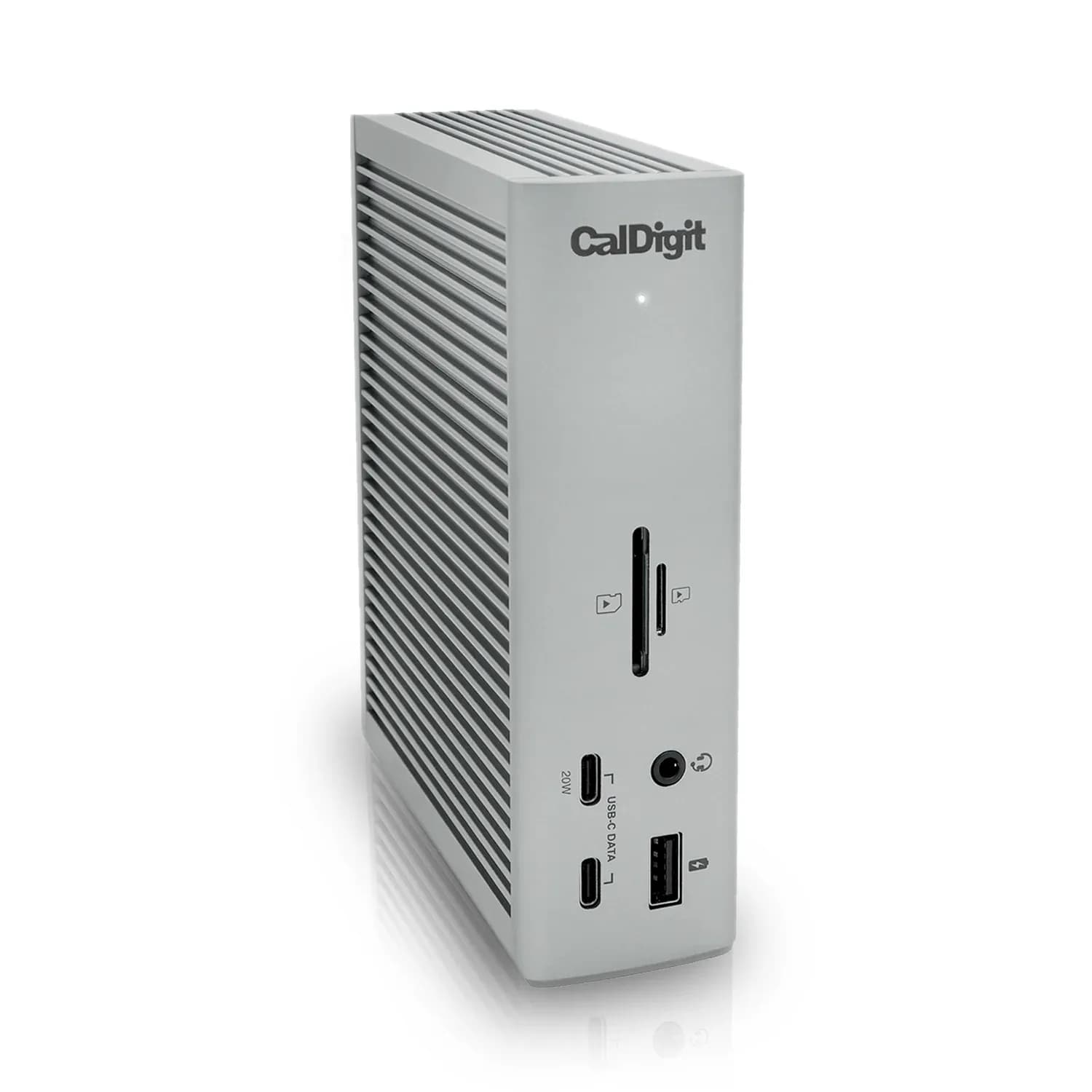
CalDigit TS4 Thunderbolt 4 Dock

7.3/10verdict: buy

The CalDigit TS4 is for people who want one cable to connect a laptop to a large set of peripherals. It suits Windows laptops, Intel Macs and M1 Pro or M1 Max Macs that need two external screens and lots of fast USB. It is a poorer match for original M1 Mac owners who want two displays, or anyone who needs HDMI.

Typically about £369.99 in the UK when we researched itCheck price at Amazon UK (opens in a new tab, affiliate link)

Affiliate link. As an Amazon Associate I earn from qualifying purchases. Details

Scores, criterion by criterion

CriterionWeightAnker Prime Charging Docking Station (14-in-1, Dual Display, 160W)CalDigit TS4 Thunderbolt 4 Dock
Displays25%4/107/10
Charging and power20%8/108/10
Ports and bandwidth20%6/109/10
Compatibility and reliability20%5/106/10
Ethernet and value15%5/106/10
Overall5.6/107.3/10

Specifications

SpecAnker Prime Charging Docking Station (14-in-1, Dual Display, 160W)CalDigit TS4 Thunderbolt 4 Dock
Connects withUpstream USB-C 10Gbps, 100W max outputThunderbolt 4 host port; compatible with Thunderbolt 4, Thunderbolt 3, USB-C (USB4) and USB-C computers, Chromebook, iPad Pro/Air/mini, iPhone 15 (USB-C), Windows Tablet. Minimum OS: macOS 11.4 (Big Sur) or above, Windows 10 (20H2) or above
External displays2 × HDMI 2.0 listed at 4K@60Hz; Anker's detailed note gives 2K@60Hz with DP 1.4 laptop or 1080p@60Hz with DP 1.2 laptop (conflicting claims)One built-in DisplayPort 1.4; up to dual 4K 60Hz (Intel Macs, Windows, Chrome OS); up to dual 6K 60Hz (M1 Pro/M1 Max Macs); original M1 Macs do not support dual displays; single monitor up to 8K
Laptop charging160W total dock output; upstream port 100W max98W laptop charging from Thunderbolt 4/USB4 host port
PortsUpstream USB-C 10Gbps; downstream 1 × USB-A 10Gbps, 3 × USB-A 480Mbps, 2 × USB-C data 10Gbps, 2 × HDMI 2.0, 1 × RJ45 1000Mbps, 1 × audio combo jack; charging 2 × USB-C 100W max, 1 × USB-A 12W max18 total: 3 x Thunderbolt 4 (40Gb/s), 3 x USB-C (10Gb/s), 5 x USB-A (10Gb/s), 1 x DisplayPort 1.4, 1 x SD 4.0 (UHS-II), 1 x microSD 4.0 (UHS-II), 1 x 2.5 Gigabit Ethernet, 1 x front combo audio in/out (3.5mm), 1 x rear audio out (3.5mm), 1 x rear audio in (3.5mm), 1 x DC in (19.5V 11.80A)
Ethernet1 × RJ45 1000Mbps (gigabit)2.5GbE RJ45
Display techNative HDMI output (not DisplayLink)Native (no driver required)
Power supplyIntegrated GaN AC-DC power module; power cable not removableExternal power supply (230W); DC input 19.5V 11.8A

Strengths and weaknesses

Anker Prime Charging Docking Station (14-in-1, Dual Display, 160W)

  • + 100W upstream charging with 160W total output
  • + Two 10Gbps USB-C data ports plus one 10Gbps USB-A
  • + Fan is quiet and runs only under high load
  • − macOS shows identical content on both monitors
  • − No SD or microSD card reader
  • − Plastic build wobbles when pressed

Skip it if:

  • Mac users who want two different extended displays
  • Photographers and video editors who need a built-in SD card reader
  • Linux users who want manufacturer-listed support, and Lenovo Legion owners
Read the full Anker Prime Charging Docking Station (14-in-1, Dual Display, 160W) review ›

CalDigit TS4 Thunderbolt 4 Dock

  • + 98W laptop charging from its own 230W power supply
  • + 18 ports, with 10Gbps USB and 2.5GbE
  • + Native display output with no driver required
  • − Original M1 Macs cannot run dual displays
  • − No HDMI port; one DisplayPort 1.4 output
  • − Some owners report reconnecting cables after sleep

Skip it if:

  • Original M1 Mac owners who want two external displays
  • Anyone who needs an HDMI port on the dock
  • Buyers who want a compact travel dock
Read the full CalDigit TS4 Thunderbolt 4 Dock review ›

More comparisons

Compare all docking stations · Best docking stations