Skip to content
sudopicks
esc

CORSAIR XENEON EDGE 14.5" LCD Touchscreen vs Philips 24E1N1100A/00 Full HD LCD monitor

Researched, not hands-on tested.How we review ›

all judged against monitors at a similar price

The Philips 24E1N1100A/00 Full HD LCD monitor scores 6.3/10 overall, ahead of the CORSAIR XENEON EDGE 14.5" LCD Touchscreen at 6.1/10.

The CORSAIR XENEON EDGE 14.5" LCD Touchscreen leads on sharpness for text, ergonomics and build and warranty.

The Philips 24E1N1100A/00 Full HD LCD monitor leads on panel quality, connectivity and docking and refresh rate and motion.

The biggest difference is refresh rate and motion, where the Philips 24E1N1100A/00 Full HD LCD monitor scores 8/10 to the CORSAIR XENEON EDGE 14.5" LCD Touchscreen's 4/10.

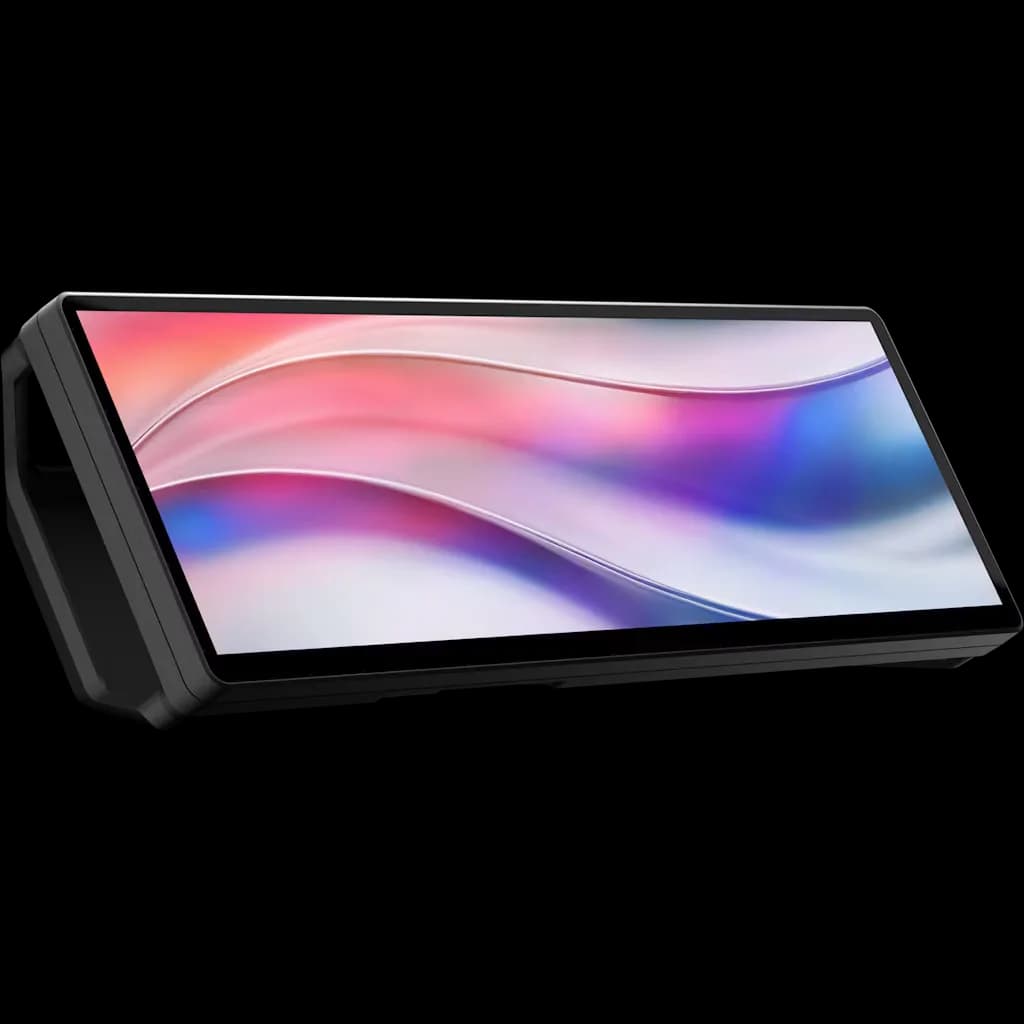
CORSAIR XENEON EDGE 14.5" LCD Touchscreen

CORSAIR XENEON EDGE 14.5" LCD Touchscreen

6.1/10verdict: good, not the best

The Corsair Xenon Edge 14.5" is a 32:9 touchscreen for buyers who already know where it will sit, such as a desk, a PC case or a fan mount. It suits people who want a small status or control panel driven from Windows 11 through iCUE. It is not aimed at anyone who wants a general-purpose monitor or a docking display.

Typically about £219.95 in the UK when we researched itSearch Amazon UK (opens in a new tab, affiliate link)

Affiliate link. As an Amazon Associate I earn from qualifying purchases. Details
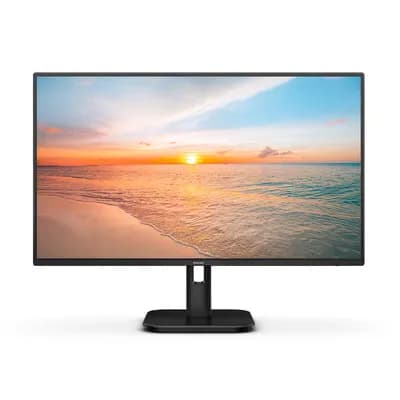
Philips 24E1N1100A/00 Full HD LCD monitor

Philips 24E1N1100A/00 Full HD LCD monitor

6.3/10verdict: good, not the best

This is a 24 inch Full HD IPS monitor for people who want a clean screen with wide sRGB coverage on a small budget. It suits office desks, second screens and general home use where HDMI is enough. It is a poor fit for anyone who needs USB-C, DisplayPort or a stand that adjusts in height.

Typically about £74.97 in the UK when we researched itCheck price at Amazon UK (opens in a new tab, affiliate link)

Affiliate link. As an Amazon Associate I earn from qualifying purchases. Details

Scores, criterion by criterion

CriterionWeightCORSAIR XENEON EDGE 14.5" LCD TouchscreenPhilips 24E1N1100A/00 Full HD LCD monitor
Panel quality25%6/108/10
Sharpness for text20%8/106/10
Connectivity and docking20%4/105/10
Ergonomics15%7/105/10
Refresh rate and motion10%4/108/10
Build and warranty10%7/105/10
Overall6.1/106.3/10

Specifications

SpecCORSAIR XENEON EDGE 14.5" LCD TouchscreenPhilips 24E1N1100A/00 Full HD LCD monitor
Screen size14.5 inch diagonal, 32:9 aspect ratio23.8 inch viewable (24 inch class)
Resolution2560 x 7201920 x 1080 (Full HD)
Panel typeAHVAIPS
Refresh rate60 Hz120Hz (manufacturer figure; retailers list 100Hz)
Inputs and USB-C1x HDMI 2.0, 1x USB Type-C with DP Alt ModeHDMI 1.4, VGA, 3.5 mm audio in/out, 2 x 2 W speakers
Stand adjustmentDetachable magnetic desktop standTilt only; VESA 100x100 mount compatible
HDRNonenot listed

Strengths and weaknesses

CORSAIR XENEON EDGE 14.5" LCD Touchscreen

  • + Many mounting options: 14 magnets, two ¼-20" threads, fan-mount fit
  • + Three-year warranty with a zero dead pixel guarantee
  • + 2560 x 720 resolution on a 14.5 inch panel
  • − No power LED and no input buttons
  • − 60Hz only, with no Adaptive Sync
  • − iCUE supports Windows 11 only; Mac version doesn't support it

Skip it if:

  • Mac or Linux users who need official software support
  • Buyers who want a general-purpose monitor or a USB-C dock
  • Anyone who wants high refresh rates or Adaptive Sync
Read the full CORSAIR XENEON EDGE 14.5" LCD Touchscreen review ›

Philips 24E1N1100A/00 Full HD LCD monitor

  • + IPS panel with 102% sRGB coverage
  • + 120Hz refresh rate with Adaptive Sync support
  • + VESA 100x100 mount compatible
  • − Stand only tilts
  • − No DisplayPort or USB-C input
  • − Text sharpness limited to 92.56 ppi

Skip it if:

  • Buyers who want USB-C, DisplayPort or a USB hub for docking
  • Anyone who needs a stand with height, swivel or pivot adjustment
  • Users who read or code all day and want sharper text
Read the full Philips 24E1N1100A/00 Full HD LCD monitor review ›

More comparisons

Compare all monitors · Best monitors