Skip to content
sudopicks
esc

GravaStar Mercury K1 vs Logitech G413 TKL SE Mechanical Gaming Keyboard

Researched, not hands-on tested.How we review ›

all judged against mechanical keyboards at a similar price

The GravaStar Mercury K1 scores 6.5/10 overall, ahead of the Logitech G413 TKL SE Mechanical Gaming Keyboard at 5.4/10.

The GravaStar Mercury K1 leads on typing feel, customisation and connectivity.

They score the same on build quality, layout and ergonomics and battery and software.

The biggest difference is connectivity, where the GravaStar Mercury K1 scores 7/10 to the Logitech G413 TKL SE Mechanical Gaming Keyboard's 4/10.

GravaStar Mercury K1

GravaStar Mercury K1

6.5/10verdict: buy

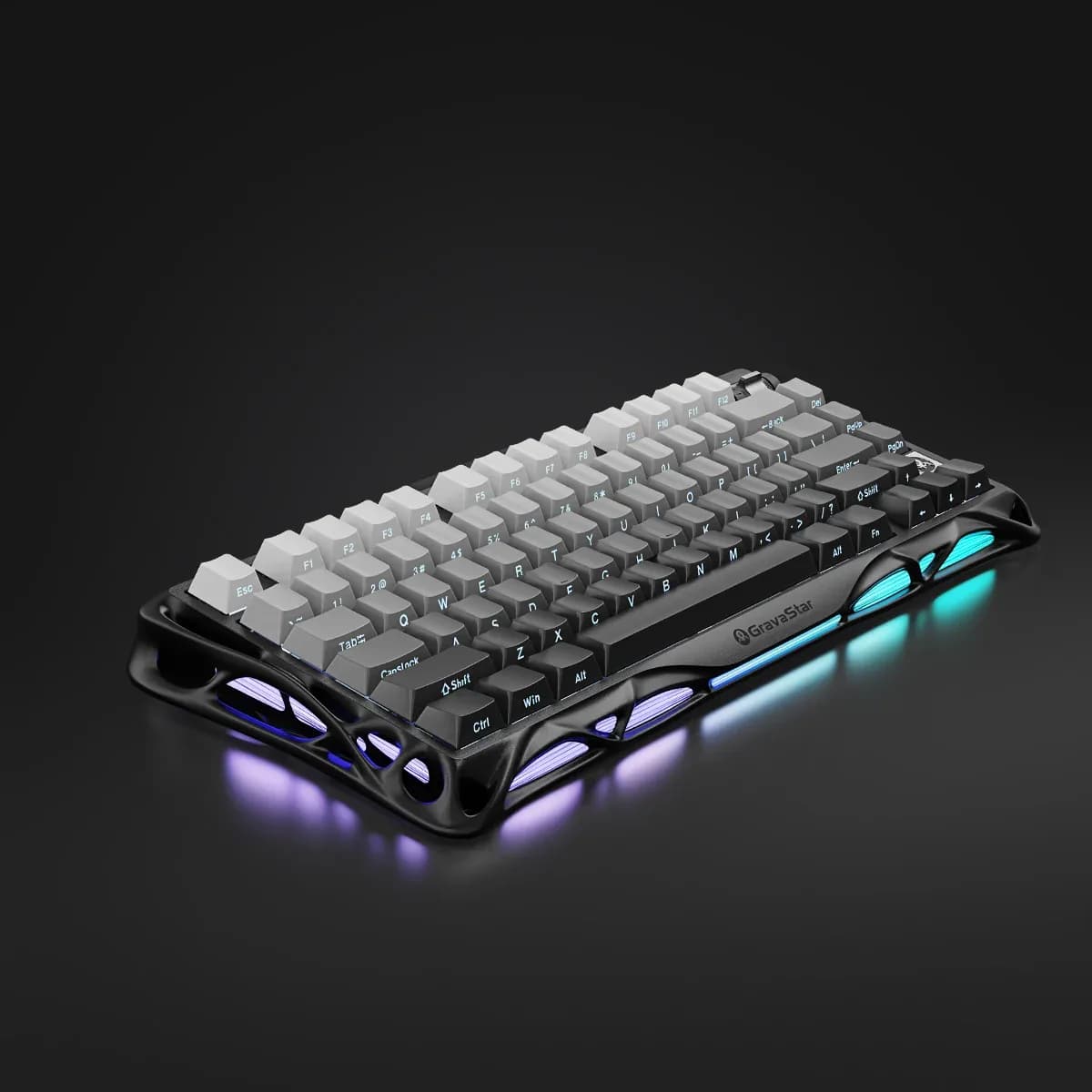
The GravaStar Mercury K1 is for people who want a compact 75% wireless keyboard with an aluminium frame. It suits buyers who value a muted, cushioned sound and want to swap switches later. It is less suited to anyone who needs a specific regional layout or confirmed remapping tools.

Typically about £129 in the UK when we researched itCheck price at Amazon UK (opens in a new tab, affiliate link)

Affiliate link. As an Amazon Associate I earn from qualifying purchases. Details
Logitech G413 TKL SE Mechanical Gaming Keyboard

Logitech G413 TKL SE Mechanical Gaming Keyboard

5.4/10verdict: good, not the best

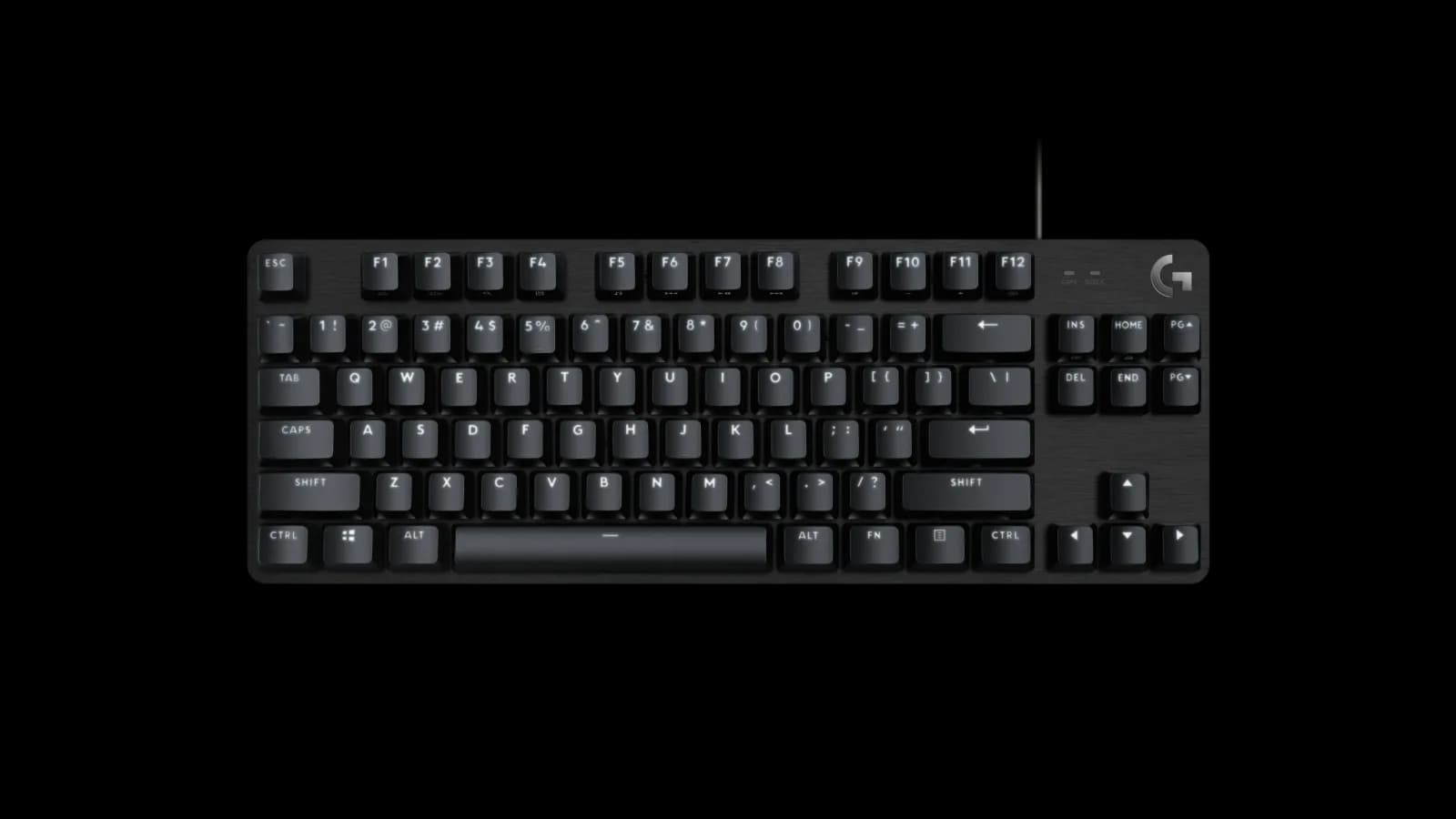
The Logitech G413 TKL SE is for people who want a wired tenkeyless keyboard with a metal top case and PBT keycaps. It suits those who like a firm tactile switch and don't need wireless, remapping software or lighting colours. Buyers who want a light touch or a customisable board will find the owner reports less encouraging.

Typically about £68.02 in the UK when we researched itCheck price at Amazon UK (opens in a new tab, affiliate link)

Affiliate link. As an Amazon Associate I earn from qualifying purchases. Details

Scores, criterion by criterion

CriterionWeightGravaStar Mercury K1Logitech G413 TKL SE Mechanical Gaming Keyboard
Typing feel25%7/106/10
Build quality20%8/108/10
Customisation20%5/103/10
Connectivity15%7/104/10
Layout and ergonomics10%5/105/10
Battery and software10%6/106/10
Overall6.5/105.4/10

Specifications

SpecGravaStar Mercury K1Logitech G413 TKL SE Mechanical Gaming Keyboard
Layout75%, 79 keys plus rotary knobTenkeyless (TKL), no numeric keypad
SwitchesGravaStar Custom Linear, 40gf actuation, 1.5mm pre-travel, 3.5mm total travelnot listed
Hot-swappableYes, 3-pin and 5-pin compatiblenot listed
ConnectivityTri-mode: Bluetooth 5.0, 2.4GHz wireless and USB-C wiredWired USB only
KeycapsPBT and PCPBT
Battery8000mAhnot listed

Strengths and weaknesses

GravaStar Mercury K1

  • + Aluminium alloy frame praised as solid and heavy
  • + Gasket mount with foam gives muted, cushioned typing
  • + Hot-swap sockets take 3-pin and 5-pin switches
  • − Volume roller is plastic styled to look like metal
  • − Front logo placement does not blend in
  • − Backplate is plastic beneath the aluminium frame

Skip it if:

  • Buyers who need a full numpad
  • Anyone who wants a loud, sharp typing sound
  • Buyers who want metal controls throughout
Read the full GravaStar Mercury K1 review ›

Logitech G413 TKL SE Mechanical Gaming Keyboard

  • + Brushed aluminium alloy top case
  • + PBT keycaps
  • + Tactile feedback owners call satisfying
  • − Switches feel stiff to owners
  • − No software, remapping or colour lighting
  • − Wired USB only

Skip it if:

  • Buyers who want wireless or Bluetooth connectivity
  • Anyone who wants to remap keys or change lighting colours
  • Typists who prefer light, low-force switches
Read the full Logitech G413 TKL SE Mechanical Gaming Keyboard review ›

More comparisons

Compare all mechanical keyboards · Best mechanical keyboards