Logitech G413 TKL SE Mechanical Gaming Keyboard
~£68.02typical UK price when we researched itAffiliate link. As an Amazon Associate I earn from qualifying purchases. Details
Logitech G413 TKL SE Mechanical Gaming Keyboard review
Researched, not hands-on tested.How we review ›
by SudoPicks Research · editor Paul HR · published 29 Oct 2026 · updated 29 Oct 2026
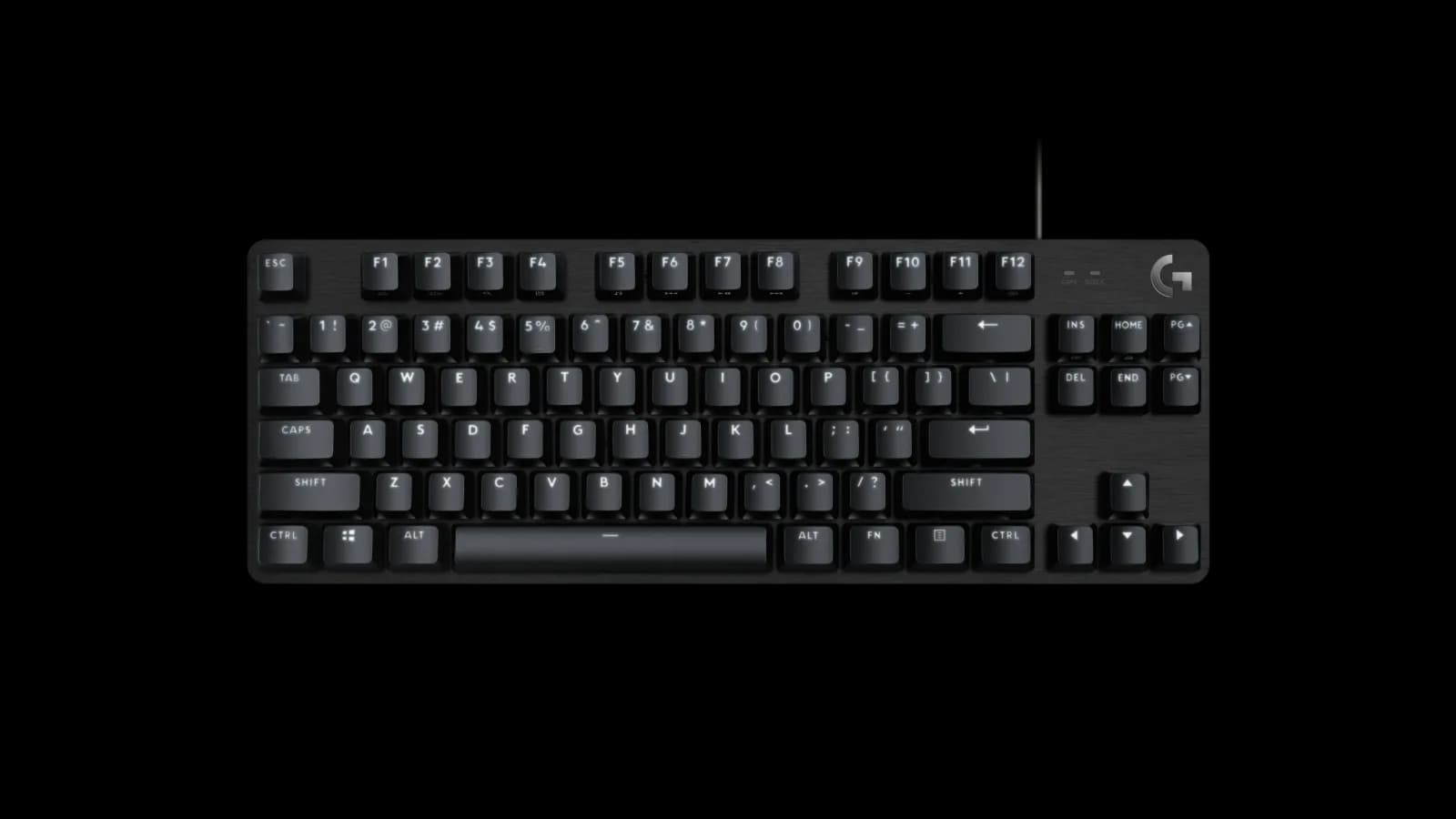
The Logitech G413 TKL SE is for people who want a wired tenkeyless keyboard with a metal top case and PBT keycaps. It suits those who like a firm tactile switch and don't need wireless, remapping software or lighting colours.
11th of 16 mechanical keyboards we've reviewedAffiliate link. As an Amazon Associate I earn from qualifying purchases. Details
New to mechanical keyboards? What they are and what to look for
A keyboard with a separate switch under every key. They feel more precise, last longer and can be customised.
Do you need a mechanical keyboard? A nice upgrade if you type a lot. It's a matter of taste rather than necessity.
What to look for
- Layout: UK or US, and full-size or compact
- Switch type: linear (smooth), tactile (bump) or clicky (loud)
- Wired, Bluetooth or both
Unsure about a word? Jargon explained
How the 5.4 adds up
Our mechanical keyboards rubric- Typing feel25% of score
- Build quality20% of score
- Customisation20% of score
- Connectivity15% of score
- Layout and ergonomics10% of score
- Battery and software10% of score
Against the 16 mechanical keyboards we've reviewed
bar = the range of all 16 · dot = this one · better →
- Overall score 5.4/1011th of 16
- Price £68.0210th cheapest
- Value for money About average10th best of 15
Support and features
| Software updates | No end date announced; Logitech Options and the Logitech Connection Utility are no longer supported or maintained. source |
|---|
- Wireless
Compatibility
| Linux | Not confirmed. Linux support for the G413 TKL SE is unconfirmed; the generic USB HID driver probably covers basic keys, and g810-led is listed for the original G413, not this model. source |
|---|
Pros and cons
+ pros
- Brushed aluminium alloy top case
- PBT keycaps
- Tactile feedback owners call satisfying
− cons
- Switches feel stiff to owners
- No software, remapping or colour lighting
- Wired USB only
Price history
Price history appears here once we have tracked this product for a few days.
The full review
Where it fits
The G413 TKL SE is a wired, tenkeyless keyboard from Logitech G. It has no numeric keypad, a black brushed aluminium top case and PBT keycaps. It connects over USB only and draws power from the bus. The specification list is short, and that suits a plug-in board with no extras to manage. Currys lists a 2-year manufacturer's guarantee.
Some owners consider it overpriced.
Typing feel6/10
Logitech describes the switches as tactile mechanical, with subtle feedback at the actuation point. The manufacturer does not name the switch. Owners praise the tactile feedback and describe it as satisfying.
The complaints go the other way. Owners say the switches feel stiff and that the actuation force is not the lightest. Cravingtech also describes the switches as stiff. With that in mind, this board suits people who want a firm, defined bump under the finger. Anyone who prefers light, quick keys should weigh those stiffness reports carefully before buying.
Build and keycaps8/10
Logitech lists the top case as black brushed 5052 aluminium alloy. The keycaps are PBT. Both are solid material choices on paper, and neither appears in the owner complaints.
Customisation and softwareCustomisation 3/10Battery and software 6/10
This is the weakest area. Logitech's support page lists no downloads, so there is no software package to install for the keyboard. Owners complain about the lack of software and customisation. They also point to lighting that is white only.
In practice, owner reports suggest you get the board as it ships. If you want to remap keys, build layers or change lighting colours, owners say this keyboard does not offer it. Logitech does not list QMK or VIA support on the support page either.
Connectivity and power4/10
The G413 TKL SE is wired USB only. There is no wireless option, and owners list that among their complaints. It has no internal battery and is bus-powered, so there is nothing to charge and no battery life to track.
That keeps things simple for a desk that stays in one place. If you want to switch between devices or run a cable-free setup, this keyboard does not cover it.
Layout5/10
The layout is tenkeyless, with no numeric keypad. That suits typing, coding and gaming where you rarely touch number-pad keys. If you enter a lot of figures, the missing keypad is the thing to consider first.
Who it suits
The appeal is narrow but clear. You get an aluminium top case, PBT keycaps and a tactile switch that owners find satisfying, in a wired TKL layout with no software to set up. The limits are just as clear. Owners find the switches stiff, they want more customisation and lighting options, and some consider the keyboard overpriced.
It makes most sense for someone who values materials and a firm tactile feel over features. If remapping, wireless or coloured lighting matter to you, the owner themes point elsewhere.
What owners report
Recurring themes from public owner feedback, summarised in our own words.
- Owners praise the tactile switch feedback as satisfying.
- Owners complain the switches feel stiff and the actuation force is not the lightest.
- Owners miss software, customisation, wireless and colour lighting, which is white only.
- Some owners consider the keyboard overpriced.
Who should skip it
- Buyers who want wireless or Bluetooth connectivity
- Anyone who wants to remap keys or change lighting colours
- Typists who prefer light, low-force switches
Full specifications
| Layout | Tenkeyless (TKL), no numeric keypad |
|---|---|
| Connectivity | Wired USB only |
| Keycaps | PBT |
Alternatives
Compare head to head
- Logitech G413 TKL SE Mechanical Gaming Keyboard vs NEWMEN GM611 60% Mechanical Gaming Keyboard ›
- Logitech G413 TKL SE Mechanical Gaming Keyboard vs Corsair K70 RGB PRO Mechanical Gaming Keyboard ›
- Logitech G413 TKL SE Mechanical Gaming Keyboard vs MageGee MK-Box 60% Portable Mechanical Gaming Keyboard ›
- Logitech G413 TKL SE Mechanical Gaming Keyboard vs Logitech MX Mechanical Mini Wireless Keyboard ›
- Logitech G413 TKL SE Mechanical Gaming Keyboard vs Geeky GK65 Gaming Keyboard ›
- Logitech G413 TKL SE Mechanical Gaming Keyboard vs SteelSeries Apex Pro TKL (2023) ›