Skip to content
sudopicks
esc

Radxa ROCK 5C vs Raspberry Pi 5 4GB

Researched, not hands-on tested.How we review ›

all judged against single-board computers at a similar price

The Raspberry Pi 5 4GB scores 7.9/10 overall, ahead of the Radxa ROCK 5C at 6.5/10.

The Radxa ROCK 5C leads on performance and value.

The Raspberry Pi 5 4GB leads on software support, storage and I/O and networking.

The biggest difference is software support, where the Raspberry Pi 5 4GB scores 10/10 to the Radxa ROCK 5C's 5/10.

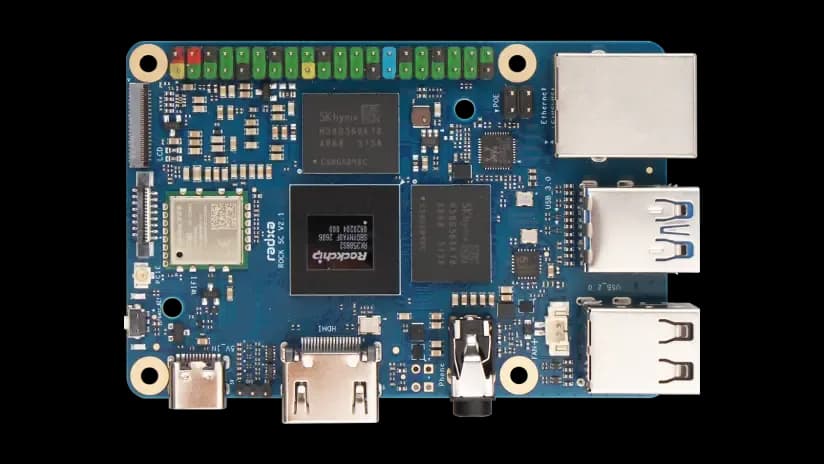
Radxa ROCK 5C

Radxa ROCK 5C

6.5/10verdict: good, not the best

The ROCK 5C is for homelabbers and developers who want a lot of CPU and RAM in a small board. It suits people who are happy to follow Radxa's own Debian and Android images or the third-party systems listed for it. It is a weaker fit if you want native M.2 storage.

Check price at Amazon UK (opens in a new tab, affiliate link)

Affiliate link. As an Amazon Associate I earn from qualifying purchases. Details
Raspberry Pi 5 4GB

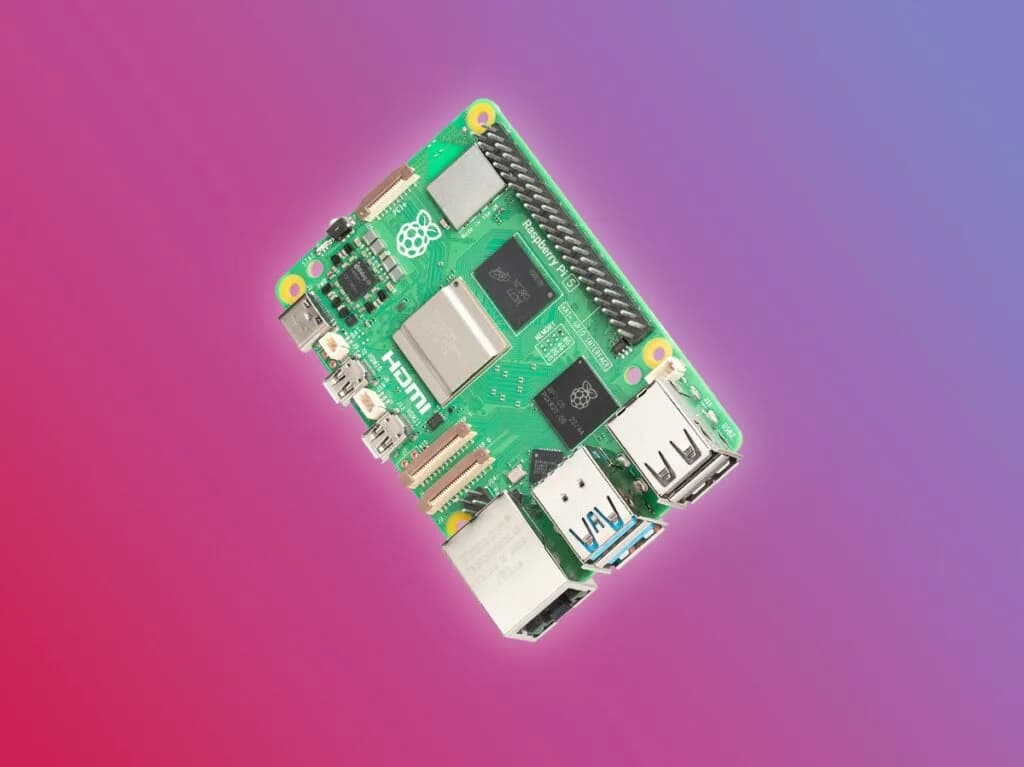
Raspberry Pi 5 4GB

7.9/10verdict: buy

The Raspberry Pi 5 4GB is for homelabbers and developers who want a small Linux board with official OS support and a standard 40-pin GPIO header. It suits people moving up from a Pi 4 who want more CPU performance for services, projects or display output. Buyers should be ready to sort out a proper 5A power supply and think about cooling.

Typically about £105.60 in the UK when we researched itCheck price at Amazon UK (opens in a new tab, affiliate link)

Affiliate link. As an Amazon Associate I earn from qualifying purchases. Details

Scores, criterion by criterion

CriterionWeightRadxa ROCK 5CRaspberry Pi 5 4GB
Software support30%5/1010/10
Performance25%9/108/10
Storage15%5/106/10
I/O and networking15%6/107/10
Value15%7/106/10
Overall6.5/107.9/10

Specifications

SpecRadxa ROCK 5CRaspberry Pi 5 4GB
Processor (SoC)Rockchip RK3588S2Broadcom BCM2712, quad-core Arm Cortex A76 processor @ 2.4GHz, 512KB L2 per core and 2MB shared L3 cache
Memory4GB, 8GB, 16GB or 32GB; V1.1 uses LPDDR4X, V2.1 uses LPDDR5LPDDR4X-4267 SDRAM, offered in 1GB, 2GB, 4GB, 8GB and 16GB variants
Storage options1x eMMC connector, 1x microSD card slot, no SPI flash; no native M.2 slot; PCIe 2.1 1-lane via FPC connectormicroSD card slot with SDR104 support; M.2 storage needs a separate adapter over PCIe 2.0 x1
NetworkingGigabit Ethernet (PoE via optional HAT), WiFi 6, BT 5.4 with external antenna connectorDual-band 802.11ac Wi-Fi, Bluetooth 5.0/BLE, Gigabit Ethernet; PoE+ needs a separate HAT
GPIO40-pin header, Raspberry Pi-style layout, 3.3V logic, up to 27 GPIOStandard 40-pin header
Video outputs1x HDMI 2.1 up to 8K, 1x MIPI DSI up to 2KDual 4Kp60 HDMI output with HDR support; VideoCore VII GPU; micro-HDMI connector
Power input5V via USB Type-C; at least 10W recommended, 25W with full USB and PCIe load5V/5A DC via USB-C with Power Delivery support

Strengths and weaknesses

Radxa ROCK 5C

  • + Eight-core RK3588S2 with 6 TOPS NPU
  • + RAM options from 4GB up to 32GB
  • + Raspberry Pi-style 40-pin header
  • − No native M.2 slot; microSD bottlenecks storage
  • − No power supply in the box
  • − PCIe drive stays powered when board is off

Skip it if:

  • Buyers who want a native M.2 NVMe slot on the board
  • Buyers who want a power supply included in the box
Read the full Radxa ROCK 5C review ›

Raspberry Pi 5 4GB

  • + Official Raspberry Pi OS images built for the Pi 5
  • + Quad Cortex A76 cores at 2.4GHz; owners report big gains
  • + Standard 40-pin header, two USB 3.0 ports, dual 4K HDMI
  • − Owners report high temperatures, throttling and shutdowns
  • − Needs a 5A supply; some 3A and laptop chargers fail
  • − M.2 storage needs a separate adapter; Ethernet is Gigabit only

Skip it if:

  • Buyers who need 2.5GbE or faster wired networking on the board
  • Anyone who wants native M.2 NVMe without buying an adapter
  • Buyers who cannot supply a 5A USB-C power supply or plan for cooling
Read the full Raspberry Pi 5 4GB review ›

More comparisons

Compare all single-board computers · Best single-board computers