BenQ RD320UA
~£699.99typical UK price when we researched itAffiliate link. As an Amazon Associate I earn from qualifying purchases. Details
BenQ RD320UA review
Researched, not hands-on tested.How we review ›
by SudoPicks Research · editor Paul HR · published 26 Oct 2026 · updated 26 Oct 2026
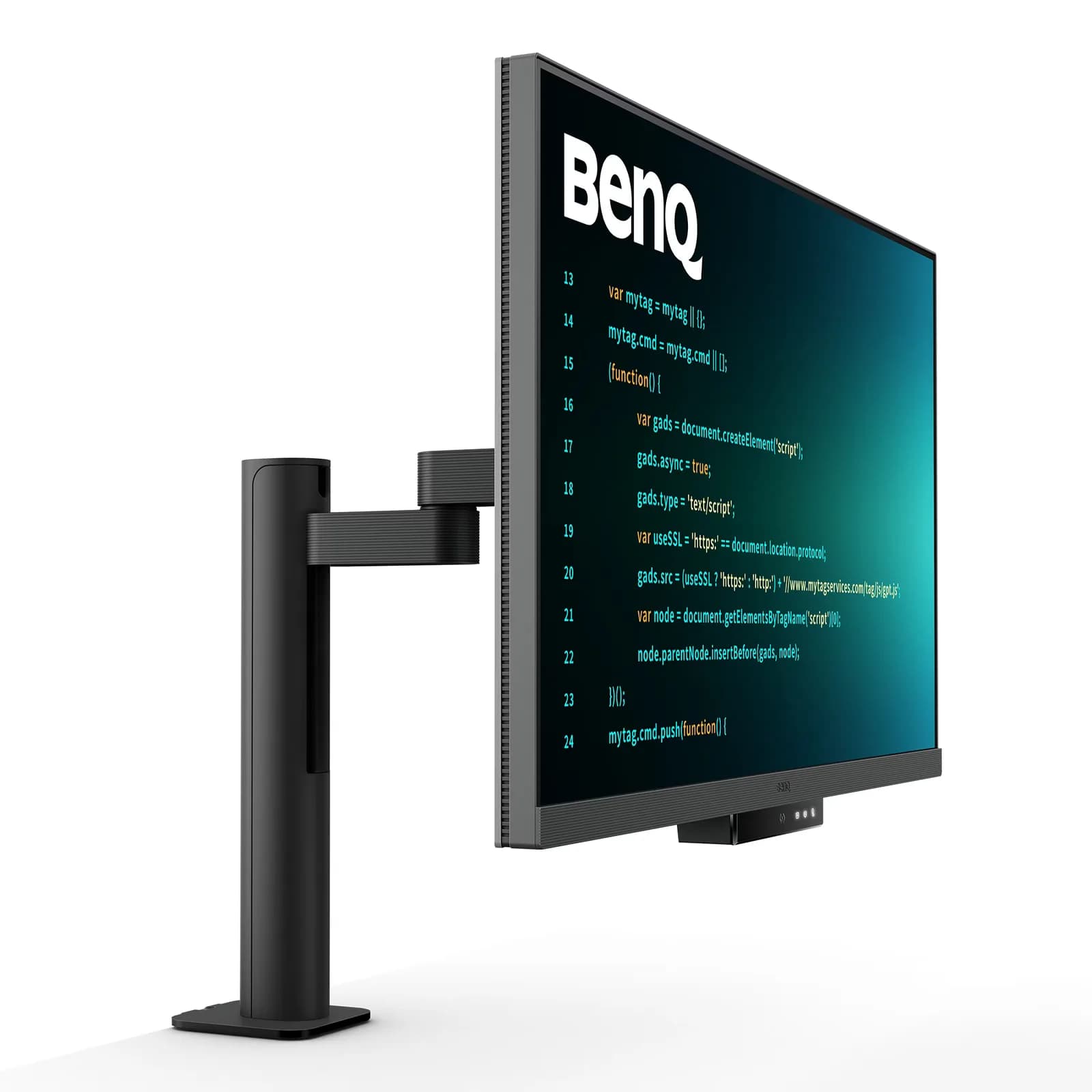
The BenQ RD320UA is for people who want a large 4K IPS screen that docks a laptop over a single USB-C cable. It suits desks that share the monitor between two computers, thanks to the built-in KVM and 90W USB-C.
joint 1st of 10 monitors we've reviewedAffiliate link. As an Amazon Associate I earn from qualifying purchases. Details
New to monitors? What they are and what to look for
A screen for a desktop computer, or a second screen for a laptop.
Do you need a monitor? A bigger second screen makes laptop work much more comfortable.
What to look for
- 27 inches at 1440p is a sweet spot for desks
- USB-C with power delivery can charge a laptop with one cable
- A height-adjustable stand for comfort
Unsure about a word? Jargon explained
How the 7.1 adds up
Our monitors rubric- Sharpness for text20% of score
- Panel quality25% of score
- Connectivity and docking20% of score
- Ergonomics15% of score
- Refresh rate and motion10% of score
- Build and warranty10% of score
Against the 10 monitors we've reviewed
bar = the range of all 10 · dot = this one · better →
- Overall score 7.1/10joint 1st of 10
- Price £699.9910th cheapest
- Value for money Poorer value than most10th best of 10
Support and features
| Power draw | 30W under load (manufacturer's figure, source) |
|---|---|
| Software updates | No end date announced |
- USB-C with charging
- KVM switch
- 4K
Featured in: Best monitors with USB-C charging
Pros and cons
+ pros
- USB-C with 90W Power Delivery and built-in KVM
- Anti-glare Nano Matte finish praised by owners
- Flexible Ergo Arm with height, tilt, swivel and pivot
− cons
- Only 60 Hz refresh rate
- HDR performance described as weak by owners
- Owners report plastic build and difficult setup
Price history
Price history appears here once we have tracked this product for a few days.
The full review
Where it fits
The BenQ RD320UA is a 31.5 inch IPS monitor with a maximum resolution of 3840x2160. It refreshes at 60 Hz and lists a 5 ms GtG response time. Its strengths are docking, the matte panel finish and the stand. Its weaknesses are motion and HDR. It makes most sense on a desk where one cable links a laptop to the screen.
Docking and connectivity9/10
The monitor can dock a laptop over a single USB-C connection. The USB-C input carries video through DisplayPort Alt Mode, data and 90W of Power Delivery. A 90W figure leaves room to power a laptop from the monitor while it sends video.
Behind that sits a USB hub. There is a USB Type-A downstream port and two USB-C downstream ports running at 10 Gbps. HDMI and DisplayPort video inputs cover machines that lack USB-C.
The monitor also has a built-in KVM switch. With the KVM and the extra downstream ports, it suits a desk that connects a laptop and a second computer to one screen.
Panel and finish7/10
The panel is IPS, and BenQ lists 98% P3 colour gamut, 2000:1 native contrast and 400 nits typical brightness. Those figures point to a capable general-purpose panel for documents, browsing and colour-aware work.
Owners praise the anti-glare Nano Matte finish. That matters most in a room with windows or overhead lighting.
The monitor supports HDR10 and VESA DisplayHDR 400. Owners are not impressed by the result: weak HDR performance is a recurring complaint. If HDR video or games matter to you, treat the HDR support as a checkbox feature rather than a reason to buy.
Sharpness7/10
A 3840x2160 resolution on a 31.5 inch panel gives a large workspace with fine detail. Text and interface elements have plenty of pixels to draw on, and the size leaves room for several windows side by side. The screen is big, so it suits a desk with enough viewing distance.
Ergonomics8/10
The monitor ships on BenQ's Ergo Arm, which adjusts for height, tilt, swivel and pivot. Owners praise how flexible it is. Pivot means portrait orientation is available, which some people use for long documents or code.
Motion4/10
The refresh rate is 60 Hz, and owners list it as a complaint. For office work and general desktop use this is unlikely to matter much. For fast games, or for anyone used to a higher refresh rate, the 60 Hz ceiling will stand out. The 5 ms GtG response time does not change that ceiling.
Build and setup5/10
Owners report two negatives here. One is a plastic build. The other is difficulty with setup. Given that the monitor has an arm, a hub and a KVM, it is worth setting aside time to get it positioned and connected.
Who it suits
The RD320UA suits someone who wants a large 4K IPS screen with strong docking features and a stand that moves in every direction. The 90W USB-C, the KVM and the 10 Gbps USB-C ports back that up. The 60 Hz panel and the weak HDR reports point away from gaming and media-focused use.
What owners report
Recurring themes from public owner feedback, summarised in our own words.
- Owners praise the anti-glare Nano Matte finish.
- Owners like how flexible the Ergo Arm is.
- The 60 Hz refresh rate is a common complaint.
- Owners describe the HDR performance as weak.
- Some owners report plastic build and difficult setup.
Who should skip it
- Gamers who want a refresh rate above 60 Hz
- Buyers who want convincing HDR for video or games
- Anyone who wants a metal-feel build and an easy setup
Full specifications
| Screen size | 31.5 inch |
|---|---|
| Resolution | 3840x2160 max |
| Panel type | IPS |
| Refresh rate | 60 Hz; 5 ms GtG response time |
| Inputs and USB-C | USB-C with 90W Power Delivery, DisplayPort Alt Mode and data; USB Type-A downstream; two USB-C downstream ports at 10 Gbps; built-in KVM; HDMI and DisplayPort video inputs |
| Stand adjustment | Ergo Arm with height, tilt, swivel and pivot |
| HDR | HDR10 and VESA DisplayHDR 400 |