TP-Link Deco X55 (3-pack)
~£209.99typical UK price when we researched itAffiliate link. As an Amazon Associate I earn from qualifying purchases. Details
TP-Link Deco X55 (3-pack) review
Researched, not hands-on tested.How we review ›
by SudoPicks Research · editor Paul HR · published 29 Oct 2026 · updated 29 Oct 2026
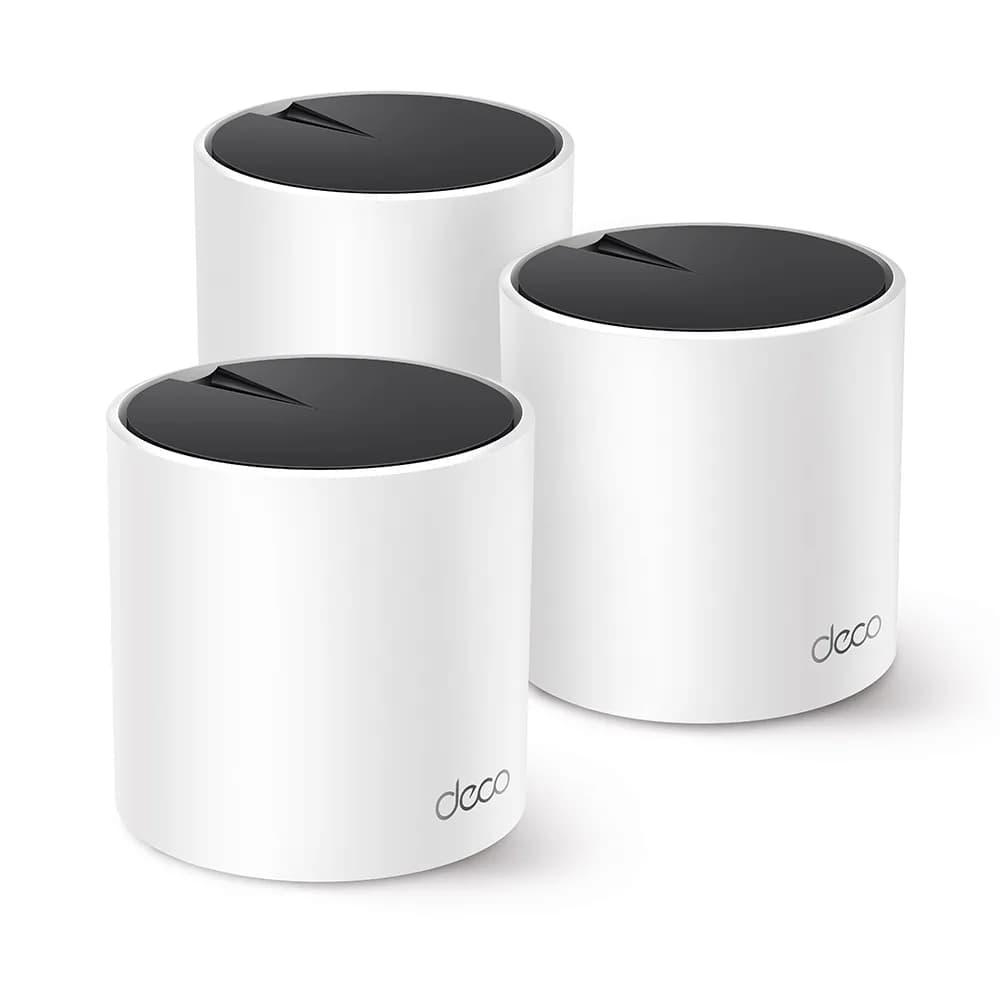
The Deco X55 3-pack suits people covering a larger home with an app-managed Wi-Fi 6 mesh. It fits buyers whose wired devices and internet connection run at Gigabit speed or below.
joint 9th of 14 Wi-Fi routers and mesh systems we've reviewedAffiliate link. As an Amazon Associate I earn from qualifying purchases. Details
New to Wi-Fi routers and mesh systems? What they are and what to look for
A router connects your home to the internet and creates your Wi-Fi network. Mesh systems use several units around the house for stronger signal everywhere.
Do you need a Wi-Fi router? Your broadband provider gives you one, but a better router can fix weak Wi-Fi, slow speeds in far rooms and frequent drop-outs.
What to look for
- Wi-Fi 6 or newer
- Mesh if your home is large or has thick walls
- Regular security updates from the maker
Unsure about a word? Jargon explained
How the 5.7 adds up
Our Wi-Fi routers and mesh systems rubric- Wi-Fi standard and bands25% of score
- Wired ports20% of score
- Coverage15% of score
- Software and security25% of score
- Value15% of score
Against the 14 Wi-Fi routers and mesh systems we've reviewed
bar = the range of all 14 · dot = this one · better →
- Overall score 5.7/10joint 9th of 14
- Price £209.9912th cheapest
- Value for money Poorer value than most12th best of 14
Support and features
| Power draw | 15W under load (manufacturer's figure, source) |
|---|---|
| Software updates | No end date announced source |
- Mesh
Featured in: Best Wi-Fi routers and mesh systems with mesh
Measured by owners
No owner readings yet. If you own one and have a smart plug or power meter, a reading takes a minute and helps everyone else.
Security and compatibility
| Latest firmware or software | September 2026updated in the last year source |
|---|---|
| Known security issues | None found in public advisories. That's a good sign, not a guarantee. |
| Update record | Newest dated release found is EU V3 firmware 1.7.5 (2026-09-28). |
Pros and cons
+ pros
- Three units with a 6,500 ft² rating and 150-device support
- WPA3, guest networks, tagged VLAN and a free HomeShield Basic tier
- Owners describe setup and the app as easy
− cons
- Gigabit-only ports, with no multi-gig option
- Owners report dropouts and devices falling off the mesh
- Management is app-only, with limited firewall and radio tuning
Price history
Price history appears here once we have tracked this product for a few days.
The full review
Where it fits
The Deco X55 3-pack is a dual-band Wi-Fi 6 mesh system built from three identical units. Each unit has two internal antennas, MU-MIMO and a two-core 1 GHz processor. TP-Link rates the three-unit set at up to 6,500 ft². That is a marketing rating, and wireless coverage is not guaranteed. The spec sheet lists support for 150 devices, so it aims at a large home with plenty of connected gear.
The box holds three units, three power adapters, one Ethernet cable and a quick installation guide.
Wi-Fi and coverage7/10
The system is rated AX3000. The 5 GHz band runs at up to 2402 Mbps and the 2.4 GHz band at up to 574 Mbps. It also supports older standards, including 802.11a/b/g, Wi-Fi 4 and Wi-Fi 5. With two bands and no third, all your devices share the same 2.4 GHz and 5 GHz airtime.
Three nodes is the main coverage argument here. The 6,500 ft² rating applies to the full 3-pack. Owners report dropouts and devices falling off the mesh, which is worth weighing against the rated range.
Wired ports5/10
There is no dedicated WAN port. Each unit has three Gigabit Ethernet ports that auto-sense WAN or LAN, giving nine across the pack. Supported WAN types are Dynamic IP, Static IP, PPPoE, PPTP and L2TP.
Every port is Gigabit, so wired links top out at that speed. One reviewer names the lack of multi-gig Ethernet as the main weakness. Three ports per node is enough for a few wired devices at each location, such as a PC, a console and a printer. It will not suit a setup that needs faster wired links.
Software and security5/10
Security covers WPA, WPA2 and WPA3, plus an SPI firewall. The system offers one guest network on 2.4 GHz and one on 5 GHz. Tagged VLAN is supported. The spec sheet also lists QoS, IGMP proxy and snooping, DDNS, UPnP and a DHCP server.
Parental controls are detailed. They include bedtime, content filter, custom profiles, family time, pause the internet, time controls, time rewards and weekly or monthly reports. HomeShield has a free Basic tier.
The latest EU firmware on record is V3 build 1.7.5, dated 2026-09-28. It adds an Ad Blocker and improved system security, and TP-Link has announced no end-of-support date. Firmware upgrades through an auto upgrade wizard. The companion app supports Android 4.4 and iOS 9.0 or later.
What owners report
Owners describe setup and the app as easy.
The complaints are about stability and control. Owners describe dropouts and devices falling off the mesh. Some say firmware updates can destabilise the mesh. Management happens only through the app, and owners find firewall and radio tuning limited. With app-only management and limited tuning, people who like to adjust channels or firewall rules will have little room to do so.
Check the hardware version
TP-Link's EU support pages list V3 firmware. A community thread, however, describes V1 units. Confirm which hardware version you are buying before relying on the specifications above.
Who it suits
The X55 3-pack suits a household that wants three nodes, WPA3, guest networks and parental controls without much configuration. The free HomeShield Basic tier and tagged VLAN support add some flexibility. The Gigabit-only ports and the owner reports of dropouts and update-related instability are the main reasons to hesitate. Buyers with a faster-than-Gigabit connection or a need for deep manual tuning should weigh those limits first.
What owners report
Recurring themes from public owner feedback, summarised in our own words.
- Owners find setup and the app easy.
- Some owners report dropouts and devices falling off the mesh.
- Some owners say firmware updates can destabilise the mesh.
- Management is app-only, with limited firewall and radio tuning.
Who should skip it
- Buyers who need 2.5GbE or 10GbE ports on the router or nodes
- Anyone who wants detailed firewall and radio settings beyond the app
- Buyers who want a Wi-Fi 6E or Wi-Fi 7 system
Full specifications
| Wi-Fi standard | Wi-Fi 6 (IEEE 802.11ax/ac/n/a 5 GHz, 802.11ax/n/b/g 2.4 GHz) |
|---|---|
| Bands and speed class | Dual-band AX3000: 5 GHz 2402 Mbps, 2.4 GHz 574 Mbps |
| WAN port | No dedicated WAN port; each unit has 3 Gigabit ports that auto-sense WAN or LAN |
| LAN ports | 3 Gigabit Ethernet ports per unit (9 across the 3-pack), shared with WAN auto-sensing |
| Mesh nodes in the box | 3 Deco X55 units |
| Rated coverage | Up to 6,500 ft² for the 3-pack (marketing rating; wireless coverage not guaranteed) |
| Security and VPN features | WPA/WPA2/WPA3, SPI firewall, parental controls, QoS, guest networks for 2.4 GHz and 5 GHz, HomeShield (free Basic tier) |
✓ Specs checked against the maker's data sheet.
Sources
- TP-Link Deco X55 product page (US)
- Deco X55(EU) datasheet
- TP-Link Nordic support downloads for Deco X55
- TP-Link US compare page
- Tapo UK store listing
- Amazon UK listing
- PriceSpy Deco X55 listing
- Windows Central Deco X55 review
- Smart Home Compared Deco X55 review
- Network Gear Review Deco X55 in-depth review
- GoMyReview Deco X55 review
- TP-Link community thread on Deco X55 setup and dropouts
- TP-Link community thread on V1 hardware and power
- Icecat data sheet: TP-Link AX3000 Whole Home Mesh Wi-Fi 6 System