Skip to content
sudopicks
esc

Keychron K10 HE Wireless Magnetic Switch Custom Keyboard vs YUNZII B75 PRO

Researched, not hands-on tested.How we review ›

all judged against mechanical keyboards at a similar price

The Keychron K10 HE Wireless Magnetic Switch Custom Keyboard scores 7.4/10 overall, ahead of the YUNZII B75 PRO at 6.7/10.

The Keychron K10 HE Wireless Magnetic Switch Custom Keyboard leads on customisation, connectivity and battery and software.

The YUNZII B75 PRO leads on typing feel.

They score the same on build quality and layout and ergonomics.

The biggest difference is customisation, where the Keychron K10 HE Wireless Magnetic Switch Custom Keyboard scores 8/10 to the YUNZII B75 PRO's 5/10.

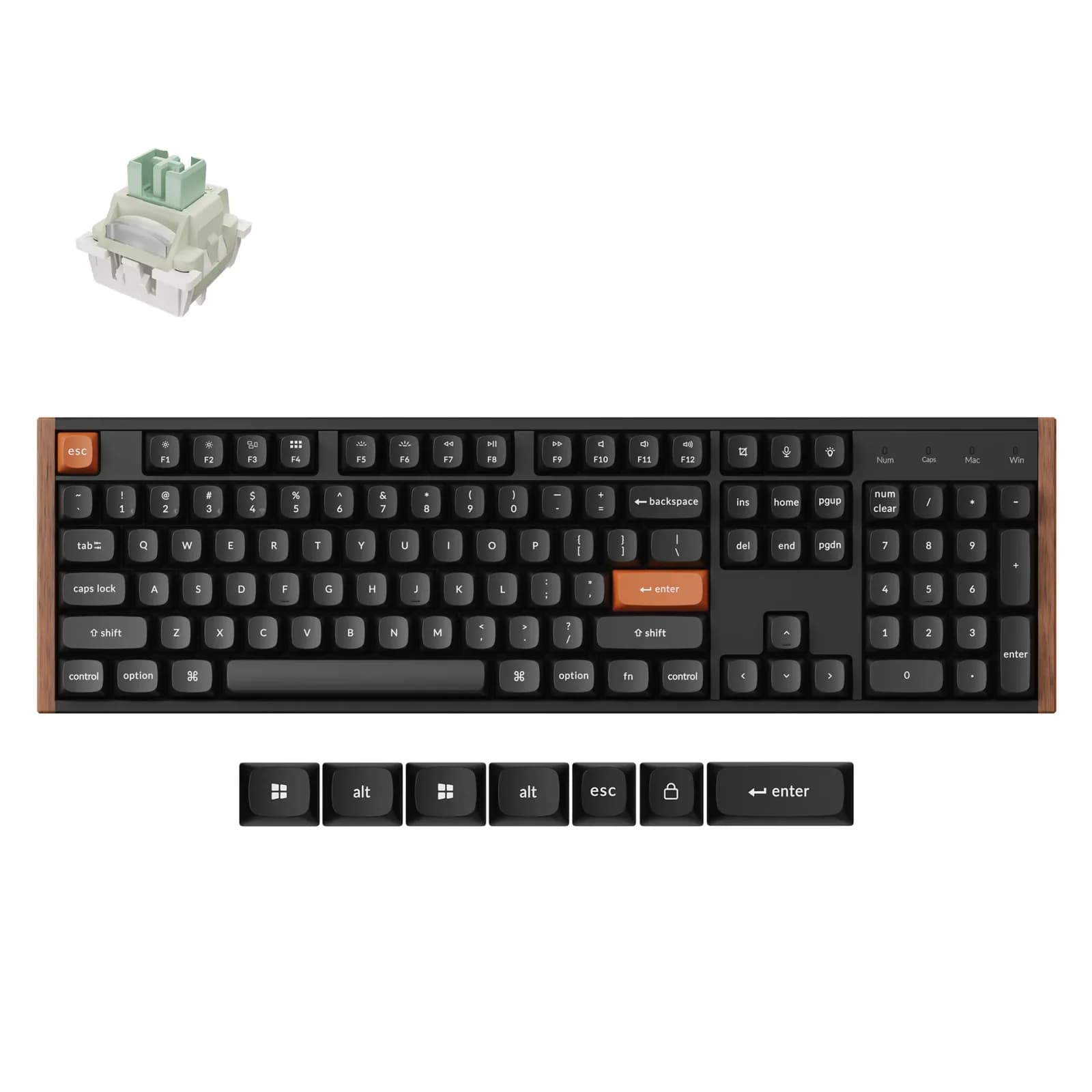
Keychron K10 HE Wireless Magnetic Switch Custom Keyboard

Keychron K10 HE Wireless Magnetic Switch Custom Keyboard

7.4/10verdict: buy

The Keychron K10 HE is for people who want a full-size keyboard with a number pad and adjustable magnetic switches. It suits desk users who move between Windows, macOS and Linux and want QMK firmware with wireless options. It is built for a fixed desk, not a bag.

Typically about £129.99 in the UK when we researched itSearch Amazon UK (opens in a new tab, affiliate link)

Affiliate link. As an Amazon Associate I earn from qualifying purchases. Details
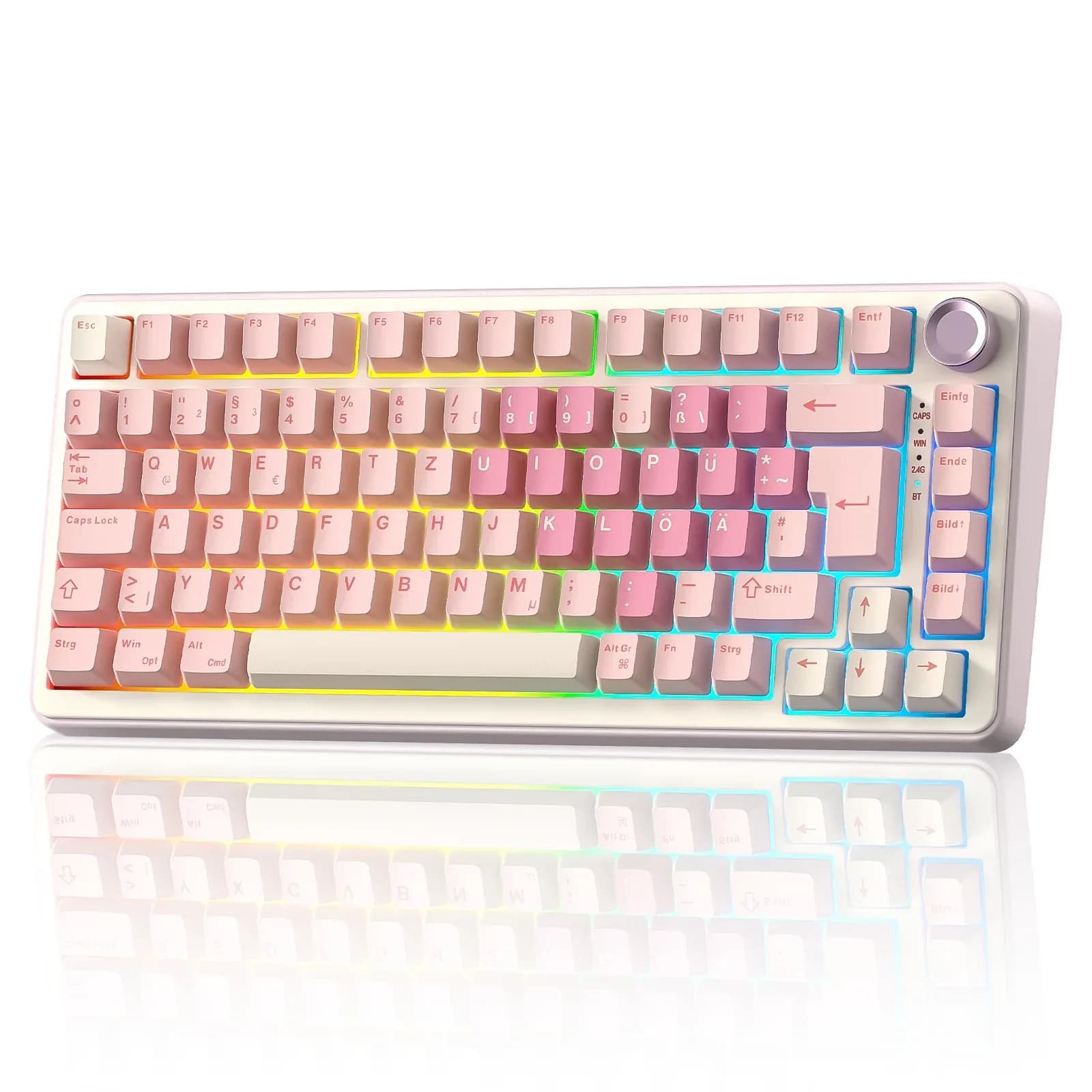
YUNZII B75 PRO

YUNZII B75 PRO

6.7/10verdict: buy

The YUNZII B75 PRO is for UK typists who want a compact, wireless 75% keyboard with an ISO layout and a knob. It suits people who care about typing sound and feel and who like the option of swapping switches later. It's less suited to anyone who wants open firmware such as QMK or VIA.

Typically about £66.29 in the UK when we researched itCheck price at Amazon UK (opens in a new tab, affiliate link)

Affiliate link. As an Amazon Associate I earn from qualifying purchases. Details

Scores, criterion by criterion

CriterionWeightKeychron K10 HE Wireless Magnetic Switch Custom KeyboardYUNZII B75 PRO
Typing feel25%7/108/10
Build quality20%7/107/10
Customisation20%8/105/10
Connectivity15%9/107/10
Layout and ergonomics10%6/106/10
Battery and software10%7/106/10
Overall7.4/106.7/10

Specifications

SpecKeychron K10 HE Wireless Magnetic Switch Custom KeyboardYUNZII B75 PRO
Layout100% full size75% with knob, 83-key ISO (ANSI variant 82-key)
SwitchesGateron Double-rail Magnetic Switch / Keychron Ultra-Fast Lime Magnetic Switch; actuation adjustable 0.2-3.8 mmVaries by variant: YUNZII Milk Linear, Cocoa Cream V2 Linear, or Blue Grey Tactile; pre-lubed
Hot-swappableHot-swappableFull-key hot-swappable, supports 3-pin or 5-pin switches
Connectivity2.4 GHz, Bluetooth 5.2, wired USB-C; 1000 Hz polling rate (125 Hz over Bluetooth per user guide); switches between 3 devicesBluetooth, 2.4GHz wireless, and wired Type-C
Firmware (QMK / VIA)QMK firmware; Keychron Launcher web app for key remapping and macros; Windows, macOS, LinuxYUNZII software for key remapping, macros and RGB; Windows and macOS per manufacturer, Windows-only per Vivid Repairs review. No QMK/VIA support found
KeycapsDouble-shot PBT; Standard: Cherry profile; Special Edition: OSA profileDouble-shot PBT Cherry profile
Battery4000 mAh, up to 120 hours (backlight setting not stated); charging around 5 hours4000mAh

Strengths and weaknesses

Keychron K10 HE Wireless Magnetic Switch Custom Keyboard

  • + Actuation adjustable from 0.2 to 3.8 mm
  • + 2.4GHz, Bluetooth and wired, with three-device switching
  • + QMK firmware and a web app on all three platforms
  • − Heavy and large, so poor for travel
  • − Only Keychron's magnetic switches are supported
  • − Battery life falls with full RGB brightness

Skip it if:

  • Buyers who want to fit any switch type they like
  • Anyone who carries their keyboard between locations
  • Users who run full RGB brightness and want long wireless battery life
Read the full Keychron K10 HE Wireless Magnetic Switch Custom Keyboard review ›

YUNZII B75 PRO

  • + Gasket mount with pre-lubed switches and tuned stabilisers
  • + Owners praise the typing sound and battery life
  • + ISO layout with Bluetooth, 2.4GHz and wired modes
  • − No QMK or VIA support; remapping uses YUNZII software
  • − One review reports the software is Windows-only
  • − Switch type depends on which variant you buy

Skip it if:

  • Buyers who want QMK or VIA open firmware for remapping
  • Buyers who depend on the remapping software working on their operating system
  • Anyone who wants a tactile switch without checking the variant first
Read the full YUNZII B75 PRO review ›

More comparisons

Compare all mechanical keyboards · Best mechanical keyboards