Skip to content
sudopicks
esc

GravaStar Mercury K1 vs MageGee MK-Box 60% Portable Mechanical Gaming Keyboard

Researched, not hands-on tested.How we review ›

all judged against mechanical keyboards at a similar price

The GravaStar Mercury K1 scores 6.5/10 overall, ahead of the MageGee MK-Box 60% Portable Mechanical Gaming Keyboard at 5.7/10.

The GravaStar Mercury K1 leads on typing feel, build quality, customisation and connectivity.

The MageGee MK-Box 60% Portable Mechanical Gaming Keyboard leads on layout and ergonomics and battery and software.

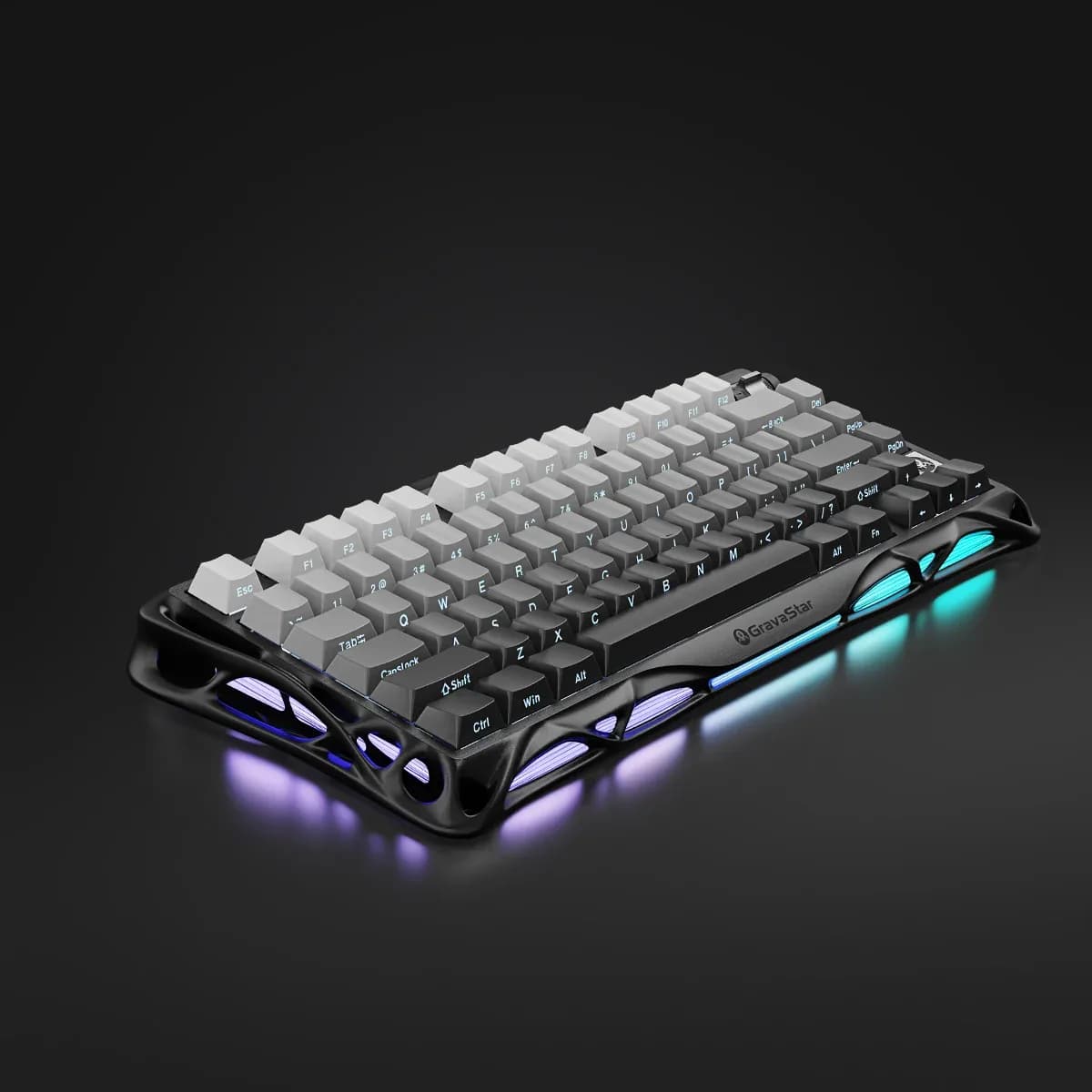
GravaStar Mercury K1

GravaStar Mercury K1

6.5/10verdict: buy

The GravaStar Mercury K1 is for people who want a compact 75% wireless keyboard with an aluminium frame. It suits buyers who value a muted, cushioned sound and want to swap switches later. It is less suited to anyone who needs a specific regional layout or confirmed remapping tools.

Typically about £129 in the UK when we researched itCheck price at Amazon UK (opens in a new tab, affiliate link)

Affiliate link. As an Amazon Associate I earn from qualifying purchases. Details

MageGee MK-Box 60% Portable Mechanical Gaming Keyboard

5.7/10verdict: good, not the best

The MageGee MK-Box suits buyers who want a compact wired mechanical keyboard that works the moment it is plugged in. It fits people who value a metal-topped build and a quiet-leaning sound profile over deep customisation. It is a sensible pick for a first mechanical board on Windows, macOS or Linux.

Typically about £29.59 in the UK when we researched itCheck price at Amazon UK (opens in a new tab, affiliate link)

Affiliate link. As an Amazon Associate I earn from qualifying purchases. Details

Scores, criterion by criterion

CriterionWeightGravaStar Mercury K1MageGee MK-Box 60% Portable Mechanical Gaming Keyboard
Typing feel25%7/106/10
Build quality20%8/107/10
Customisation20%5/103/10
Connectivity15%7/106/10
Layout and ergonomics10%5/106/10
Battery and software10%6/107/10
Overall6.5/105.7/10

Specifications

SpecGravaStar Mercury K1MageGee MK-Box 60% Portable Mechanical Gaming Keyboard
Layout75%, 79 keys plus rotary knob65% layout with 68 keys
SwitchesGravaStar Custom Linear, 40gf actuation, 1.5mm pre-travel, 3.5mm total travelnot listed
Hot-swappableYes, 3-pin and 5-pin compatibleNo
ConnectivityTri-mode: Bluetooth 5.0, 2.4GHz wireless and USB-C wiredWired (detachable), USB A-C
Firmware (QMK / VIA)not listedPlug and play, no drivers or software required
KeycapsPBT and PCDouble-colour injection keycaps
Battery8000mAhnot listed

Strengths and weaknesses

GravaStar Mercury K1

  • + Aluminium alloy frame praised as solid and heavy
  • + Gasket mount with foam gives muted, cushioned typing
  • + Hot-swap sockets take 3-pin and 5-pin switches
  • − Volume roller is plastic styled to look like metal
  • − Front logo placement does not blend in
  • − Backplate is plastic beneath the aluminium frame

Skip it if:

  • Buyers who need a full numpad
  • Anyone who wants a loud, sharp typing sound
  • Buyers who want metal controls throughout
Read the full GravaStar Mercury K1 review ›

MageGee MK-Box 60% Portable Mechanical Gaming Keyboard

  • + Metal top plate on a plastic base
  • + Plug and play, no software needed
  • + Works on Windows, macOS and Linux
  • − No hot-swap listed, so switches stay fixed
  • − Spacebar stabiliser rattles and feels mushy
  • − Heavy at 580g, and left shift is short

Skip it if:

  • Buyers who want hot-swap sockets or key remapping software
  • Anyone who needs wireless or Bluetooth connectivity
  • People who want a light board to carry daily
Read the full MageGee MK-Box 60% Portable Mechanical Gaming Keyboard review ›

More comparisons

Compare all mechanical keyboards · Best mechanical keyboards