Skip to content
sudopicks
esc

Lenovo IdeaPad Slim 3x (15", 10) vs Apple MacBook Air 13-inch M5

Researched, not hands-on tested.How we review ›

all judged against laptops at a similar price

The Apple MacBook Air 13-inch M5 scores 6.6/10 overall, ahead of the Lenovo IdeaPad Slim 3x (15", 10) at 5.9/10.

The Lenovo IdeaPad Slim 3x (15", 10) leads on memory and storage, ports and linux support.

The Apple MacBook Air 13-inch M5 leads on performance, display, battery life and keyboard and build.

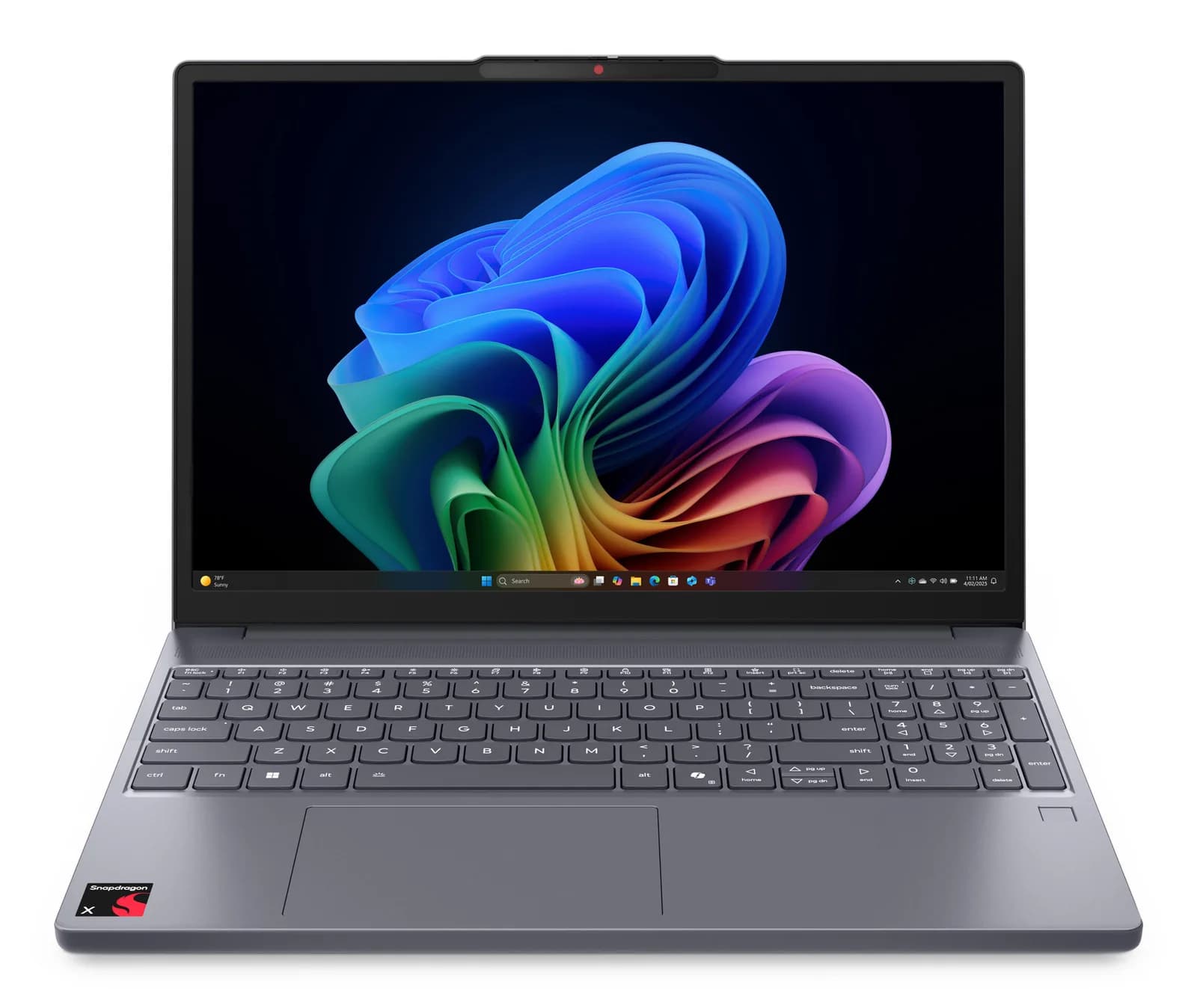
Lenovo IdeaPad Slim 3x (15", 10)

Lenovo IdeaPad Slim 3x (15", 10)

5.9/10verdict: good, not the best

The IdeaPad Slim 3x suits people who want a large-screen, long-running Windows laptop for office work, browser-based admin and light development. It also suits anyone who wants an optional OLED panel and a second SSD slot in a 15-inch body. It is a weaker fit if you need Thunderbolt-class ports or upgradeable memory.

Typically about £595 in the UK when we researched itCheck price at Amazon UK (opens in a new tab, affiliate link)

Affiliate link. As an Amazon Associate I earn from qualifying purchases. Details
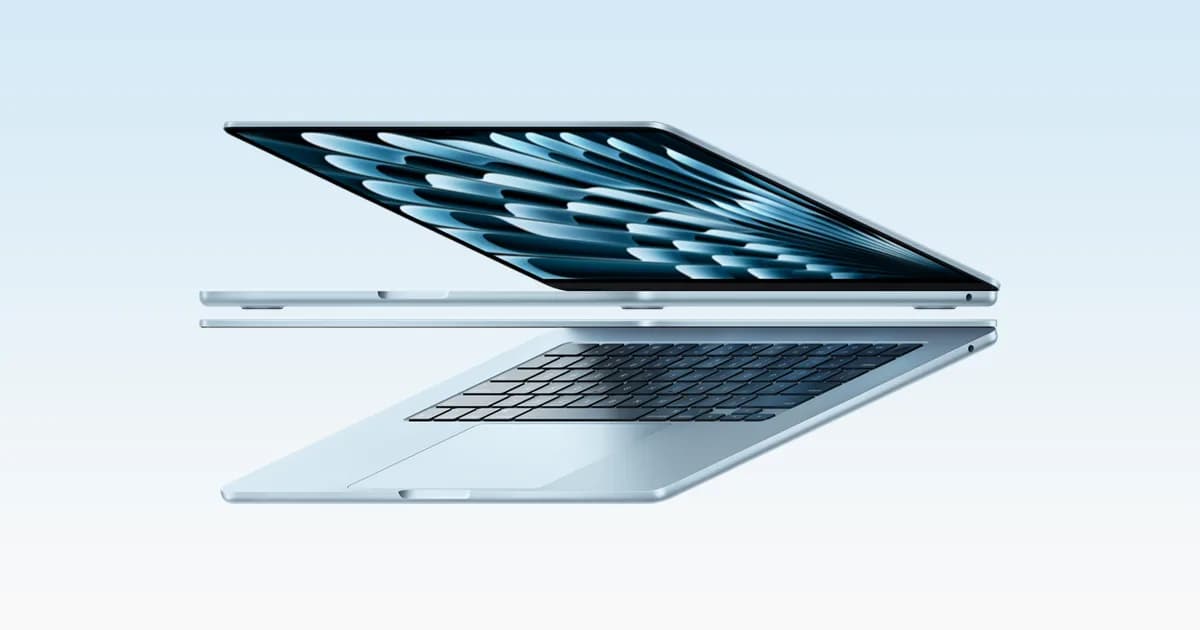
MacBook Air (13-inch, M5)

Apple MacBook Air 13-inch M5

6.6/10verdict: buy

The MacBook Air 13-inch M5 is for developers and sysadmins who work in macOS and want a light, silent laptop that lasts a full day away from a charger. It suits people doing everyday coding, containers and remote admin who can live with two Thunderbolt ports. It is a poor fit for anyone who needs Linux on the metal or a wide spread of built-in ports.

Typically about £1,250.11 in the UK when we researched itCheck price at Amazon UK (opens in a new tab, affiliate link)

Affiliate link. As an Amazon Associate I earn from qualifying purchases. Details

Scores, criterion by criterion

CriterionWeightLenovo IdeaPad Slim 3x (15", 10)Apple MacBook Air 13-inch M5
Performance25%6/107/10
Memory and storage20%7/106/10
Display15%5/107/10
Battery life15%7/109/10
Keyboard and build10%6/108/10
Ports10%5/104/10
Linux support5%2/101/10
Overall5.9/106.6/10

Specifications

SpecLenovo IdeaPad Slim 3x (15", 10)Apple MacBook Air 13-inch M5
CPUQualcomm Snapdragon X X1-26-100, 8 cores, up to 3.0 GHz, 30MB cache, Hexagon NPU up to 45 TOPSApple M5, 10-core CPU with 4 super cores and 6 efficiency cores, 8-core GPU in the 16GB/512GB configuration
Memory16 GB or 24 GB LPDDR5x, 8448 MHz, soldered to the system board16GB unified memory, configurable to 24GB or 32GB
Storage256 GB, 512 GB or 1 TB PCIe M.2 2242 Gen4 SSD, plus a second 2242 slot supporting 512 GB or 1 TB512GB SSD, configurable to 1TB, 2TB or 4TB
Display15.1-inch WQXGA (2560 x 1600) OLED, 16:10, 60 Hz, or 15.3-inch WUXGA (1920 x 1200) IPS, 16:10, 60 Hz, 300 nits; IPS also offered with on-cell touch13.6-inch diagonal LED-backlit IPS display, 2560 by 1664 native resolution at 224 ppi, 500 nits brightness, wide colour (P3), True Tone
Battery50 Wh or 60 Wh; Rapid Charge gives 2 hours in 15 minutesBuilt-in 53.8 Wh lithium-polymer battery; Apple claims up to 18 hours video streaming and up to 15 hours wireless web
PortsRight: 1x USB 3.2 Type-A Gen 1, 1x SD card reader, power button, One Key Recovery. Left: round DC port, 1x USB 3.2 Type-A Gen 1, 1x HDMI 1.4, 1x USB 3.2 Type-C Gen 1 (DP 1.2, PD 3.0), combo audio jackTwo Thunderbolt 4 (USB-C) ports, MagSafe 3 charging port, 3.5 mm headphone jack
Weight1.5 kg (3.31 lb) starting, OLED with 60 Wh battery2.7 pounds (1.23 kg); dimensions 11.97 x 8.46 x 0.44 inches
Operating systemWindows 11 Home or PromacOS

Strengths and weaknesses

Lenovo IdeaPad Slim 3x (15", 10)

  • + Owners praise the battery life
  • + Second M.2 2242 slot for extra storage
  • + Optional 2560 x 1600 OLED panel
  • − Owners complain about the display and speakers
  • − Memory is soldered to the board
  • − No Ethernet and only USB 3.2 Gen 1 USB-C

Skip it if:

  • Buyers who want upgradeable memory or many VMs
  • People who need Ethernet or fast USB-C or Thunderbolt-class ports
Read the full Lenovo IdeaPad Slim 3x (15", 10) review ›

Apple MacBook Air 13-inch M5

  • + Measured battery runtimes of 15 to 18 hours
  • + Sharp 2560 by 1664 display with 500 nits
  • + Light, fanless body with a well-liked keyboard
  • − Only two Thunderbolt 4 ports, no USB-A or HDMI
  • − No Linux support listed; macOS only
  • − Owners see little gain over the M4 Air

Skip it if:

  • Anyone who needs Linux running directly on the laptop
  • Buyers who want USB-A, HDMI or an SD slot built in
  • Current M4 Air owners looking for a clear upgrade
Read the full Apple MacBook Air 13-inch M5 review ›

More comparisons

Compare all laptops · Best laptops