Apple MacBook Air 13-inch M5
Price unavailable right nowAffiliate link. As an Amazon Associate I earn from qualifying purchases. Details
Apple MacBook Air 13-inch M5 review
Researched, not hands-on tested.How we review ›
by SudoPicks Research · published 24 Oct 2026 · updated 24 Oct 2026
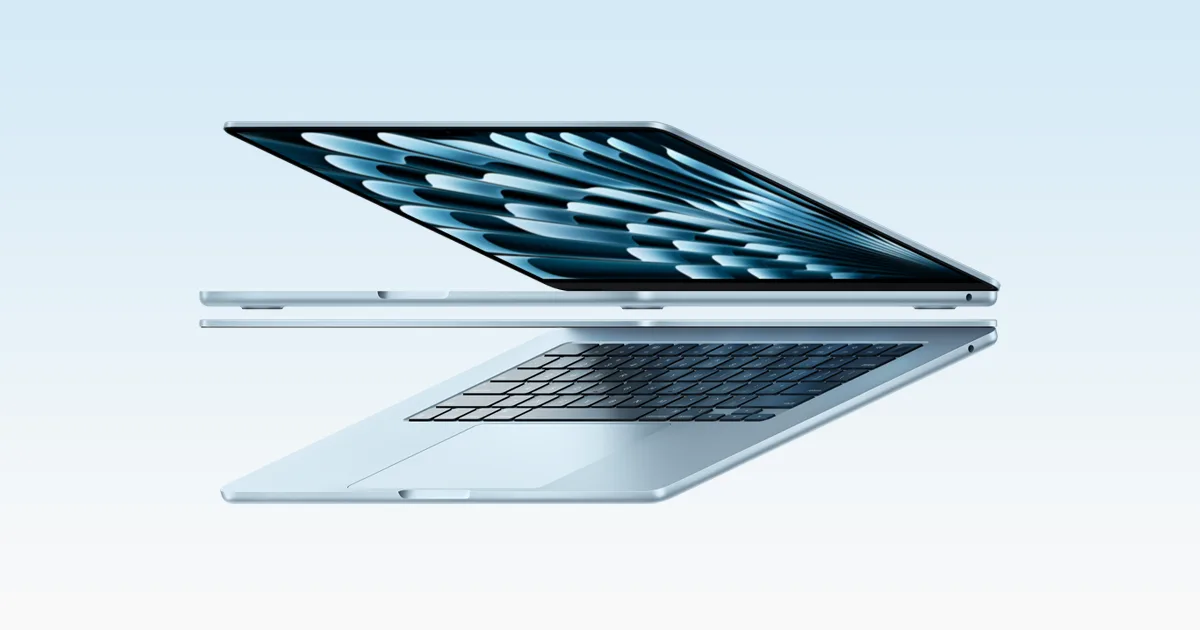
The MacBook Air 13-inch M5 is for developers and sysadmins who work in macOS and want a light, silent laptop that lasts a full day away from a charger. It suits people doing everyday coding, containers and remote admin who can live with two Thunderbolt ports.
2nd of 4 laptops we've reviewedAffiliate link. As an Amazon Associate I earn from qualifying purchases. Details
New to laptops? What they are and what to look for
A portable computer with a built-in screen, keyboard and battery.
Do you need a laptop? Almost everyone needs one computer; a laptop suits you if you work in different places.
What to look for
- 16GB of memory for comfortable everyday use
- A real-world battery life of 8 hours or more
- Enough ports, or budget for a USB-C hub
Unsure about a word? Jargon explained
How the 6.6 adds up
Our laptops rubric- Performance25% of score
- Memory and storage20% of score
- Display15% of score
- Battery life15% of score
- Keyboard and build10% of score
- Ports10% of score
- Linux support5% of score
Against the 4 laptops we've reviewed
bar = the range of all 4 · dot = this one · better →
- Overall score 6.6/102nd of 4
- Price £1,250.114th cheapest
- Value for money 0.5 per £1004th of 4
Running costs and support
| Power draw | 1.2W idle, 17.7W under load (measured by owners or reviewers, source) |
|---|---|
| Software updates | No end-of-support date announced; third-party estimates only (Coolblue expects 2033) source |
- USB4 / Thunderbolt
Compatibility
| Linux | Doesn't work on Linux. No official Apple Linux support; Asahi lists this model as intended but its M5 feature support is mostly unfilled, so it isn't usable yet. source |
|---|
Pros and cons
+ pros
- Measured battery runtimes of 15 to 18 hours
- Sharp 2560 by 1664 display with 500 nits
- Light, fanless body with a well-liked keyboard
− cons
- Only two Thunderbolt 4 ports, no USB-A or HDMI
- No Linux support listed; macOS only
- Owners see little gain over the M4 Air
Price history
Price history appears here once we have tracked this product for a few days.
The full review
Where it fits
This is Apple's 13-inch ultraportable, built around the base M5 chip. It runs macOS only. Apple's spec page lists no other operating system, and the research found no Linux support.
The case for it rests on battery, weight, display and keyboard. The case against it rests on ports, a modest step up from the M4 Air, and the price rise owners criticise.
Performance7/10
The M5 has a 10-core CPU with 4 super cores and 6 efficiency cores. The configuration Apple lists has an 8-core GPU. For compiling, scripting, containers and light virtualisation, it gives you a current-generation chip with a reasonable core count.
The body is fanless, and owners describe it as silent. Heavy sustained loads are not covered in the research, so there is nothing here on throttling.
Memory and storage6/10
The listed configuration has 16GB of unified memory and a 512GB SSD. Apple lists options of 24GB or 32GB of memory and 1TB, 2TB or 4TB of storage. With 16GB as the starting point, it suits a code editor, a browser and a handful of containers. If you plan to run several VMs, the 24GB and 32GB options are the ones to look at.
The research does not mention user-upgradeable memory or a second storage slot. Pick the configuration you need when you buy.
Display7/10
The screen is a 13.6-inch IPS panel at 2560 by 1664, which works out at 224 ppi. Apple lists 500 nits of brightness, wide colour (P3) and True Tone. With that pixel density, text should look sharp for long sessions in a terminal or editor.
Apple lists no matte or OLED option. Brightness matters for battery too. Notebookcheck measured 6 hours 39 minutes at full brightness, against 16 hours 11 minutes at 150 nits.
Battery life9/10
Apple claims up to 18 hours of video streaming and up to 15 hours of wireless web use from the 53.8 Wh battery. Reviewers' figures sit in the same range:
- Macworld measured 18 hours 24 minutes of a movie on repeat at 150 nits.
- Tom's Hardware measured 15 hours 28 minutes in its web, video and OpenGL test.
- Notebookcheck measured 16 hours 11 minutes in its WLAN test at 150 nits.
Owners praise the battery but report no improvement over the M4. If you are upgrading from an M4 Air, battery life is not a reason to switch.
Keyboard and build8/10
Apple lists a backlit Magic Keyboard with 78 keys (ANSI) or 79 keys (ISO), including 12 full-height function keys and Touch ID. The Force Touch trackpad gets praise from owners as comfortable and roomy. Owners also describe the machine as light and well built. It weighs 1.23 kg and is 0.44 inches thick.
Apple also lists a 12MP Center Stage camera with Desk View support, which helps for video calls.
Ports and connectivity4/10
This is the weakest area. The machine has two Thunderbolt 4 (USB-C) ports, a MagSafe 3 charging port and a headphone jack. It has no USB-A, HDMI or SD slot. Owners say the two Thunderbolt ports mean you need a USB-C hub or dongles.
MagSafe handles charging, so both Thunderbolt ports stay free for peripherals. Apple lists support for up to two external displays, either two at up to 6K and 60Hz or two at 4K and 144Hz. Wi-Fi 7 (802.11be) and Bluetooth 6 are listed.
Linux and price1/10
The research found no Linux support. If you need Linux running directly on the hardware, this is the wrong laptop. If you only need macOS, that does not matter.
Price is the other sticking point. Owners criticise the increase as not a significant upgrade over the M4 Air. The M5 makes most sense for buyers coming from older hardware, not from the M4.
Who it suits
It suits developers and admins who want a silent, light laptop with a sharp screen and a battery that reviewers measured at 15 to 18 hours. Plan for a hub, and choose the memory configuration carefully, because 16GB is the starting point.
What owners report
Recurring themes from public owner feedback, summarised in our own words.
- Battery life is praised, but owners see no improvement over the M4.
- Two Thunderbolt ports mean a USB-C hub or dongles are needed.
- The keyboard and trackpad are described as comfortable and roomy.
- The price rise is criticised as not a significant upgrade over the M4 Air.
- The fanless design is silent, light and well built.
Who should skip it
- Anyone who needs Linux running directly on the laptop
- Buyers who want USB-A, HDMI or an SD slot built in
- Current M4 Air owners looking for a clear upgrade
Full specifications
| CPU | Apple M5, 10-core CPU with 4 super cores and 6 efficiency cores, 8-core GPU in the 16GB/512GB configuration |
|---|---|
| Memory | 16GB unified memory, configurable to 24GB or 32GB |
| Storage | 512GB SSD, configurable to 1TB, 2TB or 4TB |
| Display | 13.6-inch diagonal LED-backlit IPS display, 2560 by 1664 native resolution at 224 ppi, 500 nits brightness, wide colour (P3), True Tone |
| Battery | Built-in 53.8 Wh lithium-polymer battery; Apple claims up to 18 hours video streaming and up to 15 hours wireless web |
| Ports | Two Thunderbolt 4 (USB-C) ports, MagSafe 3 charging port, 3.5 mm headphone jack |
| Weight | 2.7 pounds (1.23 kg); dimensions 11.97 x 8.46 x 0.44 inches |
| Operating system | macOS |
Sources
- Apple Support tech specs (US)
- Apple Support tech specs (Australia)
- Apple Support tech specs (India)
- Apple MacBook Air specs page (snippet only)
- Amazon UK listing (snippet only)
- Amazon UK search snippet
- Amazon UK search snippet
- TechRadar Prime Day deal article
- Macworld price and release article
- Macworld MacBook Air M5 review
- Tom's Hardware MacBook Air 13 M5 review
- Notebookcheck M5 vs M4 battery test
- Tom's Guide MacBook Air M5 review
- Vivid Repairs MacBook Air M5 review
- Vivid Repairs MacBook Air 13 M5 review
- Reviewtreasure MacBook Air 13 M5 review
- Truthful.reviews MacBook Air 13 M5 review