Skip to content
sudopicks
esc

Acer Swift Air 14 SFA14-I31 vs Apple MacBook Air 13-inch M5

Researched, not hands-on tested.How we review ›

all judged against laptops at a similar price

The Apple MacBook Air 13-inch M5 scores 6.6/10 overall, ahead of the Acer Swift Air 14 SFA14-I31 at 4.7/10.

The Acer Swift Air 14 SFA14-I31 leads on ports and linux support.

The Apple MacBook Air 13-inch M5 leads on performance, memory and storage, display and keyboard and build.

They score the same on battery life.

The biggest difference is memory and storage, where the Apple MacBook Air 13-inch M5 scores 6/10 to the Acer Swift Air 14 SFA14-I31's 2/10.

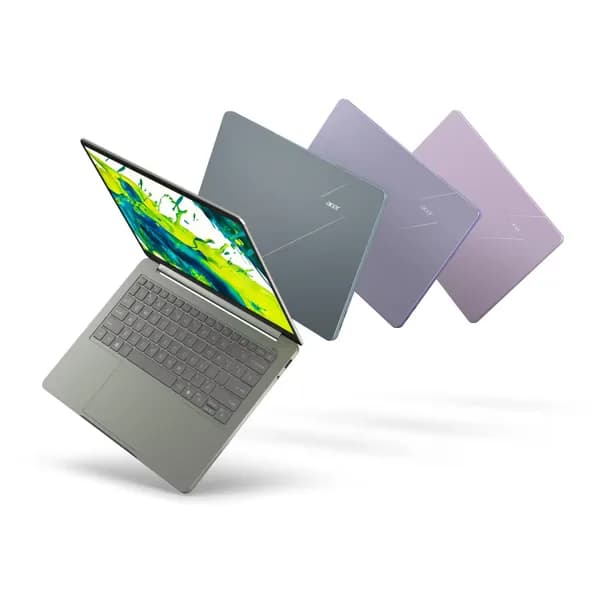
Acer Swift Air 14 SFA14-I31

Acer Swift Air 14 SFA14-I31

4.7/10verdict: skip

The Acer Swift Air 14 suits people who want a light, thin laptop that lasts through a long working day away from a socket. It fits browser, document, SSH and light development work better than heavy multitasking. Buyers who need lots of RAM or a lot of CPU headroom should look at other options.

Typically about £749.99 in the UK when we researched itCheck price at Amazon UK (opens in a new tab, affiliate link)

Affiliate link. As an Amazon Associate I earn from qualifying purchases. Details
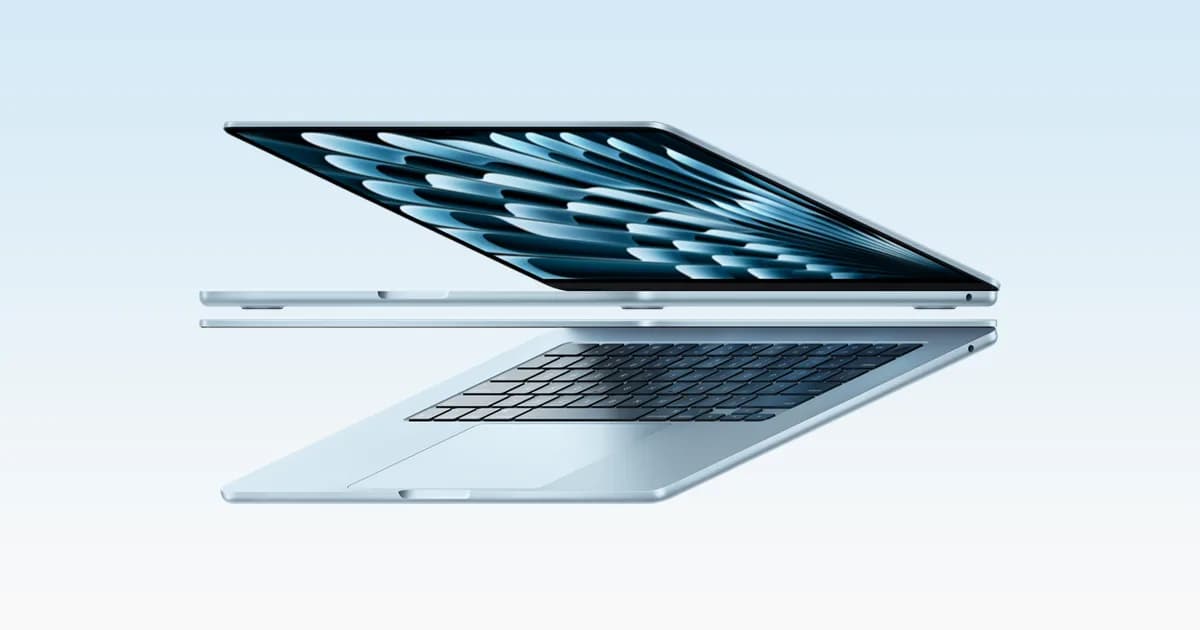
MacBook Air (13-inch, M5)

Apple MacBook Air 13-inch M5

6.6/10verdict: buy

The MacBook Air 13-inch M5 is for developers and sysadmins who work in macOS and want a light, silent laptop that lasts a full day away from a charger. It suits people doing everyday coding, containers and remote admin who can live with two Thunderbolt ports. It is a poor fit for anyone who needs Linux on the metal or a wide spread of built-in ports.

Typically about £1,250.11 in the UK when we researched itCheck price at Amazon UK (opens in a new tab, affiliate link)

Affiliate link. As an Amazon Associate I earn from qualifying purchases. Details

Scores, criterion by criterion

CriterionWeightAcer Swift Air 14 SFA14-I31Apple MacBook Air 13-inch M5
Performance25%4/107/10
Memory and storage20%2/106/10
Display15%5/107/10
Battery life15%9/109/10
Keyboard and build10%5/108/10
Ports10%5/104/10
Linux support5%4/101/10
Overall4.7/106.6/10

Specifications

SpecAcer Swift Air 14 SFA14-I31Apple MacBook Air 13-inch M5
CPUIntel Core 5 320, 6 cores (2 Performance, 4 low-power efficient cores)Apple M5, 10-core CPU with 4 super cores and 6 efficiency cores, 8-core GPU in the 16GB/512GB configuration
Memory8GB LPDDR5X standard, up to 16GB supported16GB unified memory, configurable to 24GB or 32GB
Storage512GB SSD512GB SSD, configurable to 1TB, 2TB or 4TB
Display14-inch IPS WUXGA 1920 x 1200, 16:10, 120Hz, LED-backlit13.6-inch diagonal LED-backlit IPS display, 2560 by 1664 native resolution at 224 ppi, 500 nits brightness, wide colour (P3), True Tone
Battery70Wh 3-cell Li-ion with 100W USB-C adapter; Acer claims up to 19 hours video playbackBuilt-in 53.8 Wh lithium-polymer battery; Apple claims up to 18 hours video streaming and up to 15 hours wireless web
Ports2 x Thunderbolt 4 USB-C, 1 x Type-A, 3.5mm headphone/audio jack; no RJ-45 EthernetTwo Thunderbolt 4 (USB-C) ports, MagSafe 3 charging port, 3.5 mm headphone jack
Weight1.19 kg; 313.99 x 222.65 x 12.99 mm2.7 pounds (1.23 kg); dimensions 11.97 x 8.46 x 0.44 inches
Operating systemWindows 11 HomemacOS

Strengths and weaknesses

Acer Swift Air 14 SFA14-I31

  • + Trusted Reviews recorded 18h15m in a PCMark 10 video loop
  • + 1.19 kg aluminium body, 12.99 mm thick
  • + Two Thunderbolt 4 ports and a 100W USB-C charger
  • − 8GB RAM limits multitasking, per reviewers
  • − Only two performance cores in the CPU
  • − Reported lid and keyboard flex

Skip it if:

  • Developers who run VMs or many containers and need more than 8GB of RAM
  • Buyers who want a fingerprint reader or a sharper 2.5K or OLED screen
  • Anyone who needs built-in RJ-45 Ethernet
Read the full Acer Swift Air 14 SFA14-I31 review ›

Apple MacBook Air 13-inch M5

  • + Measured battery runtimes of 15 to 18 hours
  • + Sharp 2560 by 1664 display with 500 nits
  • + Light, fanless body with a well-liked keyboard
  • − Only two Thunderbolt 4 ports, no USB-A or HDMI
  • − No Linux support listed; macOS only
  • − Owners see little gain over the M4 Air

Skip it if:

  • Anyone who needs Linux running directly on the laptop
  • Buyers who want USB-A, HDMI or an SD slot built in
  • Current M4 Air owners looking for a clear upgrade
Read the full Apple MacBook Air 13-inch M5 review ›

More comparisons

Compare all laptops · Best laptops