Skip to content
sudopicks
esc

GIGABYTE B550M AORUS ELITE vs MSI MAG B550 TOMAHAWK

Researched, not hands-on tested.How we review ›

all judged against motherboards at a similar price

The MSI MAG B550 TOMAHAWK scores 5.8/10 overall, ahead of the GIGABYTE B550M AORUS ELITE at 5.4/10.

The GIGABYTE B550M AORUS ELITE leads on BIOS and support.

The MSI MAG B550 TOMAHAWK leads on connectivity and power delivery.

They score the same on platform and features and value.

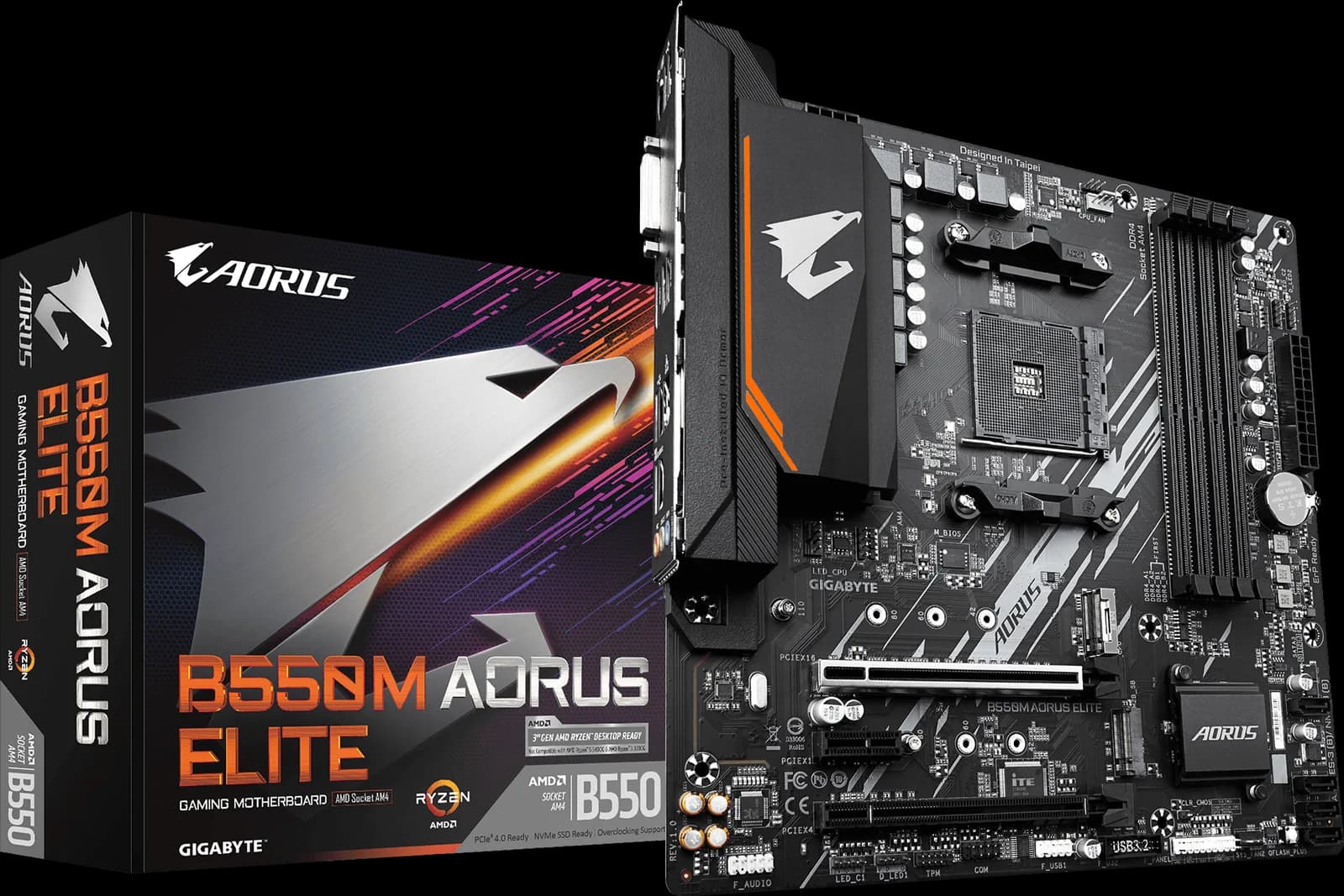
GIGABYTE B550M AORUS ELITE

GIGABYTE B550M AORUS ELITE

5.4/10verdict: good, not the best

This is a micro-ATX AM4 board for compact Ryzen 5000 builds that need fast storage and simple setup. It suits buyers who want PCIe 4.0, two M.2 slots and four SATA ports without paying for extras. It is less suited to anyone who wants 2.5GbE, Wi-Fi or USB-C built in.

Typically about £87 in the UK when we researched itCheck price at Amazon UK (opens in a new tab, affiliate link)

Affiliate link. As an Amazon Associate I earn from qualifying purchases. Details

MSI MAG B550 TOMAHAWK

MSI MAG B550 TOMAHAWK

5.8/10verdict: good, not the best

The MSI MAG B550 TOMAHAWK is an ATX AM4 board for people building or upgrading a Ryzen 3000 or 5000 system. It suits builders who want two wired LAN ports, six SATA ports and a cooled VRM without paying for Wi-Fi. It asks for some patience with BIOS updates and memory choice, so it fits buyers who are comfortable fiddling with settings.

Check price at Amazon UK (opens in a new tab, affiliate link)

Affiliate link. As an Amazon Associate I earn from qualifying purchases. Details

Scores, criterion by criterion

CriterionWeightGIGABYTE B550M AORUS ELITEMSI MAG B550 TOMAHAWK
Platform and features25%6/106/10
Connectivity25%4/105/10
Power delivery20%5/107/10
BIOS and support15%7/105/10
Value15%6/106/10
Overall5.4/105.8/10

Specifications

SpecGIGABYTE B550M AORUS ELITEMSI MAG B550 TOMAHAWK
SocketAMD Socket AM4; supports Ryzen 5000, 5000 G-Series, 4000 G-Series, Ryzen 3000 and 3000 G-SeriesAMD Socket AM4
ChipsetAMD B550AMD B550
Form factorMicro ATX (24.4 × 24.4 cm)ATX
MemoryDDR4 only; 4 DIMM slots, dual channel, up to 128 GB (32 GB per DIMM); DDR4 4733 overclock, 3200 and below standard; ECC and non-ECC unbuffered; XMP; ECC mode depends on CPUDDR4, 4 DIMM slots, dual channel, up to 128 GB
M.2 slotsTwo M.2 slots: M2A_CPU (PCIe 4.0 x4 with Ryzen 5000/3000, PCIe 3.0 x4 with G-Series; 2242/2260/2280/22110; SATA or NVMe) and M2B_SB (chipset, PCIe 3.0 x2; 2242/2260/2280)Two M.2 slots
PCIe slotsOne PCIEX16 slot from CPU (PCIe 4.0 x16 with Ryzen 5000/3000, 3.0 with G-Series); one x16-length slot wired PCIe 3.0 x4 from chipset; one PCIe 3.0 x1 slot; no PCIe 5.0One PCIe 4.0 x16 slot for graphics, one PCIe 3.0 x16 slot, two PCIe 3.0 x1 slots
NetworkingRealtek GbE LAN, 1 Gbps; no 2.5GbE; no Wi-Fi on this non-AX revisionRealtek RTL8125B 2.5GbE plus Realtek RTL8111H Gigabit LAN; no Wi-Fi or Bluetooth on the base model
Rear USBRear: 4 × USB 3.2 Gen 1 from CPU, 4 × USB 2.0/1.1; no rear USB-C, no USB4. Internal: 1 × USB 3.2 Gen 1 header, 1 × USB 2.0 header; no front USB-C header2x USB 3.2 Gen 2 10Gbps rear ports (one Type-C, one Type-A); other sources list different rear counts

Strengths and weaknesses

GIGABYTE B550M AORUS ELITE

  • + PCIe 4.0 x4 M.2 slot wired to the CPU
  • + Q-Flash Plus updates BIOS without a CPU installed
  • + Owners report easy BIOS access and good memory compatibility
  • − Only 1GbE and no Wi-Fi on this non-AX revision
  • − No rear USB-C and no front USB-C header
  • − Owners report too few fan headers

Skip it if:

  • Buyers who want 2.5GbE or Wi-Fi without adding a card or choosing the AX model
  • Builders who need a front USB-C header or rear USB-C for their case and peripherals
  • Anyone planning a high-wattage Ryzen build beyond the 65W to 95W range the Vividrepairs review describes
Read the full GIGABYTE B550M AORUS ELITE review ›

MSI MAG B550 TOMAHAWK

  • + Two wired LAN ports, including 2.5GbE
  • + Two separate metal VRM heatsinks
  • + Six SATA ports and two M.2 slots
  • − No Wi-Fi or Bluetooth on the base model
  • − Owners report memory speed and compatibility problems
  • − Only the graphics slot is PCIe 4.0

Skip it if:

  • Buyers who need built-in Wi-Fi or Bluetooth
  • Anyone wanting many fast rear USB ports
  • Builders who want guaranteed rated memory speeds without tuning
Read the full MSI MAG B550 TOMAHAWK review ›

More comparisons

Compare all motherboards · Best motherboards