BenQ GW2790QT
~£275typical UK price when we researched itAffiliate link. As an Amazon Associate I earn from qualifying purchases. Details
BenQ GW2790QT review
Researched, not hands-on tested.How we review ›
by SudoPicks Research · published 24 Oct 2026 · updated 24 Oct 2026
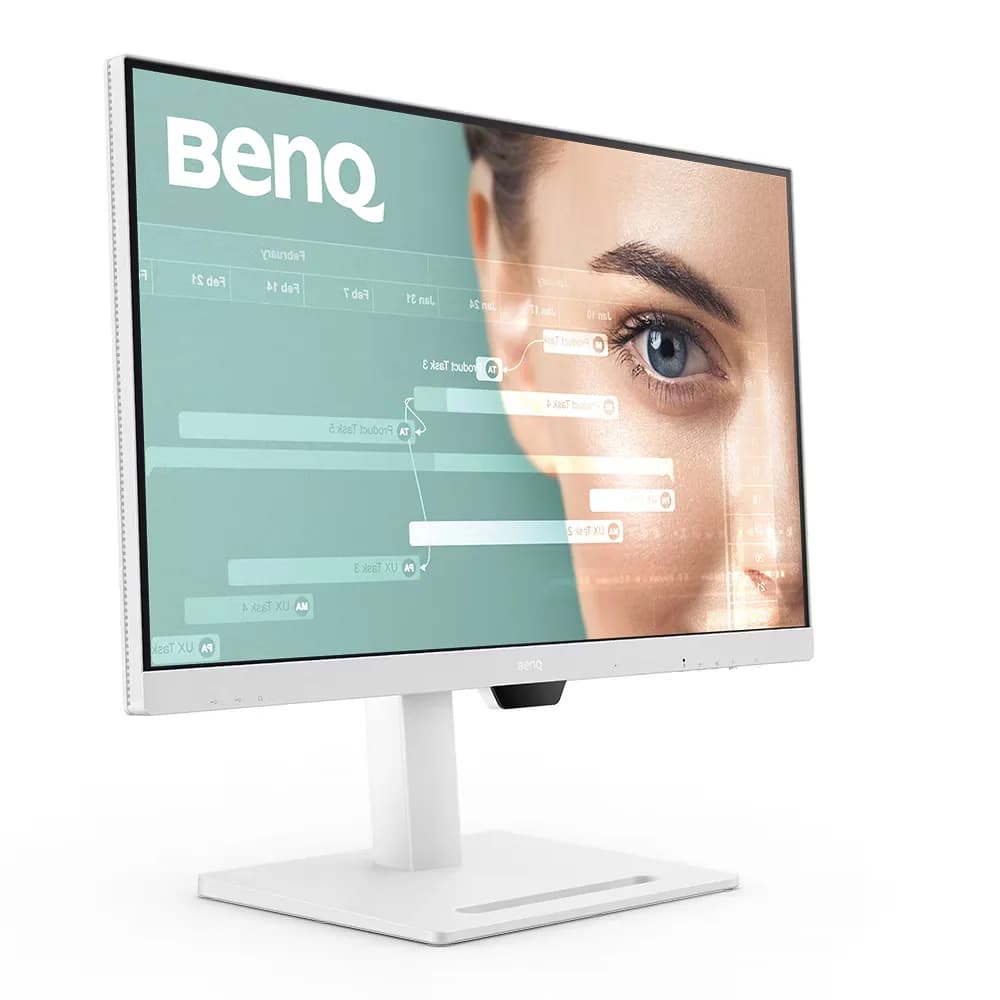
The BenQ GW2790QT is a 27 inch 1440p IPS monitor for people who want to dock a laptop over a single USB-C cable. It suits desk setups that need a USB hub, 65W charging and an adjustable stand more than fast motion.
3rd of 8 monitors we've reviewedAffiliate link. As an Amazon Associate I earn from qualifying purchases. Details
New to monitors? What they are and what to look for
A screen for a desktop computer, or a second screen for a laptop.
Do you need a monitor? A bigger second screen makes laptop work much more comfortable.
What to look for
- 27 inches at 1440p is a sweet spot for desks
- USB-C with power delivery can charge a laptop with one cable
- A height-adjustable stand for comfort
Unsure about a word? Jargon explained
How the 6.4 adds up
Our monitors rubric- Sharpness for text20% of score
- Panel quality25% of score
- Connectivity and docking20% of score
- Ergonomics15% of score
- Refresh rate and motion10% of score
- Build and warranty10% of score
Against the 8 monitors we've reviewed
bar = the range of all 8 · dot = this one · better →
- Overall score 6.4/103rd of 8
- Price £2757th cheapest
- Value for money Poorer value than most8th best of 8
Support and features
| Power draw | 150W under load (manufacturer's figure, source) |
|---|---|
| Software updates | No end date announced in any source read |
- USB-C with charging
Featured in: Best monitors with USB-C charging
Pros and cons
+ pros
- Single USB-C cable carries video, data and 65W charging
- Stand adjusts for height, tilt, swivel and pivot
- Four downstream USB ports plus DisplayPort out
− cons
- 75 Hz refresh rate only
- No built-in KVM, no Ethernet listed
- Heavy, with a large base footprint
Price history
Price history appears here once we have tracked this product for a few days.
The full review
Where it fits
The GW2790QT is a 27 inch monitor with a 2560x1440 native resolution, which works out at 109 PPI. The panel is IPS with a matte coating, 99% sRGB coverage, 1000:1 native contrast and 350 nits typical brightness. Viewing angles are listed at 178 degrees both ways, with 5 ms GtG response.
The main appeal is the connectivity. If you work from a laptop, that is where this monitor spends most of its effort.
Docking over one cable8/10
The single USB-C input supports DisplayPort Alt Mode, data and 65W Power Delivery. One cable can carry the picture, connect peripherals and charge a laptop. Owners and reviewers single this out as a strength.
Downstream, there are three USB-A 3.2 Gen 1 ports with 4.5W charging and one USB-C downstream port with 7.5W charging. One review describes it as a four-port hub, which matches. A DisplayPort output with MST is also listed, which gives a route to a second display. BenQ lists one HDMI 1.4 and one DisplayPort 1.2 input as well. One review says DisplayPort 1.4, which conflicts with BenQ's figure, so treat 1.2 as the manufacturer-stated spec.
There are gaps. A reviewer says there is no built-in KVM, so you cannot share one keyboard and mouse across two computers from the monitor itself. No Ethernet is listed either. If your dock plan relies on wired networking through the display, this model does not list it.
Panel and picture6/10
The numbers describe a conventional IPS panel. With 99% sRGB coverage, it suits general office and development work. It does not target wide-gamut colour work, and BenQ lists no wider coverage figure.
Two caveats come from the reviews. One reviewer's test unit showed moderate backlight bleeding, and no dedicated uniformity measurement turned up, so uniformity from one unit to the next is unknown. HDR is not supported according to the Laptop Mag reviewer, and BenQ does not publish it on its spec pages. ITPro also mentions an ambient light sensor.
Built-in speakers draw mild complaints. Owners and reviewers call them average or slightly quiet, so headphones or separate speakers are the safer plan for audio.
Refresh rate4/10
The panel runs at 75 Hz. For spreadsheets, terminals, code and video calls, the spec sheet gives no reason for concern. If you play fast-paced games, a 75 Hz ceiling and 5 ms GtG response are the limits to weigh.
Stand and desk space
The stand offers tilt from -5 to 20 degrees, 20 degrees of swivel either way, 90 degree pivot and 110 mm of height adjustment. Reviewers describe it as sturdy and adjustable, and some prefer it to a monitor arm. A 100x100 VESA pattern is listed, so a wall mount or arm remains possible.
The trade-off is size. Owners report that the monitor is heavy and that the base takes up a lot of desk. On a shallow desk, that large footprint could matter, and an arm might then be worth a look.
Power and support
BenQ lists typical power consumption of 20 W, with no stated operating state, and below 0.5 W in sleep. Firmware can be updated over USB. That is a capability, not a support commitment. Check both with the seller before buying.
Who it suits
With one USB-C cable carrying 65W of power, data and video, plus a four-port downstream hub, it suits a laptop-based desk. With a tilt, swivel, pivot and height-adjustable stand, it suits shared or changing desk layouts. With 75 Hz, no HDR and no listed KVM or Ethernet, it is less suited to gaming or to multi-computer switching.
What owners report
Recurring themes from public owner feedback, summarised in our own words.
- Owners like docking a laptop over one USB-C cable with 65W charging.
- The stand is called sturdy and adjustable, and some prefer it to a monitor arm.
- The monitor is heavy and its base takes up a lot of desk space.
- The built-in speakers are described as average or slightly quiet.
Who should skip it
- Gamers who want 100 Hz or higher refresh rates
- Buyers who need a built-in KVM or Ethernet in the monitor
- Anyone with a shallow desk who dislikes large, heavy bases
Full specifications
| Screen size | 27 inch |
|---|---|
| Resolution | 2560x1440 (native and max), 109 PPI |
| Panel type | IPS, LED backlight, matte coating, 99% sRGB, 1000:1 native contrast, 350 nits typical, 178°/178° viewing angle, 5 ms GtG |
| Refresh rate | 75 Hz |
| Inputs and USB-C | HDMI 1.4 (x1), DisplayPort 1.2 (x1), DisplayPort out (MST), one USB-C input with 65W Power Delivery, DisplayPort Alt Mode and data; three USB-A 3.2 Gen 1 downstream (4.5W charging) and one USB-C downstream (7.5W charging); no Ethernet listed |
| Stand adjustment | Tilt -5° to 20°, swivel 20° left and right, pivot 90°, height adjustment 110 mm |
Sources
- BenQ US spec page (region-blocked on fetch; specs taken from regional snippets)
- BenQ Canada spec page
- BenQ Malaysia spec page
- BenQ India spec page
- BenQ Australia spec page
- BenQ US GW2790 spec page (1080p model, name disambiguation)
- Displayspecifications power consumption
- ProAudio Video review
- ITPro review
- Laptop Mag review
- Macworld review
- PCWorld review
- Gizbot review
- HardwareZone review
- PriceRunner listing page