Skip to content
sudopicks
esc

BenQ GW2790QT vs Yodoit PTM15

Researched, not hands-on tested.How we review ›

all judged against monitors at a similar price

The BenQ GW2790QT scores 6.4/10 overall, ahead of the Yodoit PTM15 at 5.3/10.

The BenQ GW2790QT leads on connectivity and docking and ergonomics.

The Yodoit PTM15 leads on sharpness for text.

They score the same on panel quality, refresh rate and motion and build and warranty.

The biggest difference is ergonomics, where the BenQ GW2790QT scores 8/10 to the Yodoit PTM15's 3/10.

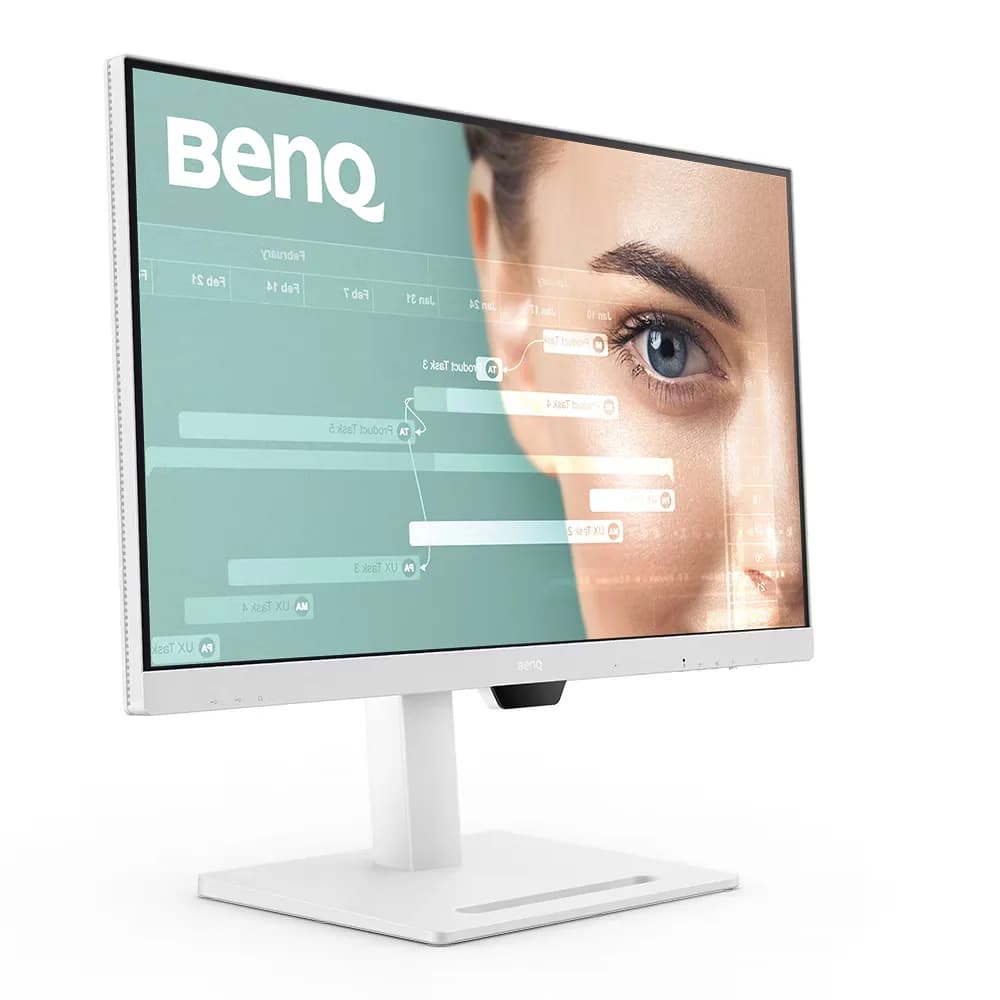
BenQ GW2790QT

BenQ GW2790QT

6.4/10verdict: good, not the best

The BenQ GW2790QT is a 27 inch 1440p IPS monitor for people who want to dock a laptop over a single USB-C cable. It suits desk setups that need a USB hub, 65W charging and an adjustable stand more than fast motion. It is a sensible fit for office, admin and development work on a laptop.

Typically about £275 in the UK when we researched itSearch Amazon UK (opens in a new tab, affiliate link)

Affiliate link. As an Amazon Associate I earn from qualifying purchases. Details

Yodoit PTM15

Yodoit PTM15

5.3/10verdict: good, not the best

The Yodoit PTM15 is a 15.6-inch portable second screen for people who want to add a display to a laptop with a single USB-C cable. It suits anyone who reads terminals, logs, documents or dashboards and values a light, slim screen that is easy to carry. It is a poor fit for gaming, fixed desk setups or laptops without a USB-C port that supports video.

Typically about £49.97 in the UK when we researched itCheck price at Amazon UK (opens in a new tab, affiliate link)

Affiliate link. As an Amazon Associate I earn from qualifying purchases. Details

Scores, criterion by criterion

CriterionWeightBenQ GW2790QTYodoit PTM15
Panel quality25%6/106/10
Sharpness for text20%6/107/10
Connectivity and docking20%8/105/10
Ergonomics15%8/103/10
Refresh rate and motion10%4/104/10
Build and warranty10%5/105/10
Overall6.4/105.3/10

Specifications

SpecBenQ GW2790QTYodoit PTM15
Screen size27 inch15.6 inches
Resolution2560x1440 (native and max), 109 PPI1920×1080 (FHD)
Panel typeIPS, LED backlight, matte coating, 99% sRGB, 1000:1 native contrast, 350 nits typical, 178°/178° viewing angle, 5 ms GtGIPS
Refresh rate75 Hz60 Hz
Inputs and USB-CHDMI 1.4 (x1), DisplayPort 1.2 (x1), DisplayPort out (MST), one USB-C input with 65W Power Delivery, DisplayPort Alt Mode and data; three USB-A 3.2 Gen 1 downstream (4.5W charging) and one USB-C downstream (7.5W charging); no Ethernet listed2× USB-C (one full-featured port for video and power), 1× Mini HDMI, 3.5 mm audio
Stand adjustmentTilt -5° to 20°, swivel 20° left and right, pivot 90°, height adjustment 110 mmIntegrated kickstand; smart cover folds into stand positions

Strengths and weaknesses

BenQ GW2790QT

  • + Single USB-C cable carries video, data and 65W charging
  • + Stand adjusts for height, tilt, swivel and pivot
  • + Four downstream USB ports plus DisplayPort out
  • − 75 Hz refresh rate only
  • − No built-in KVM, no Ethernet listed
  • − Heavy, with a large base footprint

Skip it if:

  • Gamers who want 100 Hz or higher refresh rates
  • Buyers who need a built-in KVM or Ethernet in the monitor
  • Anyone with a shallow desk who dislikes large, heavy bases
Read the full BenQ GW2790QT review ›

Yodoit PTM15

  • + About 141 PPI gives fine detail on a small screen
  • + One USB-C cable carries video and power on compatible devices
  • + Owners describe it as light, slim and well built
  • − 60 Hz cap with no adaptive sync
  • − Kickstand offers limited angles
  • − Flicker or black screen without DP Alt Mode or power

Skip it if:

  • Gamers who want high refresh rates or adaptive sync.
  • Buyers who need height, swivel, pivot or VESA mounting.
  • Laptop users without a USB-C port that supports DisplayPort Alt Mode and no spare external power supply.
Read the full Yodoit PTM15 review ›

More comparisons

Compare all monitors · Best monitors