AOC 24B3HA2
Price unavailable right nowAffiliate link. As an Amazon Associate I earn from qualifying purchases. Details
AOC 24B3HA2 review
Researched, not hands-on tested.How we review ›
by SudoPicks Research · published 24 Oct 2026 · updated 24 Oct 2026
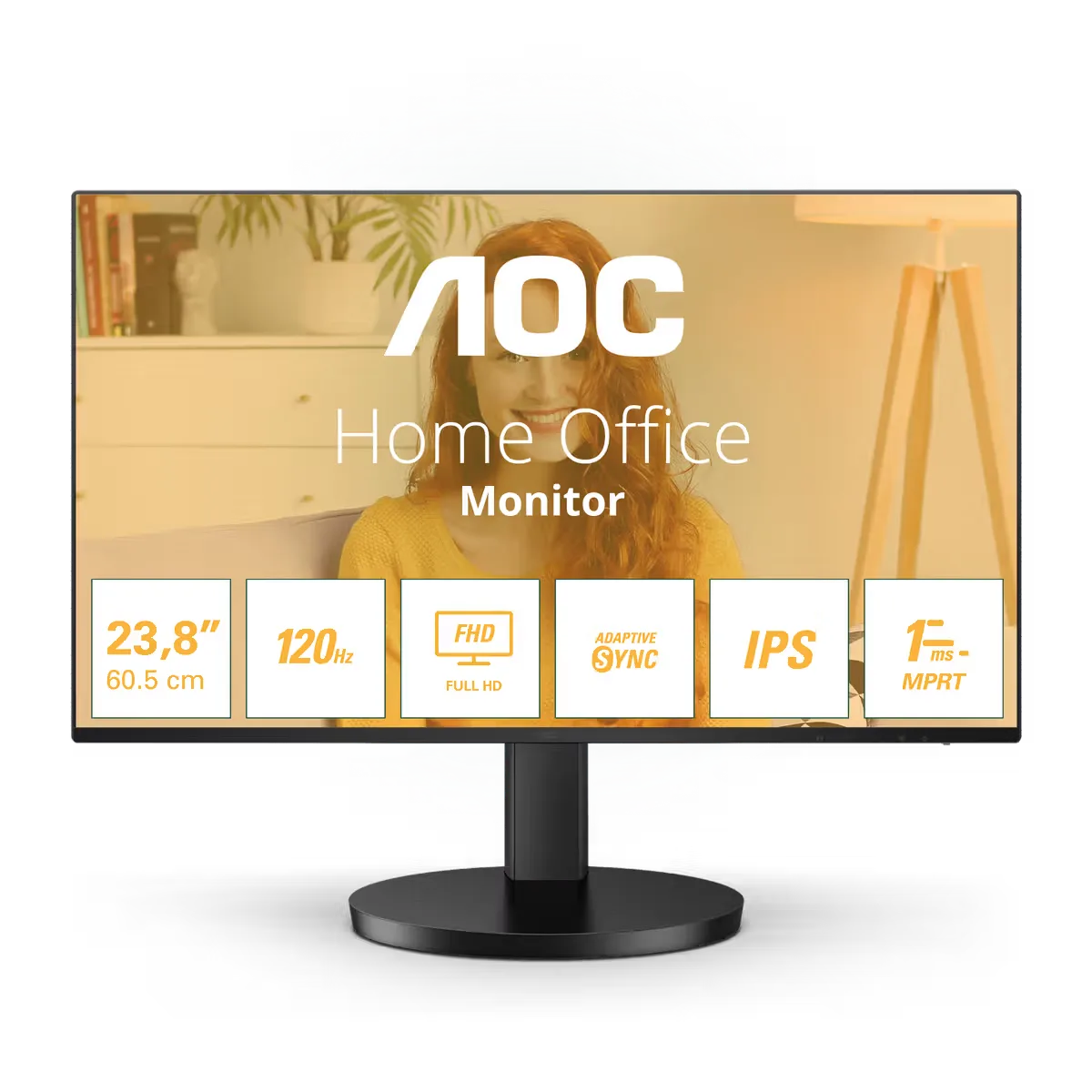
The AOC 24B3HA2 is a 23.8 inch 1080p IPS monitor for buyers who want a screen for office work, browsing or a second display. It suits people whose computer has an HDMI or VGA output and who don't need USB-C or a hub.
5th of 8 monitors we've reviewedAffiliate link. As an Amazon Associate I earn from qualifying purchases. Details
New to monitors? What they are and what to look for
A screen for a desktop computer, or a second screen for a laptop.
Do you need a monitor? A bigger second screen makes laptop work much more comfortable.
What to look for
- 27 inches at 1440p is a sweet spot for desks
- USB-C with power delivery can charge a laptop with one cable
- A height-adjustable stand for comfort
Unsure about a word? Jargon explained
How the 5.9 adds up
Our monitors rubric- Sharpness for text20% of score
- Panel quality25% of score
- Connectivity and docking20% of score
- Ergonomics15% of score
- Refresh rate and motion10% of score
- Build and warranty10% of score
Against the 8 monitors we've reviewed
bar = the range of all 8 · dot = this one · better →
- Overall score 5.9/105th of 8
- Price £52.502nd cheapest
- Value for money 11.2 per £1001st of 8
Running costs and support
| Power draw | 0.5W idle (manufacturer's figure, source) |
|---|---|
| Software updates | No end-of-support or end-of-life date was found; check AOC's support page for this model. |
Pros and cons
+ pros
- IPS panel with 100.1% sRGB coverage
- 100Hz or 120Hz refresh with Adaptive Sync
- 3-year warranty and VESA 100x100 mount
− cons
- Only HDMI 1.4 and VGA inputs
- Tilt-only stand; no height or swivel listed
- Owners report weak speakers
Price history
Price history appears here once we have tracked this product for a few days.
The full review
Where it fits
The AOC 24B3HA2 is a 23.8 inch, 1920x1080 IPS monitor released in 2024. It has a flat, antiglare panel and a short feature list. Owners come back to two themes: value for money and image quality. That points to a second screen, a spare-room desk or a basic office setup where a handful of ports is enough.
Sharpness6/10
Pixel density is 93.0 PPI. That is the number to weigh for text. At that density the screen suits browsers, documents and a terminal or two. The 1080p resolution leaves limited room for several windows side by side, so it is a weaker match for dense IDE layouts or large dashboards.
Panel and colour7/10
The panel is IPS with a WLED backlight, rated at 300 cd/m² and a static contrast of 1500:1. AOC lists 100.1% sRGB (CIE 1931), 73.8% DCI-P3 and 74.2% Adobe RGB. Full sRGB coverage fits general web and office work. The wider-gamut figures both sit below 75%, so this is not a screen aimed at wide-gamut colour work. The research gives no uniformity measurements or factory calibration data, so there is nothing to say on those points. Owner feedback on image quality is positive.
Refresh rate and motion8/10
The sources disagree here. The UK product page lists a 120 Hz maximum. The regional pages and the user manual list 100 Hz. Either figure is above 60 Hz, but check the listing you are buying from and confirm the refresh rate you actually get in your operating system. AOC also lists a 1 ms MPRT response time, 4 ms GtG and Adaptive Sync.
Connectivity4/10
This is the main limit. The manufacturer lists one HDMI 1.4 input, one VGA (D-sub) input and an audio output. There is no USB-C, KVM, USB hub or Ethernet. A source needs an HDMI or VGA output to connect directly. If you want one-cable laptop docking, charging or peripheral sharing, this monitor does not offer it.
Owners describe the speakers as weak. With an audio output listed, external speakers or headphones are the obvious route if sound matters.
Stand and mounting
The stand tilts from -5° to 25° and is removable. No height or swivel adjustment is listed, so desk and chair setup matters. The VESA 100x100 mm mount gives you the option of fitting a compatible arm or bracket instead, which is the way to get more positioning freedom.
Build, warranty and power7/10
AOC lists a 3-year warranty and an MTBF of 50,000 hours. The research does not include a dead-pixel policy or any detail on firmware support, so check the dead-pixel terms with the seller before buying. Manufacturer power figures are 20.0 W typical when on, 0.5 W in standby and 0.3 W when off.
Verdict
The 24B3HA2 covers the basics well on paper. An IPS panel with full sRGB coverage, a 100Hz or 120Hz refresh rate and a 3-year warranty are the strengths, and owners back up the value and image quality points. The weaknesses are just as clear from the specifications: 93.0 PPI at 1080p, HDMI 1.4 and VGA as the only inputs, and a stand that only tilts. It works best where those limits do not matter, or where a VESA arm and a simple HDMI connection fill the gaps.
What owners report
Recurring themes from public owner feedback, summarised in our own words.
- Owners regularly point to good value for money.
- Image quality is a recurring positive.
- Several owners report that the built-in speakers are weak.
Who should skip it
- Buyers who want USB-C docking, a hub, KVM or Ethernet from the monitor
- People who need height or swivel adjustment without buying a VESA arm
- Anyone who wants sharper text or more screen space than 1080p on 23.8 inches
Full specifications
| Screen size | 23.8 inch (60.5 cm) |
|---|---|
| Resolution | 1920x1080 (FHD), 16:9, 93.0 PPI |
| Panel type | IPS, WLED backlight, antiglare, flat, 300 cd/m², static contrast 1500:1 |
| Refresh rate | 120 Hz max (UK page); 100Hz on regional pages and user manual |
| Inputs and USB-C | 1x HDMI 1.4, 1x VGA (D-sub), audio out; no USB-C, KVM, USB hub or Ethernet |
| Stand adjustment | Tilt -5° to 25°; removable stand; no height or swivel adjustment listed |