TP-Link TL-SG108E
~£45typical UK price when we researched itAffiliate link. As an Amazon Associate I earn from qualifying purchases. Details
TP-Link TL-SG108E review
Researched, not hands-on tested.How we review ›
by SudoPicks Research · published 24 Oct 2026 · updated 24 Oct 2026
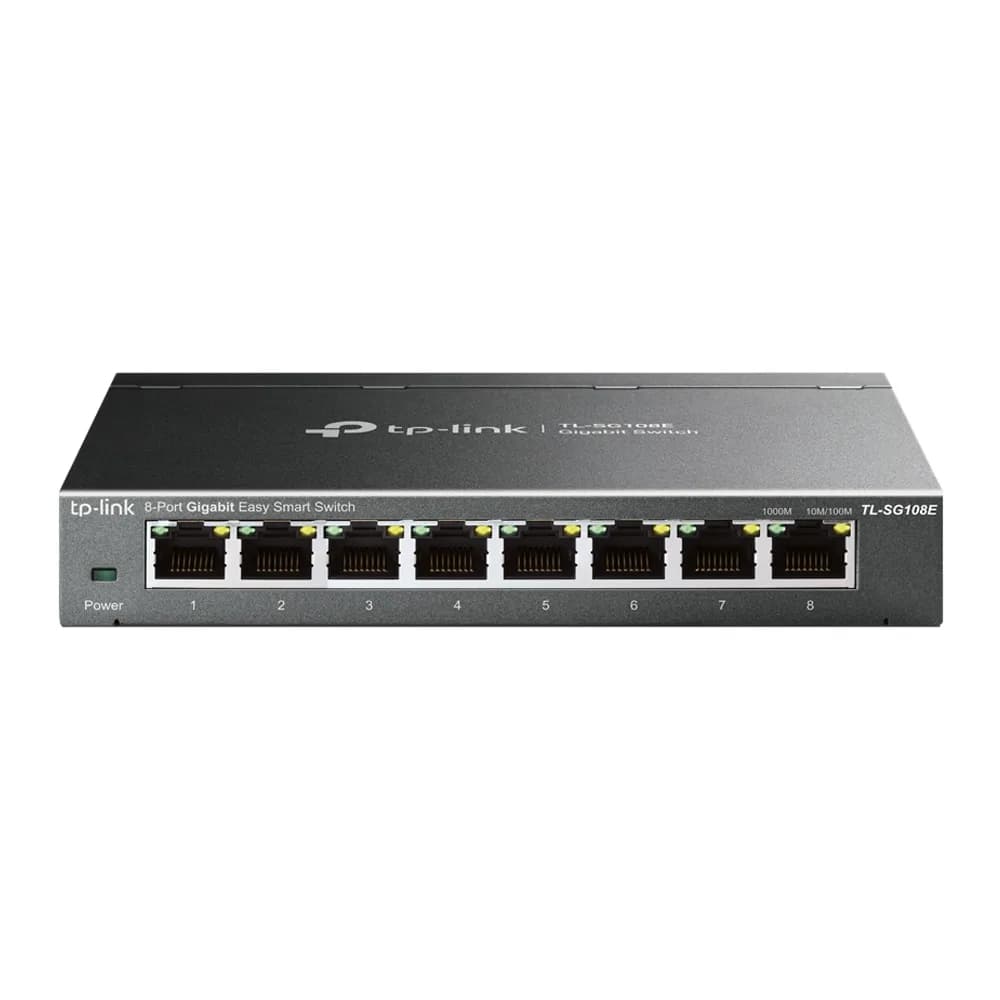
The TL-SG108E is for home and homelab users who want a small, silent eight-port gigabit switch with basic VLAN support. It suits setups that need a few separate networks, not strict isolation.
joint 12th of 25 network switches we've reviewedAffiliate link. As an Amazon Associate I earn from qualifying purchases. Details
New to network switches? What they are and what to look for
A network switch adds more wired Ethernet sockets to your home network, like a power strip does for plugs. You connect it to your router with one cable.
Do you need a network switch? Useful if your router has run out of Ethernet ports, or you want wired connections for a TV, games console, desk or NAS.
What to look for
- Enough ports, with a couple spare
- Gigabit is fine for most homes; 2.5GbE helps with a fast NAS
- Fanless designs are silent; managed switches add features most homes don't need
Unsure about a word? Jargon explained
How the 6.2 adds up
Our network switches rubric- Port speeds30% of score
- Management20% of score
- Port count and uplinks15% of score
- PoE10% of score
- Noise and efficiency15% of score
- Firmware and support10% of score
Against the 25 network switches we've reviewed
bar = the range of all 25 · dot = this one · better →
- Overall score 6.2/10joint 12th of 25
- Price £4512th cheapest
- Value for money About average12th best of 25
Support and features
| Software updates | TP-Link's EOL lists include this model and its US page marks V6 as end of life, but no V6 end date was found. source |
|---|
- VLANs
- PoE
Featured in: Best network switches with VLANs · Best network switches with PoE
Security and compatibility
| Latest firmware or software | February 2023no update for over two years source |
|---|---|
| Known security issues |
|
| Maker's cloud account | Not needed: it can be run entirely locally |
| Update record | No TP-Link advisory found for this model; several third-party CVEs name it, and fixes are unconfirmed or absent in the notes. |
Pros and cons
+ pros
- Fanless metal casing, so no fan noise
- 802.1Q VLANs and port mirroring on a web UI
- Owners report VLANs working on current firmware
− cons
- Gigabit only, with no SFP/SFP+ uplink published
- VLAN 1 cannot be removed and no Spanning Tree
- Owners describe VLAN setup as fiddly
Price history
Price history appears here once we have tracked this product for a few days.
The full review
Where it fits
The TL-SG108E is an eight-port gigabit switch from TP-Link's Easy Smart range. All eight ports are 10/100/1000 Mbps RJ45. It adds a web interface and a Windows management utility, so you can configure it without a full managed-switch feature set. That makes it a fit for a home network or small lab that needs some VLAN capability and little else.
Ports and speedPort speeds 6/10Port count and uplinks 5/10
Every port is gigabit. There's no 2.5GbE or 10GbE ports, and no SFP or SFP+ uplink is published for this model listed. With eight ports of the same type, it works as a simple expansion for a router, NAS, access point and a few wired machines. If you want a faster link to a server or a fibre uplink, this model offers neither.
TP-Link lists 16 Gbps switching capacity, an 11.9 Mpps forwarding rate and a 4K MAC table. Those figures cover eight gigabit ports. The 4K MAC table suits a small network and is unlikely to matter in a home lab.
Management and VLANs6/10
This is a smart switch, not an unmanaged one. The feature list covers port-based, 802.1Q and MTU VLANs, port mirroring, loop prevention, IGMP snooping and cable diagnostics. TP-Link states 32 active VLANs out of 4K possible IDs. For a home user who wants to split off IoT devices or guests, that is enough on paper.
Owner reports are more mixed on the detail. The main complaints centre on VLAN 1:
- The default VLAN 1 cannot be changed or removed, and all ports must remain in it. Owners say this limits isolation.
- The management interface sits in VLAN 1 and is reachable from every port.
- Owners report no Spanning Tree support.
With VLAN 1 fixed and reachable from every port, the switch suits convenience segmentation more than strict separation. Treat it as a way to tag traffic, not as a security boundary.
Setup is another recurring theme. Some owners report that VLAN configuration is fiddly, and one thread describes many attempts to get a trunk working. Other threads say some TP-Link models have VLAN problems. Against that, other owners report that VLANs work on current firmware. They also describe the model as good value for a smart switch for home users who need some VLAN capability. Expect to spend time on the first configuration, especially if you plan to trunk to a router or access point.
Noise and efficiency9/10
The casing is metal and the cooling is fanless and passive. The switch makes no fan noise, so it suits a desk, a living room or a shared space. TP-Link's cooling spec is the only noise-related detail.
PoE
No PoE is published for this model. Access points, cameras or phones will need their own power supplies or injectors. If you want one cable to carry data and power, look at a PoE switch instead.
Firmware and supportPort speeds 6/10Port count and uplinks 5/10Firmware and support 6/10
The most recent firmware is dated 20 February 2023. TP-Link says it upgraded the management protocol to enhance security. It does not state warranty terms, so check those with the retailer before buying.
Who it suits
It suits someone who wants silent, compact switching with basic VLANs and is willing to work through the VLAN 1 limits. It does not suit anyone who needs Spanning Tree, a management interface kept off the user ports, PoE or an uplink faster than gigabit.
What owners report
Recurring themes from public owner feedback, summarised in our own words.
- Owners say VLAN 1 cannot be changed or removed and every port must stay in it, which limits isolation.
- The management interface sits in VLAN 1 and can be reached from every port, and owners report no Spanning Tree support.
- VLAN setup is described as fiddly, with some users needing many attempts to get a trunk working.
- Other owners report VLANs working on current firmware and call it good value for home users needing some VLAN capability.
Who should skip it
- Buyers who need PoE for access points, cameras or phones
- Anyone who needs strict VLAN isolation, Spanning Tree or a management interface off the user ports
- Users who want 2.5GbE, 10GbE or SFP/SFP+ uplinks
Full specifications
| Ports | 8 x 10/100/1000 Mbps RJ45 ports |
|---|---|
| Port speeds | 10/100/1000 Mbps |
| Management | Easy Smart; web user interface and Windows management utility; port-based, 802.1Q and MTU VLAN (32 VLANs active out of 4K IDs), port mirroring, loop prevention, IGMP snooping, cable diagnostics |
| Switching capacity | 16 Gbps switching capacity; 11.9 Mpps forwarding rate; 4K MAC table |
| Cooling | Fanless, metal casing |
Sources
- TP-Link TL-SG108E product page (US, V6)
- TL-SG108E V1 datasheet
- 2021 multi-model datasheet
- Nordic easy smart switch page
- TL-SG108E US firmware downloads
- TL-SG108E V1 Nordic firmware
- TL-SG108 unmanaged sibling page
- zitseng blog review
- AREDN forum VLAN setup
- Netgate forum VLAN 1 thread
- Netgate forum VLAN configuration thread
- TP-Link community VLAN trunk thread
Alternatives
Compare head to head
- TP-Link TL-SG108E vs TP-Link LS1005G 5-Port Gigabit Switch ›
- TP-Link TL-SG108E vs NETGEAR GS308E ›
- TP-Link TL-SG108E vs Ubiquiti UniFi Flex Mini 2.5G ›
- TP-Link TL-SG108E vs TP-Link Easy Smart Switch TL-SG105PE ›
- TP-Link TL-SG108E vs NETGEAR GS108 8-Port Gigabit Unmanaged Switch ›
- TP-Link TL-SG108E vs TP-Link TL-SG1005LP ›