Skip to content
sudopicks
esc

Logitech MX Anywhere 3S vs TECKNET Wireless Mouse BT5.0/3.0 & 2.4G 4800 DPI Grey

Researched, not hands-on tested.How we review ›

all judged against mice at a similar price

The Logitech MX Anywhere 3S and TECKNET Wireless Mouse BT5.0/3.0 & 2.4G 4800 DPI Grey both score 6.1/10 overall.

The Logitech MX Anywhere 3S leads on sensor and tracking and build and buttons.

The TECKNET Wireless Mouse BT5.0/3.0 & 2.4G 4800 DPI Grey leads on comfort and shape, connectivity and battery and software and value.

The biggest difference is sensor and tracking, where the Logitech MX Anywhere 3S scores 8/10 to the TECKNET Wireless Mouse BT5.0/3.0 & 2.4G 4800 DPI Grey's 5/10.

Logitech MX Anywhere 3S

Logitech MX Anywhere 3S

6.1/10verdict: good, not the best

The MX Anywhere 3S is a compact wireless mouse for people who carry a laptop and switch between devices. It suits right-handed users with small to medium hands who want a praised scroll wheel and wide surface support. Buyers with large hands, or those who want a USB receiver included, have reasons to look elsewhere.

Typically about £48.99 in the UK when we researched itSearch Amazon UK (opens in a new tab, affiliate link)

Affiliate link. As an Amazon Associate I earn from qualifying purchases. Details
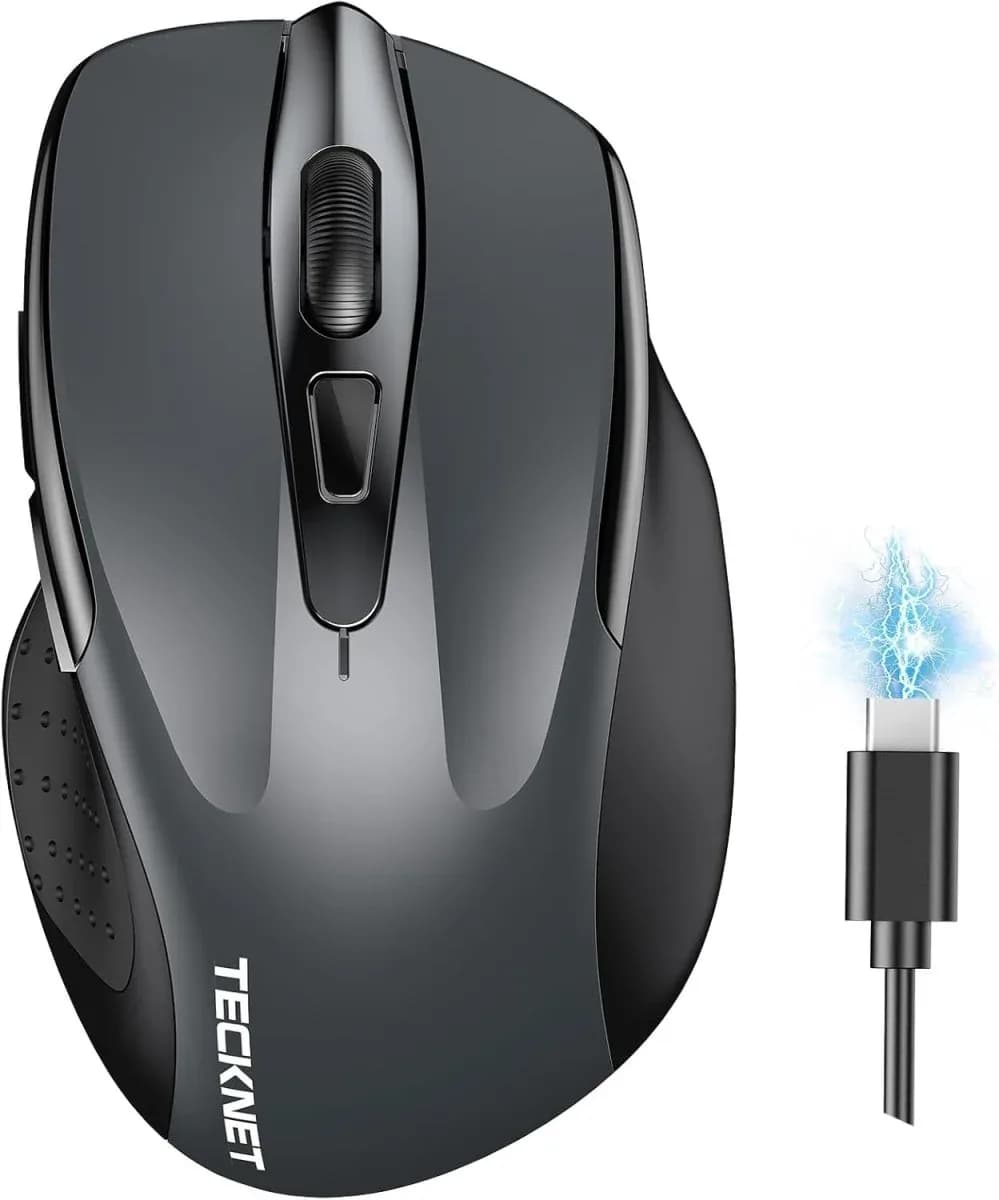
TECKNET Wireless Mouse BT5.0/3.0 & 2.4G 4800 DPI Grey

TECKNET Wireless Mouse BT5.0/3.0 & 2.4G 4800 DPI Grey

6.1/10verdict: good, not the best

This is a wireless mouse for people who split work between two computers, such as a desktop and a laptop. It suits small to medium hands and right-handed users who want quiet clicks and no driver installs. It is less suited to gamers, left-handed users or anyone who relies on side buttons on a Mac.

Check price at Amazon UK (opens in a new tab, affiliate link)

Affiliate link. As an Amazon Associate I earn from qualifying purchases. Details

Scores, criterion by criterion

CriterionWeightLogitech MX Anywhere 3STECKNET Wireless Mouse BT5.0/3.0 & 2.4G 4800 DPI Grey
Comfort and shape25%5/106/10
Connectivity and battery25%6/107/10
Sensor and tracking20%8/105/10
Build and buttons15%7/105/10
Software and value15%5/107/10
Overall6.1/106.1/10

Specifications

SpecLogitech MX Anywhere 3STECKNET Wireless Mouse BT5.0/3.0 & 2.4G 4800 DPI Grey
ConnectionBluetooth and Logi Bolt USB receiver (sold separately); up to 3 Bluetooth devicesBluetooth 3.0/5.0 or 2.4G USB-A receiver; connects two devices simultaneously with a slide switch
Sensor and DPIDarkfield optical, 200-8000 DPI in 50 DPI stepsOptical, 4800 DPI maximum with six levels (4800/3200/2400/1600/1200/800)
Battery lifeRechargeable Li-Po 500 mAh; up to 70 days on a full charge; USB-C chargingRechargeable; 1.5 to 2 hours to fully charge; about 3 months at 2 hours a day per charge
Weight99 g (100.5 x 65 x 34.4 mm)not listed
ButtonsSix buttons, including MagSpeed wheel mode-shift and middle click6
Shape and handCompact, right-handed, silicone side gripsErgonomic, right-hand design implied; suited to small to medium hands; left-hand option not stated
SoftwareLogi Options+ on Windows and macOSNo driver installation needed; compatible with Windows, macOS, Chrome and Linux

Strengths and weaknesses

Logitech MX Anywhere 3S

  • + Tracks on most surfaces, including glass of 4 mm or more
  • + Scroll wheel praised by owners
  • + Up to 70 days per charge, USB-C charging
  • − Too small for large hands, owners say
  • − Logi Bolt receiver not included
  • − Owners find the price high

Skip it if:

  • Buyers with large hands who want a full-size mouse
  • Left-handed users who need a mirrored or ambidextrous shape
  • Anyone who wants a USB receiver included in the box
Read the full Logitech MX Anywhere 3S review ›

TECKNET Wireless Mouse BT5.0/3.0 & 2.4G 4800 DPI Grey

  • + Connects two devices at once with a slide switch
  • + Rechargeable, rated at about 3 months per charge
  • + No driver needed on Windows, macOS, Chrome or Linux
  • − Side buttons do not work on macOS
  • − Sensor model, polling rate and weight are not published
  • − Right-hand shape, suited to small to medium hands

Skip it if:

  • Mac users who rely on side buttons for back and forward
  • Left-handed users, as no left-hand option is stated
  • Gamers who need a published sensor model and polling rate
Read the full TECKNET Wireless Mouse BT5.0/3.0 & 2.4G 4800 DPI Grey review ›

More comparisons

Compare all mice · Best mice