TECKNET Wireless Mouse BT5.0/3.0 & 2.4G 4800 DPI Grey
No live price yetAffiliate link. As an Amazon Associate I earn from qualifying purchases. Details
TECKNET Wireless Mouse BT5.0/3.0 & 2.4G 4800 DPI Grey review
Researched, not hands-on tested.How we review ›
by SudoPicks Research · editor Paul HR · published 24 Oct 2026 · updated 24 Oct 2026
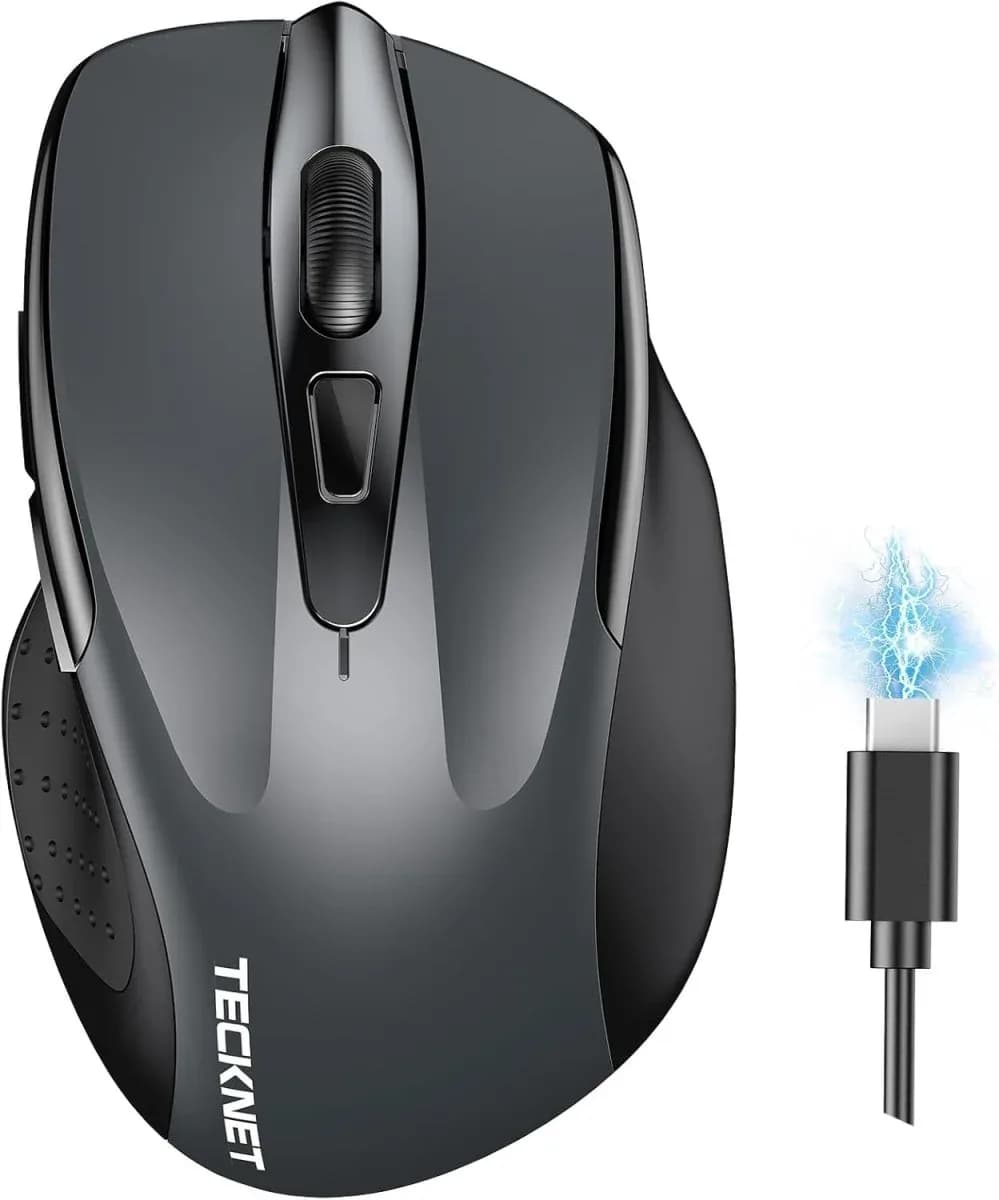
This is a wireless mouse for people who split work between two computers, such as a desktop and a laptop. It suits small to medium hands and right-handed users who want quiet clicks and no driver installs.
joint 6th of 9 mice we've reviewedAffiliate link. As an Amazon Associate I earn from qualifying purchases. Details
New to mice? What they are and what to look for
A mouse is the pointer you move around your screen. A better one is more comfortable, more precise and can work with several computers.
Do you need a new mouse? Worth upgrading if your hand or wrist aches after long days, or you game and want quicker, lighter control.
What to look for
- Comfort: ergonomic shapes suit long workdays
- Both Bluetooth and a USB receiver, and USB-C charging
- Long battery life, and extra buttons if you'll use them
Unsure about a word? Jargon explained
How the 6.1 adds up
Our mice rubric- Comfort and shape25% of score
- Sensor and tracking20% of score
- Connectivity and battery25% of score
- Build and buttons15% of score
- Software and value15% of score
Against the 9 mice we've reviewed
bar = the range of all 9 · dot = this one · better →
- Overall score 6.1/10joint 6th of 9
Support and features
| Software updates | No end date announced, as far as could be found. source |
|---|
Compatibility
| Linux | Not confirmed. A vendor manual for the closest model lists Linux as a supported OS, but this is untested and no Linux driver or kernel support for this exact mouse was found. source |
|---|
Pros and cons
+ pros
- Connects two devices at once with a slide switch
- Rechargeable, rated at about 3 months per charge
- No driver needed on Windows, macOS, Chrome or Linux
− cons
- Side buttons do not work on macOS
- Sensor model, polling rate and weight are not published
- Right-hand shape, suited to small to medium hands
Price history
Price history appears here once we have tracked this product for a few days.
The full review
Where it fits
The TECKNET BT5.0/3.0 & 2.4G is a rechargeable wireless mouse with an optical sensor, six buttons and two ways to connect. It targets everyday desk work rather than gaming. There's no software, no polling rate and no sensor model, so it is easiest to judge as a plain, flexible office mouse listed.
Connectivity and battery7/10
This is the strongest part of the spec sheet. The mouse works over Bluetooth (listed as 3.0/5.0) or through a 2.4G USB-A receiver. It can connect to two devices at the same time, and a slide switch moves between them. That suits someone who uses a desktop and a laptop side by side. Owners point to easy pairing and flexible connection, which matches the spec.
The battery is rechargeable. A full charge takes 1.5 to 2 hours, and TECKNET rates a charge at about 3 months at 2 hours of use a day. TECKNET also warns that the connection may become unstable when the battery is low. In practice that means charging it when the battery runs down rather than pushing on until it dies.
The receiver is USB-A.
Comfort and shape6/10
The shape is ergonomic and implied to be right-handed. Owners describe the fit as comfortable and not bulky. With that size guidance, people with large hands should treat the comfort reports with caution, because they come from a small-to-medium-hand design.
TECKNET does not publish the weight. If you care about how light a mouse is for long sessions, the spec sheet gives you nothing to go on.
Sensor and buttonsSensor and tracking 5/10Build and buttons 5/10
The optical sensor tops out at 4800 DPI, with six levels: 4800, 3200, 2400, 1600, 1200 and 800. That range covers slow, precise work as well as fast cursor movement across a multi-monitor desk. TECKNET does not publish the sensor model or the polling rate. With no polling rate listed, this is not a mouse to pick for competitive gaming.
There are six buttons. Owners mention quiet clicks, which helps in shared offices or at night.
One firm limitation: the side buttons do not work on macOS. If you use a Mac and rely on back and forward buttons, that removes a large part of the appeal of having six buttons.
Software and value7/10
No driver installation is needed. The mouse is listed as compatible with Windows, macOS, Chrome and Linux, so it works without any vendor app on those systems. That suits locked-down work machines and mixed setups where installing software is a hassle. The flip side is that there is no listed way to remap buttons, because no software is mentioned.
Owners repeatedly mention value for money. Without a price in front of us, the review leaves that to you to check against the current listing. What the spec sheet does show is a feature set of dual connection, rechargeable battery and cross-platform support.
Who it suits
This mouse suits right-handed users with small to medium hands who switch between two computers. It also suits Linux and Chrome users who want plug-and-go behaviour, and anyone who values quiet clicks. It is a poor fit for Mac users who need the side buttons, for left-handed users, and for anyone who needs published polling-rate or sensor details.
What owners report
Recurring themes from public owner feedback, summarised in our own words.
- Owners find the shape comfortable and not bulky.
- Clicks are described as quiet.
- Pairing is easy and the connection options are flexible.
- Owners regard it as good value for money.
Who should skip it
- Mac users who rely on side buttons for back and forward
- Left-handed users, as no left-hand option is stated
- Gamers who need a published sensor model and polling rate
Full specifications
| Connection | Bluetooth 3.0/5.0 or 2.4G USB-A receiver; connects two devices simultaneously with a slide switch |
|---|---|
| Sensor and DPI | Optical, 4800 DPI maximum with six levels (4800/3200/2400/1600/1200/800) |
| Battery life | Rechargeable; 1.5 to 2 hours to fully charge; about 3 months at 2 hours a day per charge |
| Buttons | 6 |
| Shape and hand | Ergonomic, right-hand design implied; suited to small to medium hands; left-hand option not stated |
| Software | No driver installation needed; compatible with Windows, macOS, Chrome and Linux |
Sources
- TECKNET Wireless Mouse BT5.0/3.0 & 2.4G Rechargeable 4800 DPI (manufacturer page)
- TECKNET Rechargeable Wireless Mouse 2.4G 6 Adjustable 4800 DPI (manufacturer page)
- TECKNET 30 Months Battery Wireless Mouse (manufacturer page)
- TECKNET Bluetooth Wireless Mouse (Amazon UK, Black)
- TECKNET Wireless Computer Mouse (Amazon UK)
- TECKNET Bluetooth Wireless Mouse (Amazon UK, Gray)
- TeckNet Bluetooth 3000DPI Wireless Mouse (Amazon UK)
- TECKNET Wireless Mouse reviews (Walmart)
- TECKNET Rechargeable Bluetooth Wireless Mouse (TECKNET UK owner reviews)
- TECKNET Wireless Mouse review (techzone-r)
- TECKNET Wireless Mouse review (The Gamers Mag, different model)
Compare head to head
- TECKNET Wireless Mouse BT5.0/3.0 & 2.4G 4800 DPI Grey vs Logitech MX Anywhere 3S ›
- TECKNET Wireless Mouse BT5.0/3.0 & 2.4G 4800 DPI Grey vs UGREEN Wireless Mouse, Silent Computer Mouse, 18-Month Battery ›
- TECKNET Wireless Mouse BT5.0/3.0 & 2.4G 4800 DPI Grey vs Razer Basilisk V3 ›
- TECKNET Wireless Mouse BT5.0/3.0 & 2.4G 4800 DPI Grey vs Razer DeathAdder Essential ›
- TECKNET Wireless Mouse BT5.0/3.0 & 2.4G 4800 DPI Grey vs Logitech G305 LIGHTSPEED Wireless Gaming Mouse ›
- TECKNET Wireless Mouse BT5.0/3.0 & 2.4G 4800 DPI Grey vs Logitech Wireless Mouse M185 ›