Skip to content
sudopicks
esc

Corsair 4000D AIRFLOW vs NZXT H5 Flow (2024)

Researched, not hands-on tested.How we review ›

all judged against PC cases at a similar price

The NZXT H5 Flow (2024) scores 7.7/10 overall, ahead of the Corsair 4000D AIRFLOW at 6.7/10.

The NZXT H5 Flow (2024) leads on airflow and cooling, space and compatibility and noise.

They score the same on build and ease of building and value.

The biggest difference is noise, where the NZXT H5 Flow (2024) scores 8/10 to the Corsair 4000D AIRFLOW's 5/10.

Corsair 4000D AIRFLOW

Corsair 4000D AIRFLOW

6.7/10verdict: good, not the best

The Corsair 4000D AIRFLOW is an ATX mid tower for builders who want a ventilated front panel and a roomy interior. It suits standard gaming and workstation builds with a long graphics card or a tower cooler. It is less suited to anyone who wants a quiet build under heavy load without changing fans.

Typically about £102.40 in the UK when we researched itSearch Amazon UK (opens in a new tab, affiliate link)

Affiliate link. As an Amazon Associate I earn from qualifying purchases. Details
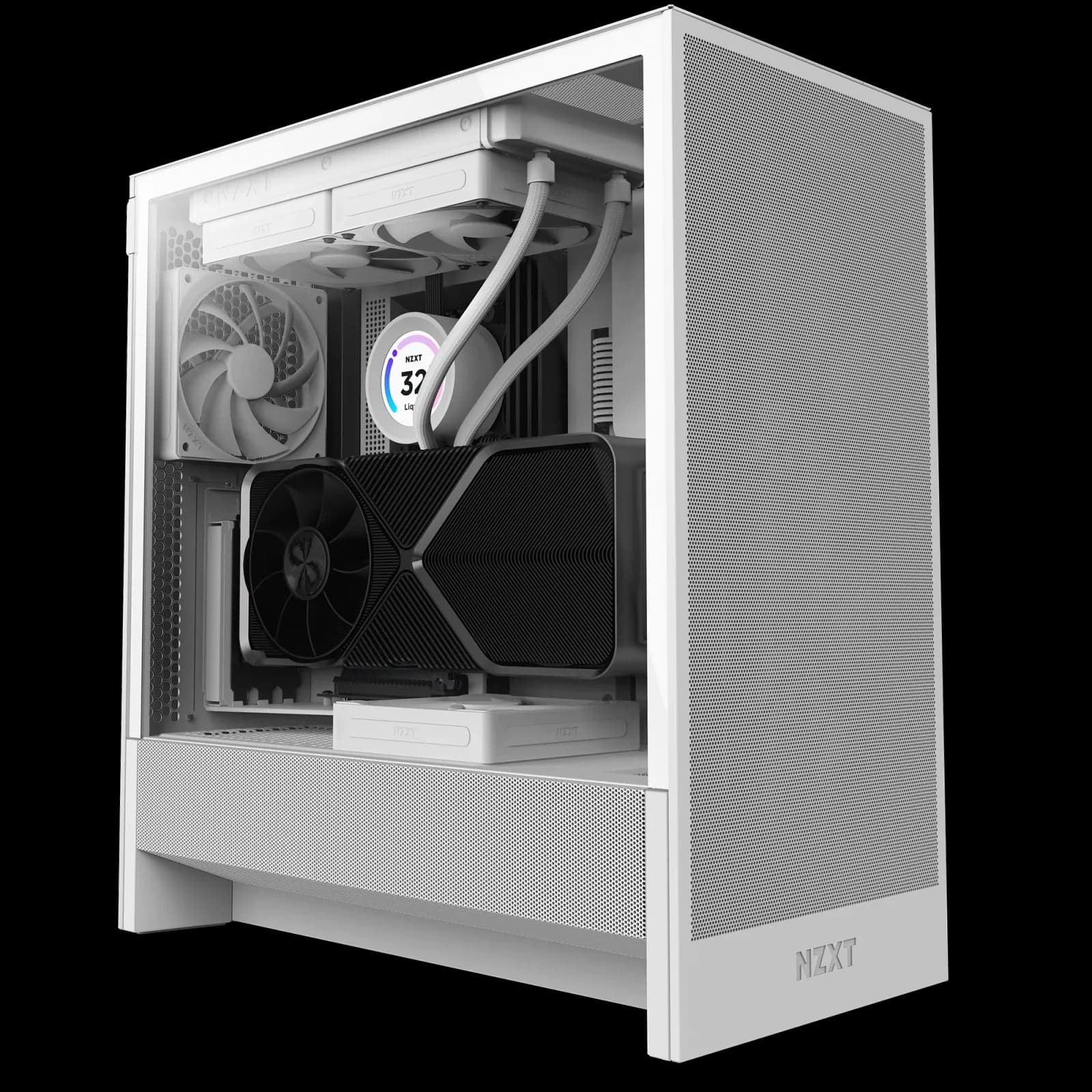
NZXT H5 Flow (2024)

NZXT H5 Flow (2024)

7.7/10verdict: buy

The NZXT H5 Flow (2024) is for builders who want a compact, mesh-fronted case with room for a long graphics card and a 360 mm radiator. It suits people who value quiet stock fans and tidy cable management in a 45-litre mid-tower. Anyone who needs plenty of front USB ports or lots of 3.5-inch storage will find it limiting.

Typically about £59.99 in the UK when we researched itSearch Amazon UK (opens in a new tab, affiliate link)

Affiliate link. As an Amazon Associate I earn from qualifying purchases. Details

Scores, criterion by criterion

CriterionWeightCorsair 4000D AIRFLOWNZXT H5 Flow (2024)
Airflow and cooling30%7/108/10
Build and ease of building20%7/107/10
Space and compatibility20%7/108/10
Noise15%5/108/10
Value15%7/107/10
Overall6.7/107.7/10

Specifications

SpecCorsair 4000D AIRFLOWNZXT H5 Flow (2024)
Case type (mid tower, Micro-ATX, small form factor…)ATX mid towerCompact Mid-Tower, 465 x 225 x 430 mm, 45.0 L
Motherboard sizes supported (E-ATX, ATX, Micro-ATX, Mini-ITX)Mini-ITX, Micro-ATX, ATX and E-ATX (305mm x 277mm)E-ATX (up to 277 mm wide), ATX, Micro-ATX, Mini-ITX; back-connect boards not supported
Maximum graphics card length (mm)360mm maximumUp to 410 mm (a front radiator can reduce this by up to 60 mm)
Maximum CPU cooler height (mm)170mm maximumUp to 170 mm
Power supply type supported (ATX or SFX) and maximum PSU length (mm)ATX, maximum PSU length 220mmPSU length up to 200 mm; form factor not stated
Radiator support (e.g. 360mm top, 280mm front)120, 140, 240, 280 and 360mm supported; 360mm front and 280mm roofFront up to 360 mm (120 mm fan base) or 280 mm (140 mm base); top up to 240 mm (120 mm base) or 280 mm with low-profile memory only; top radiator plus fan thickness up to 55 mm
Fans included and fan mountsTwo 120mm AirGuide fans included (front and rear); front 3x120mm or 2x140mm, top 2x120mm or 2x140mm, rear 120mmIncluded: 1 x F120Q front and 1 x F120Q rear (Case Version). Mounts: front 3 x 120 mm or 2 x 140 mm; top 2 x 120 mm or 2 x 140 mm; bottom 2 x 120 mm; rear 1 x 120 mm
Drive bays (3.5 and 2.5 inch)3.5in and 2.5in combo drive cage with two removable trays, plus 2x2.5in2.5" x 2 and 3.5" x 1

Strengths and weaknesses

Corsair 4000D AIRFLOW

  • + Perforated steel front panel with two fans included
  • + Roomy interior with easy cable routing, per owners
  • + Fits 360mm graphics cards and 360mm front radiators
  • − Fans are 3-pin, not PWM
  • − Only one USB-A port on the front I/O
  • − Side panels take force to remove

Skip it if:

  • Builders who want a quiet system under heavy load without swapping fans
  • Anyone who needs several front USB ports
  • Buyers who want tool-free side panels that come off easily
Read the full Corsair 4000D AIRFLOW review ›

NZXT H5 Flow (2024)

  • + Mesh front, side and PSU shroud with good reported thermals
  • + Fits a 360 mm front radiator and 410 mm GPUs
  • + Stock fans reported as quiet, with good cable management
  • − Only one USB-A and one USB-C on the front
  • − Cable routing is tight near the PSU shroud
  • − Only one 3.5-inch drive bay

Skip it if:

  • Buyers who need many front USB ports
  • Builders planning a large 3.5-inch drive array
  • Anyone using a back-connect motherboard or wanting a vertical GPU mount
Read the full NZXT H5 Flow (2024) review ›

More comparisons

Compare all PC cases · Best PC cases