Skip to content
sudopicks
esc

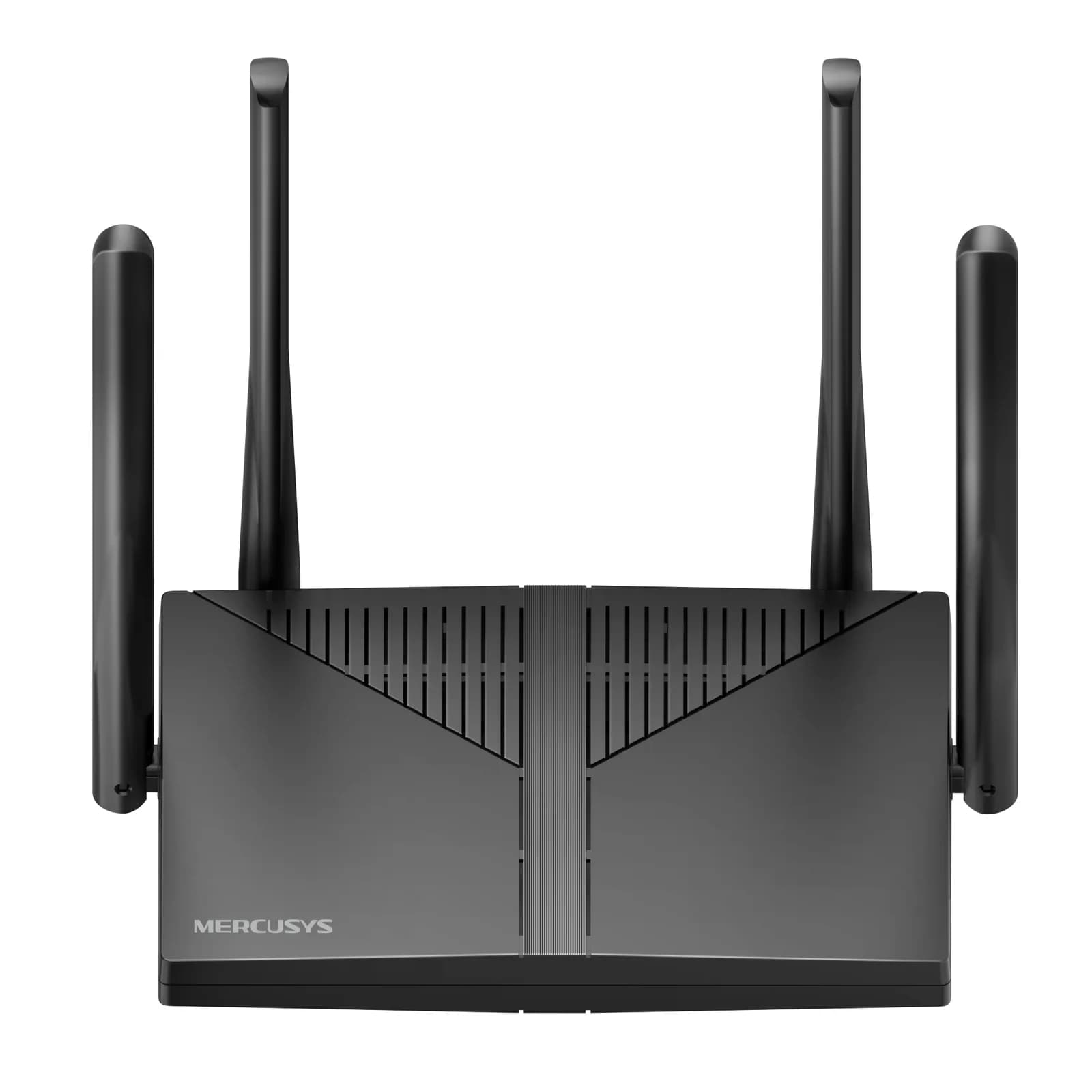
MERCUSYS MR80X AX3000 Wi-Fi 6 Router vs eero 6+

Researched, not hands-on tested.How we review ›

all judged against Wi-Fi routers and mesh systems at a similar price

The MERCUSYS MR80X AX3000 Wi-Fi 6 Router scores 6.2/10 overall, ahead of the eero 6+ at 4.2/10.

The MERCUSYS MR80X AX3000 Wi-Fi 6 Router leads on wi-Fi standard and bands, software and security, wired ports and value.

They score the same on coverage.

The biggest difference is value, where the MERCUSYS MR80X AX3000 Wi-Fi 6 Router scores 8/10 to the eero 6+'s 4/10.

MERCUSYS MR80X AX3000 Wi-Fi 6 Router

MERCUSYS MR80X AX3000 Wi-Fi 6 Router

6.2/10verdict: good, not the best

The MERCUSYS MR80X suits people who want a low-cost Wi-Fi 6 router for a small home with a gigabit connection. It covers the basics well, with guest networks, a VPN server and WPA3 listed. It is a poor fit for anyone who needs multi-gig ports, a wide-coverage mesh out of the box or lots of wired devices.

Typically about £34.99 in the UK when we researched itCheck price at Amazon UK (opens in a new tab, affiliate link)

Affiliate link. As an Amazon Associate I earn from qualifying purchases. Details

eero 6+

eero 6+

4.2/10verdict: skip

The eero 6+ is a dual-band Wi-Fi 6 mesh router for a home that wants smart home control built into the router. It suits buyers who connect few wired devices and mainly want wireless coverage. It is a weaker fit for anyone who needs several wired ports, network segmentation or free content filtering.

Typically about £139.99 in the UK when we researched itCheck price at Amazon UK (opens in a new tab, affiliate link)

Affiliate link. As an Amazon Associate I earn from qualifying purchases. Details

Scores, criterion by criterion

CriterionWeightMERCUSYS MR80X AX3000 Wi-Fi 6 Routereero 6+
Wi-Fi standard and bands25%6/105/10
Software and security25%7/104/10
Wired ports20%5/103/10
Coverage15%5/105/10
Value15%8/104/10
Overall6.2/104.2/10

Specifications

SpecMERCUSYS MR80X AX3000 Wi-Fi 6 Routereero 6+
Wi-Fi standard802.11ax (Wi-Fi 6), compatible with 11ac/a/b/g/nWi-Fi 6 (802.11ax), AX3000 rating, 2x2 antenna array
Bands and speed classDual-band: 2402 Mbps (5 GHz) + 574 Mbps (2.4 GHz), 160 MHz channels, 1024-QAM; marketed as AX3000Dual-band 2.4 GHz and 5 GHz, 2x2 on each band, 160 MHz channels on 5 GHz
WAN port1x Gigabit WAN (1 Gbps)Two auto-sensing gigabit (1 GbE) Ethernet ports for WAN and/or LAN
LAN ports3x Gigabit LAN (datasheet; V6 page lists 5x, so revision-dependent)Shared with the WAN ports; the two 1 GbE ports can be used as LAN; no separate LAN port count published
Mesh nodes in the box0 extra nodes (single router, no nodes in box)1 eero 6+ in the single-unit box; 2-pack and 3-pack sold
Rated coverageNo manufacturer-rated area; four 5 dBi fixed omni antennas and beamformingUp to 1,500 sq ft per router; up to 4,500 sq ft with a 3-pack
Security and VPN featuresWPA3-SAE (needs client support), WPA/WPA2 Enterprise, SPI firewall, IP/MAC binding, 2.4 and 5 GHz guest networks, OpenVPN/PPTP/L2TP/IPsec server and clients, parental controls, QoS, IPTV tag VLAN, IPv6, Smart ConnectZigbee, Thread and Matter controller; Alexa support; automatic channel selection

Strengths and weaknesses

MERCUSYS MR80X AX3000 Wi-Fi 6 Router

  • + Wi-Fi 6 with 160 MHz channels and 1024-QAM
  • + VPN server and clients plus guest networks on both bands
  • + Owners describe it as very affordable and stable
  • − Gigabit-only ports, with three LAN ports on the datasheet
  • − No manufacturer-rated coverage area and no nodes in the box
  • − Owners report no repeater mode and no wall-mount holes

Skip it if:

  • Buyers who want 2.5GbE or 10GbE wired ports
  • People who need many wired connections without adding a switch
  • Owners of larger homes who want a mesh kit with nodes in the box
Read the full MERCUSYS MR80X AX3000 Wi-Fi 6 Router review ›

eero 6+

  • + Thread, Zigbee and Matter controller built in
  • + 160 MHz channels on 5 GHz
  • + Rated for up to 4,500 sq ft with a 3-pack
  • − Only two gigabit ports, shared between WAN and LAN
  • − No 6 GHz band; dual-band only
  • − Content filters and ad blocking need a paid plan

Skip it if:

  • Homelabbers who need several wired gigabit or multi-gig ports
  • Admins who need VLANs, guest networks or a VPN server
  • Buyers who want content filtering without a subscription
Read the full eero 6+ review ›

More comparisons

Compare all Wi-Fi routers and mesh systems · Best Wi-Fi routers and mesh systems