Skip to content
sudopicks
esc

MikroTik CRS310-8G+2S+IN vs TP-Link TL-SG105S 5-Port Gigabit Desktop Switch

Researched, not hands-on tested.How we review ›

all judged against network switches at a similar price

The MikroTik CRS310-8G+2S+IN scores 7.2/10 overall, ahead of the TP-Link TL-SG105S 5-Port Gigabit Desktop Switch at 6.1/10.

The MikroTik CRS310-8G+2S+IN leads on port speeds, management and port count and uplinks.

The TP-Link TL-SG105S 5-Port Gigabit Desktop Switch leads on noise and efficiency.

They score the same on poE and firmware and support.

The biggest difference is noise and efficiency, where the TP-Link TL-SG105S 5-Port Gigabit Desktop Switch scores 9/10 to the MikroTik CRS310-8G+2S+IN's 3/10.

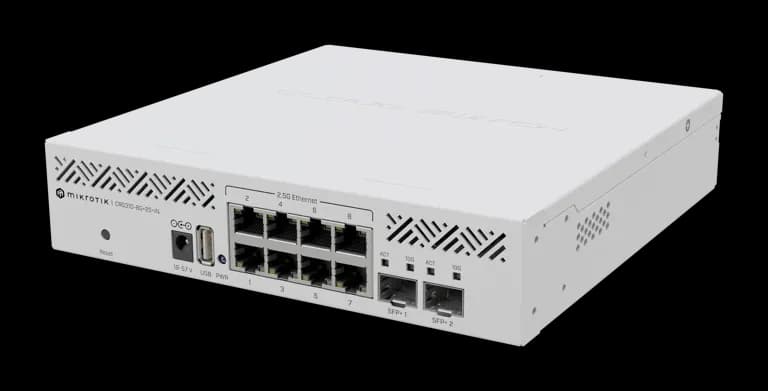
MikroTik CRS310-8G+2S+IN

MikroTik CRS310-8G+2S+IN

7.2/10verdict: buy

The MikroTik CRS310-8G+2S+IN is for homelabbers and small-office admins who want 2.5GbE access ports with 10G SFP+ uplinks. It suits people who are happy to configure VLANs, link aggregation and ACLs in RouterOS. It is a poorer fit for anyone who needs PoE or wants a low-power, set-and-forget switch.

Typically about £185.57 in the UK when we researched itSearch Amazon UK (opens in a new tab, affiliate link)

Affiliate link. As an Amazon Associate I earn from qualifying purchases. Details
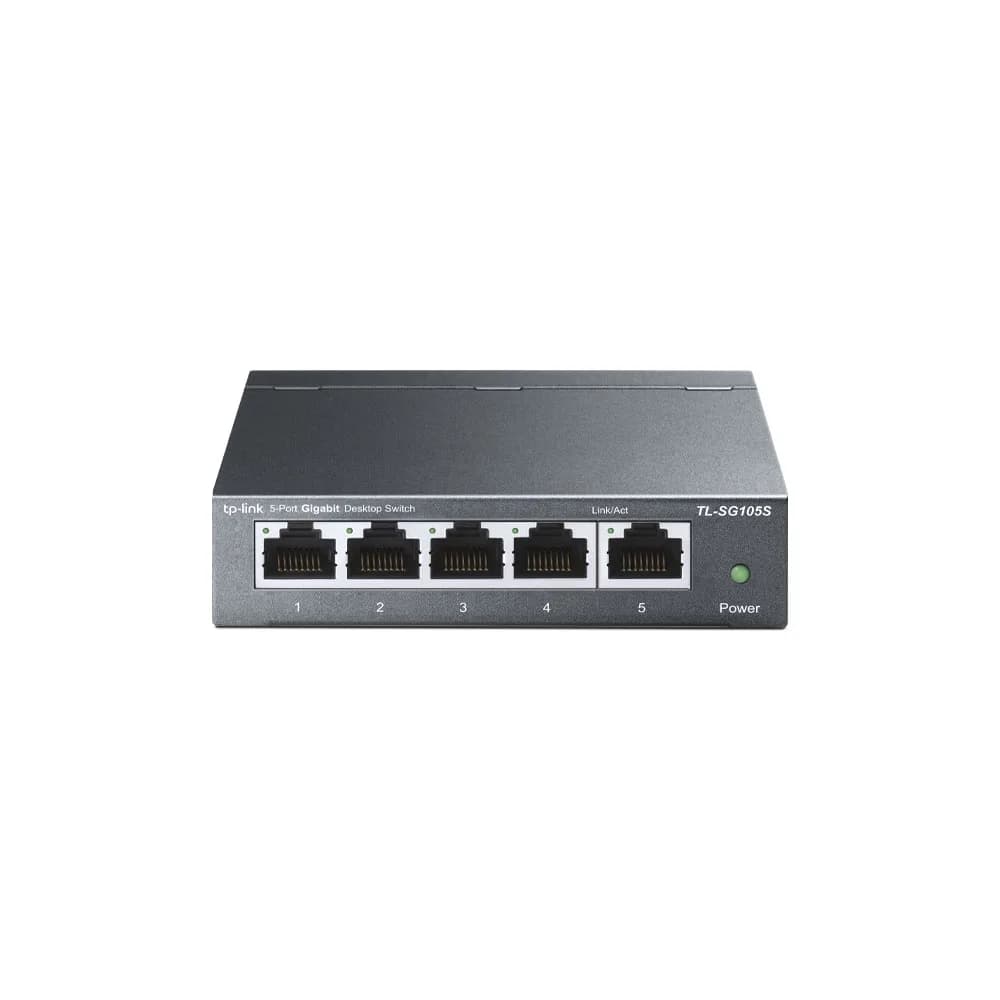
TP-Link TL-SG105S 5-Port Gigabit Desktop Switch

TP-Link TL-SG105S 5-Port Gigabit Desktop Switch

6.1/10verdict: good, not the best

The TL-SG105S is for anyone who needs four or five extra wired gigabit ports without any setup. It suits desks, benches and small home networks where traffic does not need segmenting on the switch. It does not suit buyers who need VLANs, PoE or faster-than-gigabit links.

Typically about £13.99 in the UK when we researched itCheck price at Amazon UK (opens in a new tab, affiliate link)

Affiliate link. As an Amazon Associate I earn from qualifying purchases. Details

Scores, criterion by criterion

CriterionWeightMikroTik CRS310-8G+2S+INTP-Link TL-SG105S 5-Port Gigabit Desktop Switch
Port speeds30%9/106/10
Management20%9/106/10
Port count and uplinks15%8/105/10
Noise and efficiency15%3/109/10
PoE10%5/105/10
Firmware and support10%5/105/10
Overall7.2/106.1/10

Specifications

SpecMikroTik CRS310-8G+2S+INTP-Link TL-SG105S 5-Port Gigabit Desktop Switch
Ports8 x 2.5GbE RJ45 plus 2 x SFP+, and one USB type-A port5× 10/100/1000 Mbps Auto-Negotiation RJ45 ports supporting Auto-MDI/MDIX
Port speedsRJ45 ports 2.5G; SFP+ cages support 1G, 2.5G and 10G10/100/1000 Mbps, auto-negotiation, auto-MDI/MDIX
ManagementRouterOS v7 or SwitchOS; VLANs, link aggregation and ACL rules on RouterOSUnmanaged
PoE budgetnot listedNo
Uplinks (SFP/SFP+)2 x SFP+not listed
Switching capacityNon-blocking Layer 1 capacity 80000 Mbps; Layer 2 about 78,959.7 Mbps at 1518-byte frames10 Gbit/s switching capacity
Cooling1 fanDurable metal casing, desktop/wall-mounting options, and a fanless design

Strengths and weaknesses

MikroTik CRS310-8G+2S+IN

  • + Eight 2.5GbE ports plus two 10G-capable SFP+ cages
  • + RouterOS offers VLANs, link aggregation and ACL rules
  • + Wide 18–57 V DC input and -40°C to +60°C range
  • − One fan, and owners report higher power draw than expected
  • − Owners report 2.5G link negotiation problems
  • − No PoE listed

Skip it if:

  • Buyers who need PoE for access points, cameras or phones
  • Anyone who wants a quiet, low-power switch for a living space
  • Buyers who want a simple unmanaged switch with no configuration
Read the full MikroTik CRS310-8G+2S+IN review ›

TP-Link TL-SG105S 5-Port Gigabit Desktop Switch

  • + Fanless design with a 3.1 W maximum power draw
  • + Plug-and-play with no configuration needed
  • + Metal casing with desktop or wall-mount options
  • − Gigabit only, with no SFP or SFP+ uplink listed
  • − Manufacturer page does not list VLAN support
  • − No PoE on any port

Skip it if:

  • Buyers who need VLANs to segment traffic on the switch
  • Anyone powering access points or cameras over Ethernet
  • Buyers who want 2.5GbE ports or an SFP uplink
Read the full TP-Link TL-SG105S 5-Port Gigabit Desktop Switch review ›

More comparisons

Compare all network switches · Best network switches