Skip to content
sudopicks
esc

TP-Link LS108GP vs NETGEAR MS108EUP Ultra60 PoE++ Multi-Gig Plus Switch

Researched, not hands-on tested.How we review ›

all judged against network switches at a similar price

The NETGEAR MS108EUP Ultra60 PoE++ Multi-Gig Plus Switch scores 6.7/10 overall, ahead of the TP-Link LS108GP at 6.0/10.

The TP-Link LS108GP leads on port count and uplinks.

The NETGEAR MS108EUP Ultra60 PoE++ Multi-Gig Plus Switch leads on port speeds, management, poE and firmware and support.

They score the same on noise and efficiency.

LS108GP

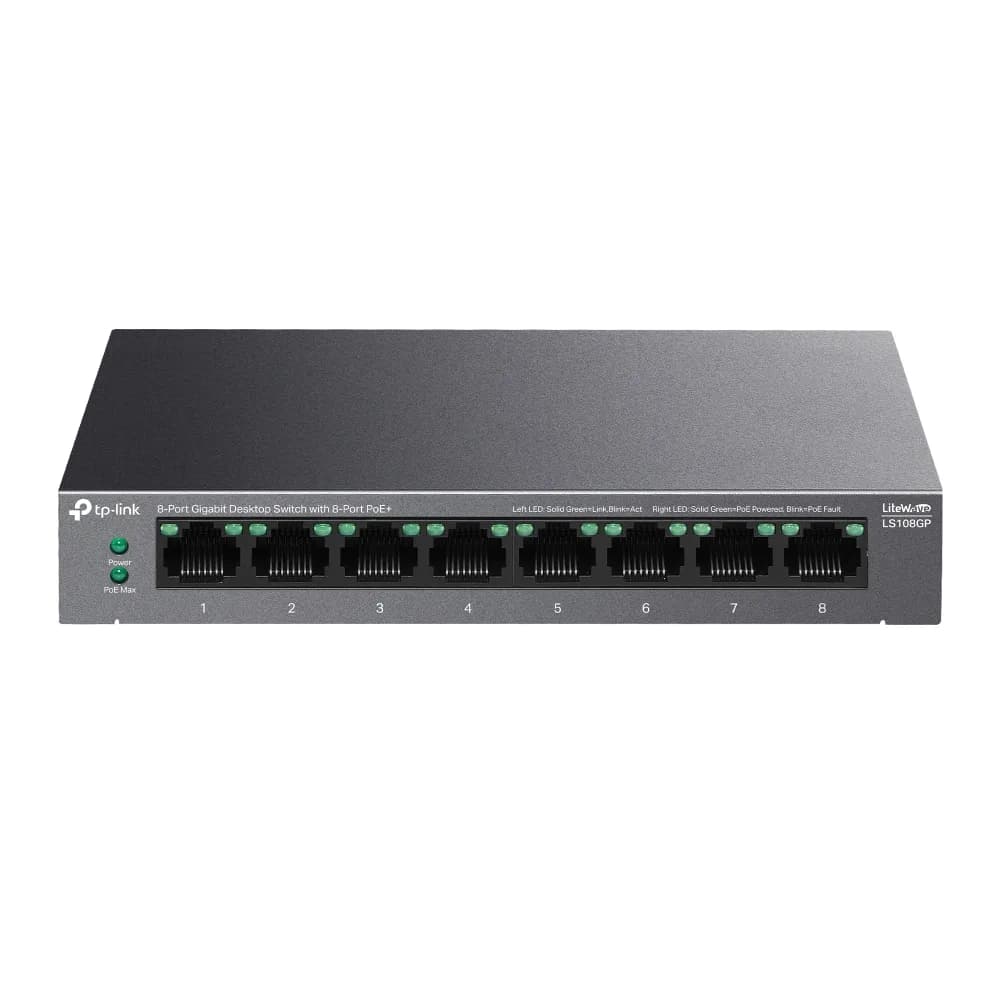
TP-Link LS108GP

6.0/10verdict: good, not the best

The LS108GP is for anyone who wants a small, silent, plug-and-play switch that also powers a few PoE devices such as access points or cameras. It suits desks, shelves and quiet rooms where a fan would be a nuisance. It doesn't suit buyers who need VLANs, faster-than-gigabit ports or a large PoE budget.

Typically about £39.99 in the UK when we researched itCheck price at Amazon UK (opens in a new tab, affiliate link)

Affiliate link. As an Amazon Associate I earn from qualifying purchases. Details

NETGEAR MS108EUP Ultra60 PoE++ Multi-Gig Plus Switch

NETGEAR MS108EUP Ultra60 PoE++ Multi-Gig Plus Switch

6.7/10verdict: buy

The MS108EUP is for people who want a silent switch that powers demanding PoE devices and carries 2.5GbE on every port. It suits home offices, small sites and homelabs with PoE++ cameras, access points or similar devices and a need for basic VLANs. It is less suited to anyone who needs a fibre or 10G uplink, or a fully managed feature set.

Typically about £277.97 in the UK when we researched itSearch Amazon UK (opens in a new tab, affiliate link)

Affiliate link. As an Amazon Associate I earn from qualifying purchases. Details

Scores, criterion by criterion

CriterionWeightTP-Link LS108GPNETGEAR MS108EUP Ultra60 PoE++ Multi-Gig Plus Switch
Port speeds30%6/107/10
Management20%5/106/10
Port count and uplinks15%5/104/10
Noise and efficiency15%9/109/10
PoE10%6/108/10
Firmware and support10%5/106/10
Overall6.0/106.7/10

Specifications

SpecTP-Link LS108GPNETGEAR MS108EUP Ultra60 PoE++ Multi-Gig Plus Switch
Ports8x 10/100/1000 Mbps RJ45 ports (ports 1-8 support 802.3af/at PoE+)8 copper RJ-45 ports, each 1G/2.5G
Port speeds10/100/1000 Mbps auto-negotiation, auto MDI/MDIX100M, 1G and 2.5G on each port
ManagementUnmanaged, plug-and-play; no VLAN support listedEasy Smart managed, local web GUI, 64 VLANs, port-based and 802.1Q VLAN tagging, 4 LAGs, IGMP snooping
PoE budget62 W total PoE budget, up to 30 W per port, 802.3af/at230 W total PoE budget; ports 1-4 up to 60 W (802.3bt), ports 5-8 up to 30 W (802.3at)
Uplinks (SFP/SFP+)not listedNone listed (no SFP or SFP+ port in manufacturer specifications)
Switching capacity16 Gbps switching capacity, 11.9 Mpps forwarding rate, 4K MAC table, 16 KB jumbo frames40 Gbps
CoolingFanless, metal casingFanless, 0 fans

Strengths and weaknesses

TP-Link LS108GP

  • + Fanless metal case; owners praise silent operation
  • + All eight gigabit ports support 802.3af/at PoE
  • + Plug-and-play setup with IGMP snooping and QoS
  • − Shared 62 W PoE budget limits high-draw devices
  • − Unmanaged, with no VLAN support listed
  • − No SFP uplink or faster-than-gigabit ports listed

Skip it if:

  • Buyers who need VLANs or other managed-switch features
  • Anyone powering several high-draw PoE devices from one switch
  • Users who want 2.5GbE, 10GbE or SFP uplinks
Read the full TP-Link LS108GP review ›

NETGEAR MS108EUP Ultra60 PoE++ Multi-Gig Plus Switch

  • + 2.5GbE on all eight ports
  • + 230 W PoE budget with four 60 W ports
  • + Fanless, with a limited lifetime warranty
  • − No SFP or SFP+ uplink listed
  • − Easy Smart management only
  • − Owners report slow or failing firmware updates

Skip it if:

  • Buyers who need an SFP or SFP+ uplink for fibre or 10G links
  • Admins who need controller-managed or layer 3 switching
  • Anyone planning to run all eight ports at full PoE power
Read the full NETGEAR MS108EUP Ultra60 PoE++ Multi-Gig Plus Switch review ›

More comparisons

Compare all network switches · Best network switches