TP-Link TL-WA1801
No live price yetAffiliate link. As an Amazon Associate I earn from qualifying purchases. Details
TP-Link TL-WA1801 review
Researched, not hands-on tested.How we review ›
by SudoPicks Research · published 24 Oct 2026 · updated 24 Oct 2026
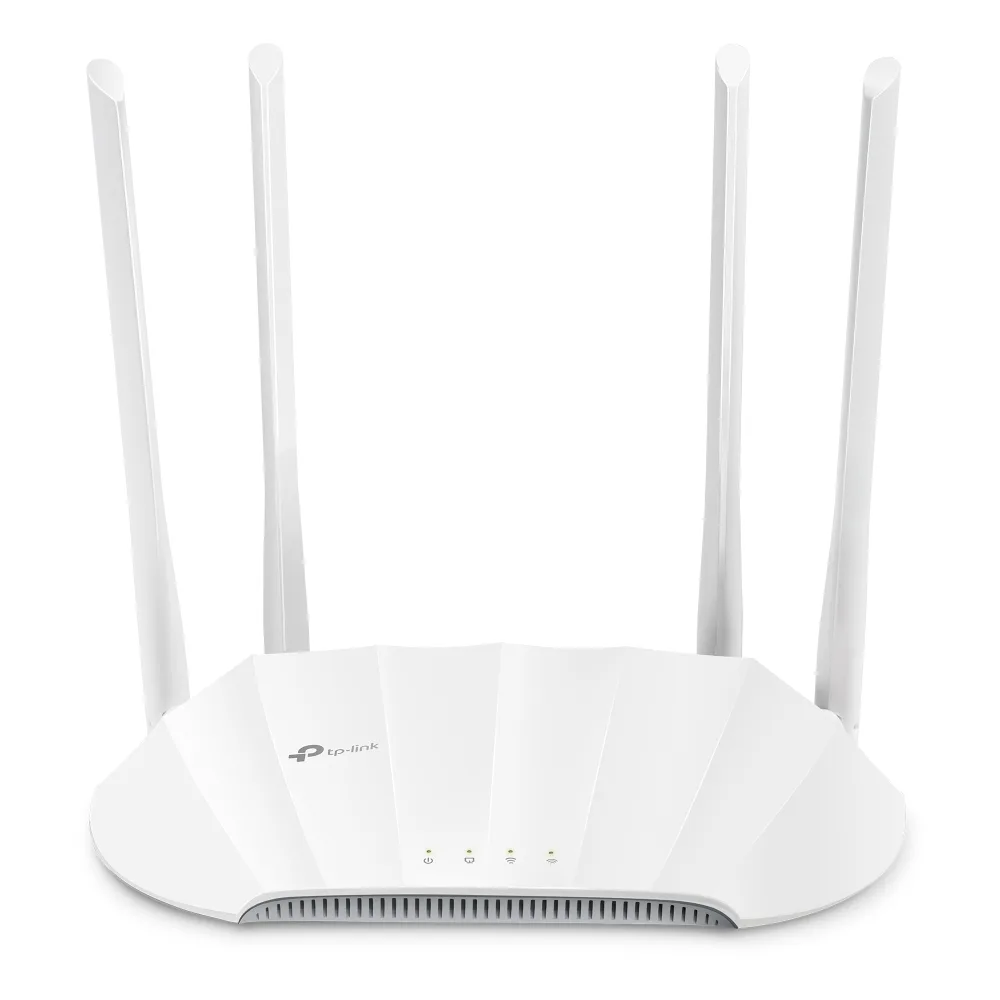
The TL-WA1801 is a dual-band Wi-Fi 6 access point for small wired networks that need a few separate SSIDs. It suits home offices, flats and homelabs where VLAN-tagged wireless matters more than 6 GHz or multi-gig speeds.
7th of 8 Wi-Fi access points we've reviewedAffiliate link. As an Amazon Associate I earn from qualifying purchases. Details
New to Wi-Fi access points? What they are and what to look for
An access point is a Wi-Fi transmitter that connects to your network with a cable, usually mounted on a ceiling or wall. Several of them give fast, even Wi-Fi throughout a building.
Do you need a Wi-Fi access point? Worth it if you can run Ethernet cables to where you need Wi-Fi. If you can't, a mesh router system is easier.
What to look for
- Wi-Fi 6 or newer
- Power over Ethernet (PoE), so it doesn't need a plug socket
- Whether it can be managed without the maker's cloud account
Unsure about a word? Jargon explained
How the 5.3 adds up
Our Wi-Fi access points rubric- Wi-Fi standard and bands25% of score
- Uplink and power20% of score
- Management20% of score
- Software and security20% of score
- Value15% of score
Against the 8 Wi-Fi access points we've reviewed
bar = the range of all 8 · dot = this one · better →
- Overall score 5.3/107th of 8
- Price £674th cheapest
- Value for money About average5th best of 8
Running costs and support
| Software updates | No end-of-support date found in the sources source |
|---|
- Works without the cloud
Security and compatibility
| Latest firmware or software | August 2026updated in the last year source |
|---|---|
| Known security issues | None found in public advisories. That's a good sign, not a guarantee. |
| Update record | No CVE or TP-Link advisory naming the TL-WA1801 was found, but the searches were limited; the latest EU build's dates (2025-11-07 build, 2026-08-14 published) conflict and should be checked on the page. |
Pros and cons
+ pros
- Up to four VLAN-tagged SSIDs per band
- Web UI, SNMP and Ping Watchdog included
- PoE injector supplied in the box
− cons
- Single gigabit port, no 2.5GbE
- Owners report dropped connections and 5GHz problems
- Short firmware history; WPA3 support not listed
Price history
Price history appears here once we have tracked this product for a few days.
The full review
Where it fits
The TL-WA1801 is a dual-band Wi-Fi 6 (802.11ax) access point, marketed as AX1800. It covers 2.4 GHz and 5 GHz. It is not Wi-Fi 6E or Wi-Fi 7, so there is no 6 GHz band. Four external antennas with beamforming are fitted.
The specifications point to a small wired network where you want to add wireless coverage and keep some control over how it is segmented. A home office, a flat or a homelab that uses VLANs is the obvious setting.
Wi-Fi and bands6/10
Two bands is the full extent of the radio setup. With Wi-Fi 6 on both and four external antennas, it covers the basics of a modern wireless network. Anyone who wants a dedicated third band or Wi-Fi 7 features will not find them here, because the manufacturer lists neither.
The AX1800 label is a marketing figure for the whole unit. The research gives no per-band speeds, so this review does not quote any.
Uplink and power4/10
There is one gigabit port, and it supports passive PoE. The power requirement is a 48V external supply rated 0.375A. The box includes the access point, a power adapter, an RJ45 cable, a quick installation guide and a PoE injector.
That package means power is covered at purchase. The research lists passive PoE, not standard PoE+ and not 802.3af or 802.3at. If you plan to power it from a PoE switch, check the switch supports passive PoE at 48V before you rely on it. The research lists no 2.5GbE port either, so the wired link is a single gigabit connection.
Management7/10
Management is the strongest part of the specification. The access point has a web UI and the free Tether app for Android and iOS. SNMP and Ping Watchdog are listed too.
Multi-SSID with VLAN support is the feature that matters most for a homelab. It supports up to four separate SSIDs and VLANs on each band. That gives room to separate, say, trusted devices, IoT gear and guests onto different VLANs.
Operating modes include Access Point, Range Extender, Client and Multi-SSID. The management options the research lists are the web UI and the Tether app.
Software and security4/10
The research gives a thin firmware record. The first firmware, 1.0.0 Build 20230611, was published on 2023-07-12. A later build, 1.0.1 Build 20230925, has been seen. That is all the research says about updates, so it offers no basis for judging how often TP-Link patches this model.
The research does not state WPA3 support or guest isolation. TP-Link may offer both, but the sources here do not confirm it. If either is a requirement, check the datasheet before buying. With only two builds on record and no stated security features, the software side is the least established part of this access point.
What owners report
The recurring owner theme is instability. Reports describe connection drops, including disconnecting and reconnecting in client mode, and problems with the 5GHz radio on OEM firmware. The sources include a TP-Link community forum topic and an OpenWrt forum thread.
These are reports from a small set of sources, not a measured failure rate. They do bear on how you might use it. Client mode and the 5GHz radio are where the problems are described, so anyone planning to use those should weigh the reports carefully.
Who it suits
On paper, this is an access point for people who value VLAN-tagged SSIDs, SNMP and a standalone web UI over raw uplink speed. The single gigabit port and passive PoE mean it fits best where you control the switch and cabling. The owner reports of dropped connections are the main caution, and the short firmware record gives little reassurance that fixes will follow.
Who should skip it
- Buyers who need 2.5GbE uplink or standard PoE+ power
- Anyone who requires confirmed WPA3 and guest isolation
- Users planning to rely on client mode or the 5GHz radio
Full specifications
| Wi-Fi standard | Wi-Fi 6 (802.11ax) |
|---|---|
| Bands and speed class | Dual-band 2.4 GHz and 5 GHz, marketed as AX1800 |
| Uplink port | 1 Gigabit port (supports passive PoE) |
| Power (PoE class) | Passive PoE with 48V external supply rated 0.375A |
| Management | Web UI and Tether app (free, Android and iOS); SNMP and Ping Watchdog; multi-SSID with VLAN support |