TP-Link TL-WA801N
No live price yetAffiliate link. As an Amazon Associate I earn from qualifying purchases. Details
TP-Link TL-WA801N review
Researched, not hands-on tested.How we review ›
by SudoPicks Research · published 24 Oct 2026 · updated 24 Oct 2026
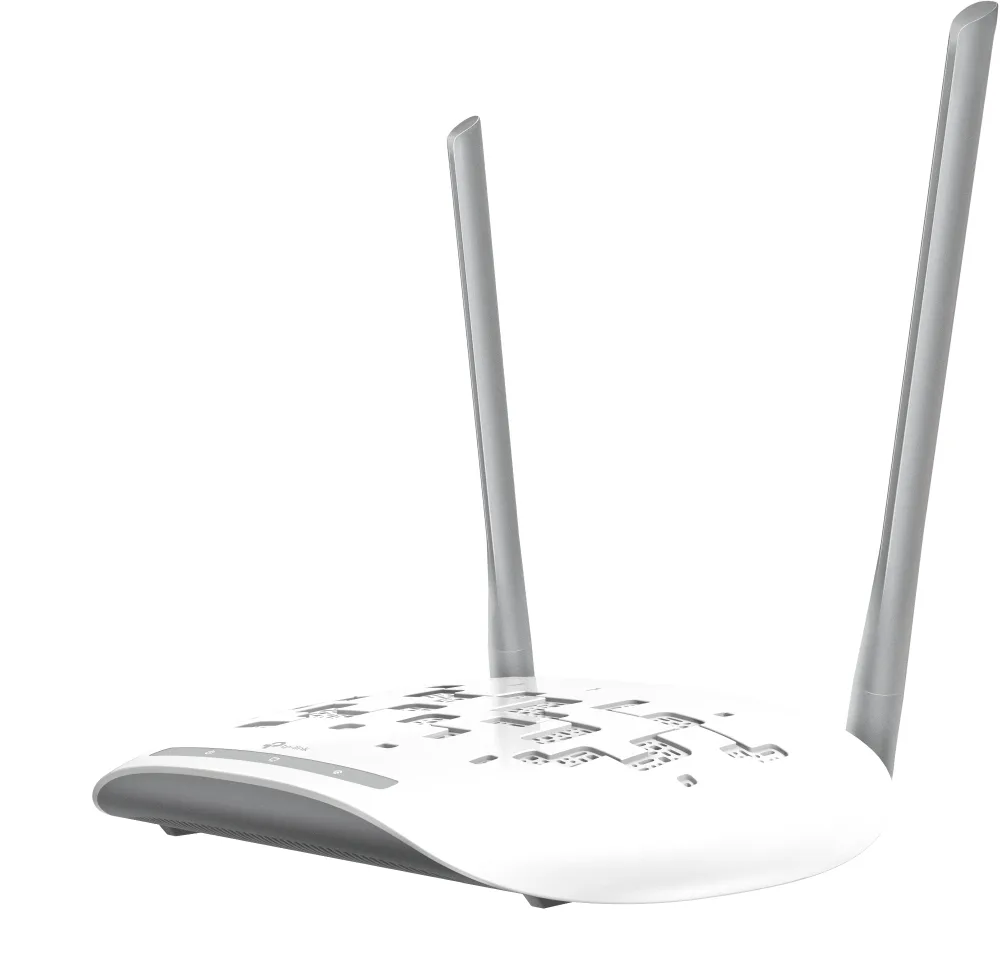
The TL-WA801N is for people who need a simple 2.4 GHz access point with a web interface and VLAN-tagged SSIDs. It suits small, light-duty wireless jobs where a 300 Mbps wireless rate and a 100 Mbps wired port are enough.
8th of 8 Wi-Fi access points we've reviewedAffiliate link. As an Amazon Associate I earn from qualifying purchases. Details
New to Wi-Fi access points? What they are and what to look for
An access point is a Wi-Fi transmitter that connects to your network with a cable, usually mounted on a ceiling or wall. Several of them give fast, even Wi-Fi throughout a building.
Do you need a Wi-Fi access point? Worth it if you can run Ethernet cables to where you need Wi-Fi. If you can't, a mesh router system is easier.
What to look for
- Wi-Fi 6 or newer
- Power over Ethernet (PoE), so it doesn't need a plug socket
- Whether it can be managed without the maker's cloud account
Unsure about a word? Jargon explained
How the 4.1 adds up
Our Wi-Fi access points rubric- Wi-Fi standard and bands25% of score
- Uplink and power20% of score
- Management20% of score
- Software and security20% of score
- Value15% of score
Against the 8 Wi-Fi access points we've reviewed
bar = the range of all 8 · dot = this one · better →
- Overall score 4.1/108th of 8
- Price £25.97cheapest
- Value for money Best value herebest of 8
Running costs and support
| Software updates | No end date announced; latest firmware listed on the US support page is dated 2026-07-15 but its dates are unverified. source |
|---|
- Works without the cloud
Security and compatibility
| Latest firmware or software | January 2025no update for over a year source |
|---|---|
| Known security issues |
|
| Update record | The latest V6 firmware found is dated 2025-01-20 and mentions security enhancements, but the search was incomplete and fix status for the listed CVEs is unconfirmed. |
Pros and cons
+ pros
- Multi-SSID with VLAN support listed on the datasheet
- Passive PoE support as well as an external supply
- AP isolation and SNMP are both listed
− cons
- 2.4 GHz only, Wi-Fi 4 at 300 Mbps
- Single 10/100 Ethernet port
- WPA3 not listed; no controller management listed
Price history
Price history appears here once we have tracked this product for a few days.
The full review
Where it fits
The TL-WA801N is a Wi-Fi 4 access point. TP-Link lists IEEE 802.11n, 802.11g and 802.11b, on the 2.4 GHz band only, at 300 Mbps. It has one RJ45 port and can be powered by passive PoE or by an external 9 VDC / 0.6 A supply. It is built for desktop use and has a wall-mounting design.
The spec sheet describes a small, plain device. It adds a wireless network to a wired one, and the datasheet lists SNMP and Multi-SSID with VLAN support.
Wireless
There is no 5 GHz radio listed. Everything runs on 2.4 GHz at a stated 300 Mbps. That keeps the device simple, but it leaves you with one band for every client you connect. If your area has many 2.4 GHz networks, the specifications give you no second band to move to.
Wi-Fi 6, 6E and Wi-Fi 7 are not part of this product. Treat it as a basic 2.4 GHz access point for light jobs. Good examples are a shed, a garage, a spare room or a homelab corner with a few low-demand devices.
Uplink and power3/10
The wired side is a single 10/100 Mbps Ethernet port. The wireless rate is listed at 300 Mbps, and the wired port is rated at 100 Mbps. The wired link therefore tops out at 100 Mbps.
Power comes from either passive PoE or the external 9 VDC / 0.6 A supply. Passive PoE lets you run one cable to the unit where a mains socket is not nearby. The manufacturer's listing names passive PoE only. It does not mention 802.3af or 802.3at, so check what your switch or injector provides before you plan a cable run.
Management and VLANs6/10
Management is through a web-based user interface. SNMP is also listed. TP-Link does not list cloud or Omada controller management for this model. You configure each unit on its own.
The datasheet lists Multi-SSID with VLAN support. For a sysadmin that matters most. With VLAN-tagged SSIDs you can map separate wireless networks to separate VLANs, for example a trusted network and a guest or IoT network, from one access point. Because management is per device, it suits one or two units better than a large estate.
Security and software4/10
The encryption listed is WPA/WPA2. WPA3 is not listed. If you need WPA3 for policy reasons, this model does not meet it on the published specifications.
TP-Link also lists an AP isolation wireless function. That is useful on a guest or IoT SSID where you do not want wireless clients to talk to each other. The sources include a support downloads page, but the research gives no firmware release dates or update history. You cannot judge the update record from the information available.
Owner feedback
The research contains no recurring owner feedback for this model. This review rests on manufacturer specifications and retailer listings. Reliability, range and real-world speeds are therefore not covered here.
Who it suits
The TL-WA801N suits someone who wants a simple 2.4 GHz access point with a local web interface. VLAN-tagged SSIDs, SNMP and AP isolation are on the spec list, so those admin features sit alongside a single 2.4 GHz radio. Passive PoE support helps where only a network cable reaches the install spot.
The limits come straight from the specifications. With 2.4 GHz only, a 100 Mbps port and no WPA3, it is a poor match for busy networks or modern client devices. With no controller management listed, it is also a weaker choice for many access points that you want to manage together.
Who should skip it
- Buyers who need a 5 GHz band or anything newer than Wi-Fi 4
- Anyone who requires WPA3 on the wireless network
- Admins who want central controller or cloud management of several access points
Full specifications
| Wi-Fi standard | IEEE 802.11n, 802.11g and 802.11b (Wi-Fi 4) |
|---|---|
| Bands and speed class | 2.4 GHz only, 300 Mbps |
| Uplink port | One 10/100 Mbps Ethernet port (RJ45) with passive PoE support |
| Power (PoE class) | Passive PoE; external supply 9 VDC / 0.6 A |
| Management | Web-based user interface; SNMP listed; no cloud or Omada controller management listed for this model |
| Mounting | Desktop use with wall-mounting design |