TP-Link EAP225-Outdoor
No live price yetAffiliate link. As an Amazon Associate I earn from qualifying purchases. Details
TP-Link EAP225-Outdoor review
Researched, not hands-on tested.How we review ›
by SudoPicks Research · published 24 Oct 2026 · updated 24 Oct 2026
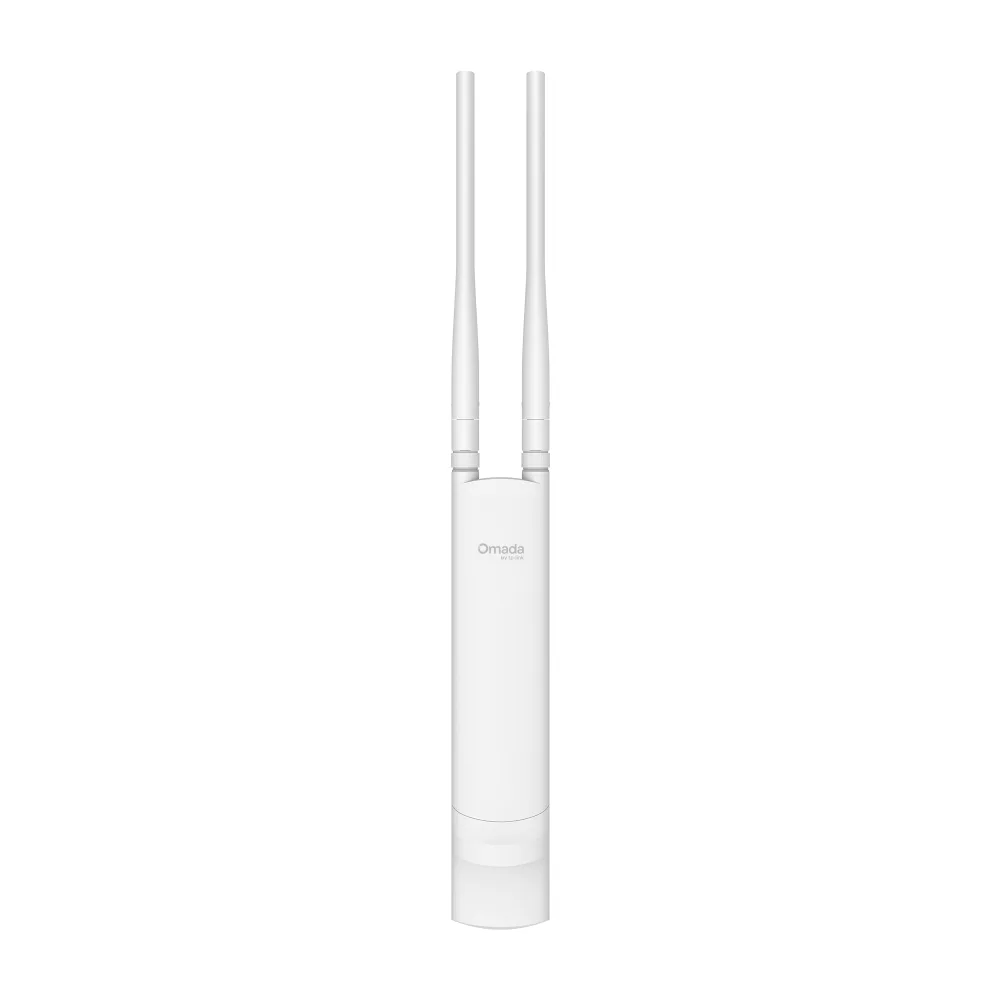
The TP-Link EAP225-Outdoor is for people who need Wi-Fi coverage outside a building from a single PoE cable. It suits homelabbers and small sites that already run, or plan to run, an Omada controller.
4th of 8 Wi-Fi access points we've reviewedAffiliate link. As an Amazon Associate I earn from qualifying purchases. Details
New to Wi-Fi access points? What they are and what to look for
An access point is a Wi-Fi transmitter that connects to your network with a cable, usually mounted on a ceiling or wall. Several of them give fast, even Wi-Fi throughout a building.
Do you need a Wi-Fi access point? Worth it if you can run Ethernet cables to where you need Wi-Fi. If you can't, a mesh router system is easier.
What to look for
- Wi-Fi 6 or newer
- Power over Ethernet (PoE), so it doesn't need a plug socket
- Whether it can be managed without the maker's cloud account
Unsure about a word? Jargon explained
How the 5.9 adds up
Our Wi-Fi access points rubric- Wi-Fi standard and bands25% of score
- Uplink and power20% of score
- Management20% of score
- Software and security20% of score
- Value15% of score
Against the 8 Wi-Fi access points we've reviewed
bar = the range of all 8 · dot = this one · better →
- Overall score 5.9/104th of 8
- Price £653rd cheapest
- Value for money Better value than most3rd best of 8
Running costs and support
| Power draw | 10.5W under load (manufacturer's figure, source) |
|---|---|
| Software updates | No EAP225-Outdoor-specific end-of-support date found; a general EOL notice page exists but could not be checked. source |
- Works without the cloud
Security and compatibility
| Latest firmware or software | March 2024no update for over two years source |
|---|---|
| Known security issues | None found in public advisories. That's a good sign, not a guarantee. |
| Maker's cloud account | Not needed: it can be run entirely locally |
| Update record | Latest firmware found is a March 2024 build, but no vendor advisory confirms that it fixes the related CVEs, and the advisories found name the indoor EAP225 V3 rather than this model. |
Pros and cons
+ pros
- Owners report strong outdoor range, over 40 m with line of sight
- Standard 802.3af PoE with a 10.5 W maximum draw
- Omada controller options plus web management and management VLAN
− cons
- Wi-Fi 5 only, with no newer standard
- Single gigabit port; 802.3at support is conflicting in manufacturer rows
- Setup has a learning curve for some owners
Price history
Price history appears here once we have tracked this product for a few days.
The full review
Where it fits
The EAP225-Outdoor is an outdoor access point for covering a yard, a workshop, a car park or the side of a building from one PoE cable. It uses Wi-Fi 5 (802.11ac) and runs dual-band: 2.4 GHz at up to 300 Mbps and 5 GHz at up to 867 Mbps. It belongs to TP-Link's Omada range, so it makes most sense if you already run Omada kit or plan to.
Wi-Fi and range
This is a Wi-Fi 5 device, so the 867 Mbps ceiling on 5 GHz is the figure to plan around. There is no Wi-Fi 6 or newer radio listed. Owners focus on range rather than peak speed. They describe good outdoor coverage and a strong signal, with reports of about 38 m and over 40 m with line of sight. Those are owner reports from specific sites, so treat them as a guide to what is possible, not a promise. For lower-demand outdoor use such as cameras, garden devices or a patio, the listed bands and the range reports suit the job.
Power and uplink6/10
The access point has one Gigabit Ethernet (RJ-45) port. Power comes over 802.3af PoE, with a stated maximum consumption of 10.5 W. That low draw is useful if you are budgeting a small PoE switch. The manufacturer also lists a passive 24V PoE option, but only for dry indoor use, so it does not apply to the outdoor job this unit is built for.
One point needs care. The manufacturer rows conflict on 802.3at support. Plan around 802.3af, which is the clearly stated standard, and check the spec sheet before relying on anything else. One owner complaint concerns the cable: the Ethernet entry is on the underside rather than rear-facing. It is a single complaint, but it is worth thinking about when you plan cable routing.
Pole and wall mounting kits are included, so you do not need to buy brackets separately.
Management7/10
Management is a strength on paper. The listed options are the Omada app, an Omada cloud-based, hardware or software controller, and web-based management. It also lists a management VLAN, SSH, SNMP v1/v2c/v3 and syslog. That is a useful set for a sysadmin who wants to monitor and log the device alongside the rest of the network.
There is a caveat. The manufacturer says cloud access requires an Omada controller. A third-party guide describes standalone operation of the access point, but the research does not say which features are available without a controller. It also does not state whether VLAN-tagged SSIDs are supported, so check that if you need to split guest and internal traffic.
Software and security5/10
The research does not give a firmware update record. It also does not list WPA3 or guest isolation. The listed SSH, SNMP v3 and syslog support covers some administration needs, but the wireless security feature set is unconfirmed. If WPA3 or guest isolation matters to you, confirm both with TP-Link before buying.
Durability is another open question. One owner raises doubt over how well it would cope with tropical or harsh climates. The research gives no answer either way, so anyone installing it in extreme conditions should look for the manufacturer's environmental ratings first.
Setup and owner feedback
Owners praise easy setup through the Omada app and straightforward PoE installation. Others say setup has a learning curve and can be tricky. Those views fit together: the hardware is simple to power and mount, but the Omada controller options take some learning if you have not used them before. Good value for money comes up as a positive theme.
Who it suits
With one gigabit port, Wi-Fi 5 radios and a 10.5 W maximum draw, it suits modest outdoor coverage on a basic PoE switch. With the controller options, management VLAN, SNMP and syslog, it suits people who want to manage the access point alongside other Omada devices. Buyers who need a faster uplink, a newer Wi-Fi standard or confirmed WPA3 and guest isolation should look at those details first.
What owners report
Recurring themes from public owner feedback, summarised in our own words.
- Owners praise easy setup through the Omada app and simple PoE installation.
- Owners report good outdoor range and strong signal, including around 38 m and beyond 40 m with line of sight.
- Owners often call it good value for money.
- Some owners find setup has a learning curve, and one dislikes the underside Ethernet entry.
Who should skip it
- Buyers who need Wi-Fi 6 or newer radios
- Anyone who needs an uplink faster than gigabit
- Buyers who need confirmed WPA3 and guest isolation, or a rating for harsh climates
Full specifications
| Wi-Fi standard | Wi-Fi 5 (802.11ac) |
|---|---|
| Bands and speed class | Dual-band 2.4 GHz (up to 300 Mbps) and 5 GHz (up to 867 Mbps) |
| Uplink port | 1x Gigabit Ethernet (RJ-45) port |
| Power (PoE class) | 802.3af PoE; passive 24V PoE option (dry indoor use); maximum consumption 10.5 W; 802.3at support conflicting in manufacturer rows |
| Management | Omada app; Omada Cloud-Based, Hardware or Software Controller; web-based management; management VLAN; SSH, SNMP v1/v2c/v3, syslog |
| Mounting | Pole or wall mounting, kits included |
Sources
- TP-Link Omada EAP225-Outdoor product page (Nordic, redirected)
- TP-Link US support product page
- TP-Link comparison table
- TP-Link FAQ 1161
- Omada EAP datasheet 2018
- PriceSpy EAP225-Outdoor listing
- Currys business listing
- LDLC reviews
- Broadband Buyer reviews
- B&H reviews
- TechRadar review
- MiniPC Reviewer review
- Vivid Repairs review
- TP-Link community power question
Compare head to head
- TP-Link EAP225-Outdoor vs TP-Link TL-WA1201 ›
- TP-Link EAP225-Outdoor vs TP-Link Omada EAP653 AX3000 Ceiling Mount Wi-Fi 6 Access Point ›
- TP-Link EAP225-Outdoor vs TP-Link Omada EAP225 ›
- TP-Link EAP225-Outdoor vs TP-Link TL-WA1801 ›
- TP-Link EAP225-Outdoor vs TP-Link Omada EAP723 ›
- TP-Link EAP225-Outdoor vs UniFi U7 Pro ›