TP-Link Omada EAP225
No live price yetAffiliate link. As an Amazon Associate I earn from qualifying purchases. Details
TP-Link Omada EAP225 review
Researched, not hands-on tested.How we review ›
by SudoPicks Research · published 24 Oct 2026 · updated 24 Oct 2026
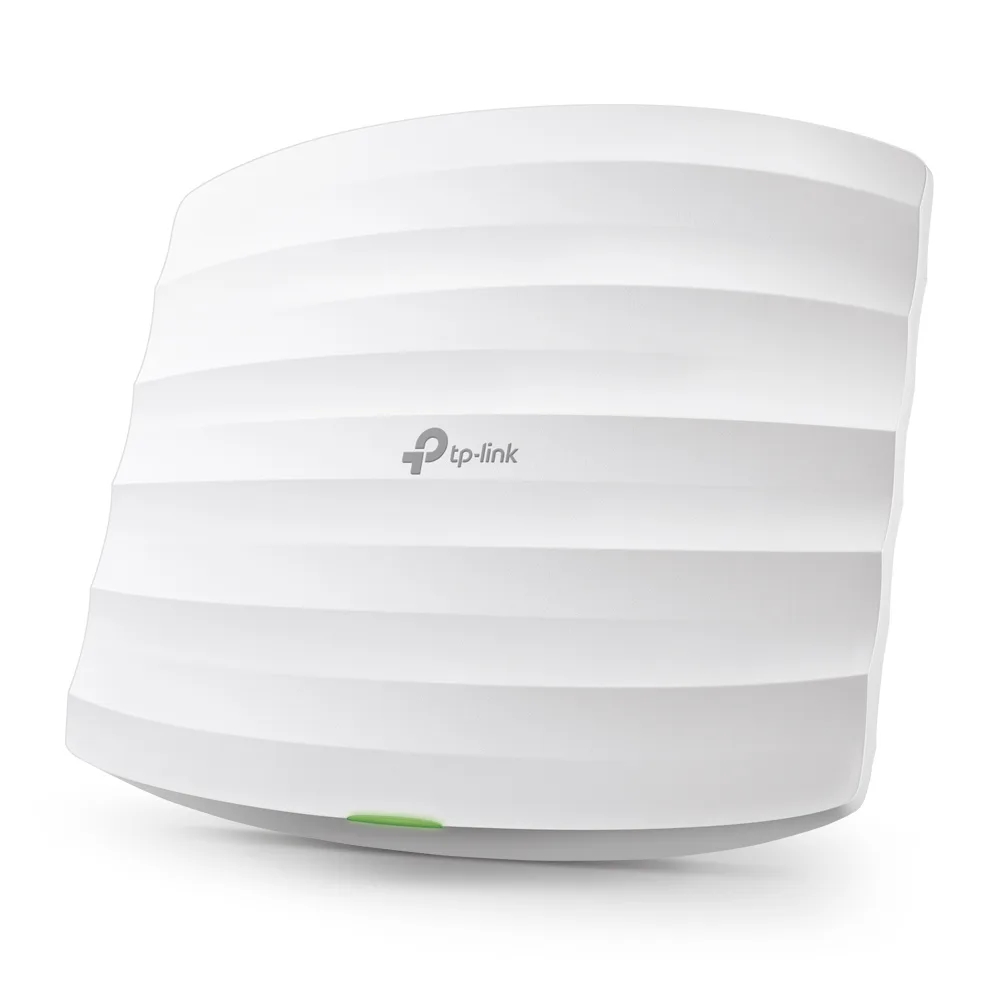
The TP-Link Omada EAP225 is a Wi-Fi 5 dual-band ceiling or wall access point for people who want flexible management. It suits homelabs and small offices that already run, or plan to run, an Omada controller or a PoE switch.
6th of 8 Wi-Fi access points we've reviewedAffiliate link. As an Amazon Associate I earn from qualifying purchases. Details
New to Wi-Fi access points? What they are and what to look for
An access point is a Wi-Fi transmitter that connects to your network with a cable, usually mounted on a ceiling or wall. Several of them give fast, even Wi-Fi throughout a building.
Do you need a Wi-Fi access point? Worth it if you can run Ethernet cables to where you need Wi-Fi. If you can't, a mesh router system is easier.
What to look for
- Wi-Fi 6 or newer
- Power over Ethernet (PoE), so it doesn't need a plug socket
- Whether it can be managed without the maker's cloud account
Unsure about a word? Jargon explained
How the 5.6 adds up
Our Wi-Fi access points rubric- Wi-Fi standard and bands25% of score
- Uplink and power20% of score
- Management20% of score
- Software and security20% of score
- Value15% of score
Against the 8 Wi-Fi access points we've reviewed
bar = the range of all 8 · dot = this one · better →
- Overall score 5.6/106th of 8
- Price £685th cheapest
- Value for money About average4th best of 8
Running costs and support
| Power draw | 9.7W under load (manufacturer's figure, source) |
|---|---|
| Software updates | No end date announced source |
- Works without the cloud
Security and compatibility
| Latest firmware or software | November 2023no update for over two years source |
|---|---|
| Known security issues |
|
| Update record | Advisories name the EAP225 V3 build 5.1. |
Pros and cons
+ pros
- Standalone web UI, SSH, SNMP and Omada controller options
- Powers from 802.3af PoE or an included passive adapter
- WPA3 listed in the hardware specifications
− cons
- Wi-Fi 5 only, not Wi-Fi 6, 6E or 7
- Gigabit uplink, with no 2.5GbE port
- Mesh and centralised management need an Omada controller
Price history
Price history appears here once we have tracked this product for a few days.
The full review
Where it fits
The EAP225 is a Wi-Fi 5 dual-band access point. It is not Wi-Fi 6, 6E or 7. It is built for ceiling or wall mounting, and a mounting kit is included. Its main appeal is in how it is powered and managed rather than in its radio standard. Buyers who want a simple, controllable access point on a wired network are the natural audience.
Wi-Fi standard and radios4/10
The 2.4 GHz radio runs 802.11b/g/n at up to 450 Mbps over three streams (3x3). The 5 GHz radio runs 802.11a/n/ac at up to 867 Mbps over two streams (2x2). Those are maximum link rates from the specifications, not expected real-world throughput.
The hardware is Wi-Fi 5 only and has no 6 GHz band. Anyone planning a network around Wi-Fi 6 or later should look at a different model. For a buyer whose clients are mostly Wi-Fi 5 or older, the dual-band layout covers both common bands.
Uplink and power6/10
The uplink is a single 10/100/1000M RJ45 port. Gigabit is the maximum, not 2.5GbE. The rated 5 GHz speed of 867 Mbps sits below the port's 1,000 Mbps, so the wired connection is not what limits that radio's rated speed.
Power options are more flexible than the uplink. The unit takes 802.3af PoE, or 24V passive PoE with an included adapter. With a standard PoE switch, you need no extra parts. Without one, the included adapter covers the other route.
Manufacturer power figures are 9.7 W (EU) and 12.6 W (US) maximum on 802.3af PoE. TP-Link's UK compare page lists 10.5 W for the EU model. The datasheet notes that actual consumption varies. If you are working out a PoE switch budget, that note and the spread between the figures are reasons to leave some headroom.
Management8/10
Management is the strongest part of the specification list. The EAP225 supports standalone web management and SSH, plus SNMP v1, v2 and v3. It also works with the Omada app, Omada Controller V6.2+ and Omada Essential. A single unit can therefore run on its own, and a larger deployment can move under a controller.
There are limits. Some features, including centralised management and mesh, require an Omada controller. The Omada cloud controller is not supported on V3.20 hardware, so check the hardware version before relying on cloud management. The specifications supplied do not list VLAN-tagged SSIDs. If you need separate networks per SSID, confirm that before buying.
Software and security5/10
WPA3 is listed in the hardware specifications. That is the one security detail the specifications confirm. They give no firmware update history, no guest isolation detail and no mention of paywalled features. Those are the points to check on TP-Link's pages if they matter to you.
Owner feedback
No recurring owner themes are available for this model, so there is nothing to report on day-to-day reliability, range or firmware experience. The judgements above rest on the manufacturer's specifications and notes.
Who it suits
With standalone web management, SSH, SNMP and controller support, the EAP225 suits a homelab or small office that wants control over a wired access point. The choice of 802.3af PoE or a passive adapter makes it easy to place wherever a cable runs. Its Wi-Fi 5 radios and gigabit uplink make it a poor match for anyone who wants Wi-Fi 6 or later, or a multi-gigabit uplink. Buyers who want mesh or centralised control should plan on running an Omada controller.
Who should skip it
- Buyers who want Wi-Fi 6, 6E or Wi-Fi 7 support
- Anyone who needs a 2.5GbE uplink
- Buyers who want cloud management on V3.20 hardware
Full specifications
| Wi-Fi standard | Wi-Fi 5: 802.11a/n/ac on 5 GHz, 802.11b/g/n on 2.4 GHz |
|---|---|
| Bands and speed class | Dual-band: 2.4 GHz up to 450 Mbps (3x3), 5 GHz up to 867 Mbps (2x2) |
| Uplink port | 1x 10/100/1000M RJ45 (Gigabit) |
| Power (PoE class) | 802.3af PoE, or 24V passive PoE with included adapter |
| Management | Standalone web management and SSH, SNMP v1/v2/v3, Omada app, Omada Controller V6.2+, Omada Essential |
| Mounting | Ceiling or wall mounting, mounting kit included |
Alternatives
Compare head to head
- TP-Link Omada EAP225 vs TP-Link TL-WA1201 ›
- TP-Link Omada EAP225 vs TP-Link TL-WA1801 ›
- TP-Link Omada EAP225 vs TP-Link EAP225-Outdoor ›
- TP-Link Omada EAP225 vs TP-Link Omada EAP653 AX3000 Ceiling Mount Wi-Fi 6 Access Point ›
- TP-Link Omada EAP225 vs TP-Link Omada EAP723 ›
- TP-Link Omada EAP225 vs TP-Link TL-WA801N ›