Skip to content
sudopicks
esc

TP-Link Omada EAP653 AX3000 Ceiling Mount Wi-Fi 6 Access Point vs UniFi U7 Pro

Researched, not hands-on tested.How we review ›

all judged against Wi-Fi access points at a similar price

The UniFi U7 Pro scores 7.3/10 overall, ahead of the TP-Link Omada EAP653 AX3000 Ceiling Mount Wi-Fi 6 Access Point at 6.2/10.

The TP-Link Omada EAP653 AX3000 Ceiling Mount Wi-Fi 6 Access Point leads on management.

The UniFi U7 Pro leads on wi-Fi standard and bands, uplink and power, software and security and value.

The biggest difference is wi-Fi standard and bands, where the UniFi U7 Pro scores 9/10 to the TP-Link Omada EAP653 AX3000 Ceiling Mount Wi-Fi 6 Access Point's 6/10.

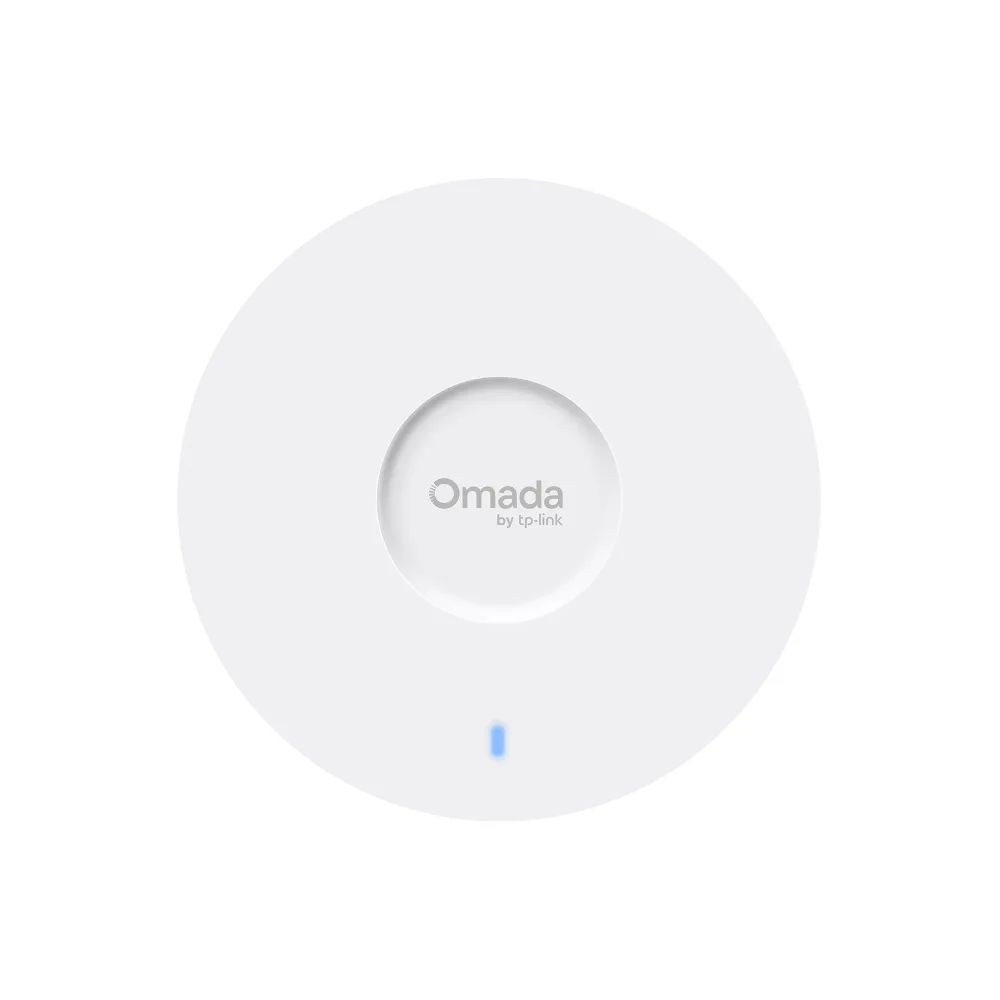
TP-Link Omada EAP653 AX3000 Ceiling Mount Wi-Fi 6 Access Point

TP-Link Omada EAP653 AX3000 Ceiling Mount Wi-Fi 6 Access Point

6.2/10verdict: good, not the best

The EAP653 is for anyone who wants a ceiling-mounted Wi-Fi 6 access point powered over Ethernet. It suits setups that can run it standalone from a web UI or grow into an Omada controller later. It is less suited to buyers who need 6 GHz or a multi-gigabit uplink.

Typically about £80 in the UK when we researched itCheck price at Amazon UK (opens in a new tab, affiliate link)

Affiliate link. As an Amazon Associate I earn from qualifying purchases. Details

UniFi U7 Pro

UniFi U7 Pro

7.3/10verdict: buy

The UniFi U7 Pro is a ceiling or wall access point for people who want tri-band Wi-Fi 7 and already run, or plan to run, UniFi Network. It suits a home or small-office network that needs 6 GHz and a 2.5GbE uplink. It is less suited to anyone who wants to configure an access point from a simple standalone app.

Typically about £180 in the UK when we researched itCheck price at Amazon UK (opens in a new tab, affiliate link)

Affiliate link. As an Amazon Associate I earn from qualifying purchases. Details

Scores, criterion by criterion

CriterionWeightTP-Link Omada EAP653 AX3000 Ceiling Mount Wi-Fi 6 Access PointUniFi U7 Pro
Wi-Fi standard and bands25%6/109/10
Uplink and power20%6/108/10
Management20%7/105/10
Software and security20%6/107/10
Value15%6/107/10
Overall6.2/107.3/10

Specifications

SpecTP-Link Omada EAP653 AX3000 Ceiling Mount Wi-Fi 6 Access PointUniFi U7 Pro
Wi-Fi standard802.11ax (Wi-Fi 6), with 802.11a/b/g/n/ac backward compatibility; no 6 GHz bandWiFi 7 (802.11be), with 802.11ax (Wi-Fi 6/6E), ac and n listed as supported
Bands and speed classDual-band 2.4 GHz (574 Mbps) and 5 GHz (2402 Mbps), 2x2 each, 2976 Mbps combined (AX3000)Tri-band: 2.4 GHz, 5 GHz and 6 GHz, each 2x2 MU-MIMO; max data rates 688 Mbps (2.4 GHz), 4.3 Gbps (5 GHz), 5.8 Gbps (6 GHz); 6 spatial streams
Uplink port1x RJ45 10/100/1000 Mbps (1 GbE)One 1/2.5 GbE RJ45 port (2.5 GbE)
Power (PoE class)not listedPoE+ input, 44–57V DC supply range, maximum consumption 21W
ManagementStandalone web UI, SSH and SNMP; also Omada cloud controller, Omada hardware controllers (OC200/OC300), Omada software controller and Omada appEthernet; requires UniFi Network 8.0.28 or later
MountingCeiling, wall, junction-box and T-bar mounting; 160 x 160 x 33.6 mm, 0.38 kgCeiling or wall, with a Pro Mount included

Strengths and weaknesses

TP-Link Omada EAP653 AX3000 Ceiling Mount Wi-Fi 6 Access Point

  • + Standalone web UI, SSH and SNMP, with Omada controller options
  • + Accepts 802.3at PoE+, passive 48V PoE or 12V DC
  • + Ceiling, wall, junction-box and T-bar mounting
  • − Single 1GbE uplink, with no 6 GHz band
  • − Draws about 13-14 W, which uses PoE switch budget
  • − Mesh and seamless roaming need an Omada controller

Skip it if:

  • Buyers who want a 6 GHz band or Wi-Fi 7 features
  • Anyone needing a multi-gigabit uplink from the access point
  • People running a PoE switch with a tight power budget
Read the full TP-Link Omada EAP653 AX3000 Ceiling Mount Wi-Fi 6 Access Point review ›

UniFi U7 Pro

  • + Tri-band Wi-Fi 7 with 6 GHz and 6 spatial streams
  • + 2.5GbE uplink and standard PoE+ input
  • + Guest isolation, Private PSK and RADIUS over TLS, with no paywalled features
  • − Standalone app reported too limited for configuration
  • − Some PoE ports may not supply enough power
  • − One reviewer says it runs extremely hot

Skip it if:

  • Buyers who want to configure an access point fully from a simple standalone app
  • Anyone whose PoE switch can't confirm full PoE+ output on every port
  • Buyers without any Wi-Fi 6E or Wi-Fi 7 clients who don't need the 6 GHz radio
Read the full UniFi U7 Pro review ›

More comparisons

Compare all Wi-Fi access points · Best Wi-Fi access points