Logitech Wireless Mouse M185
No live price yetAffiliate link. As an Amazon Associate I earn from qualifying purchases. Details
Logitech Wireless Mouse M185 review
Researched, not hands-on tested.How we review ›
by SudoPicks Research · published 24 Oct 2026 · updated 24 Oct 2026
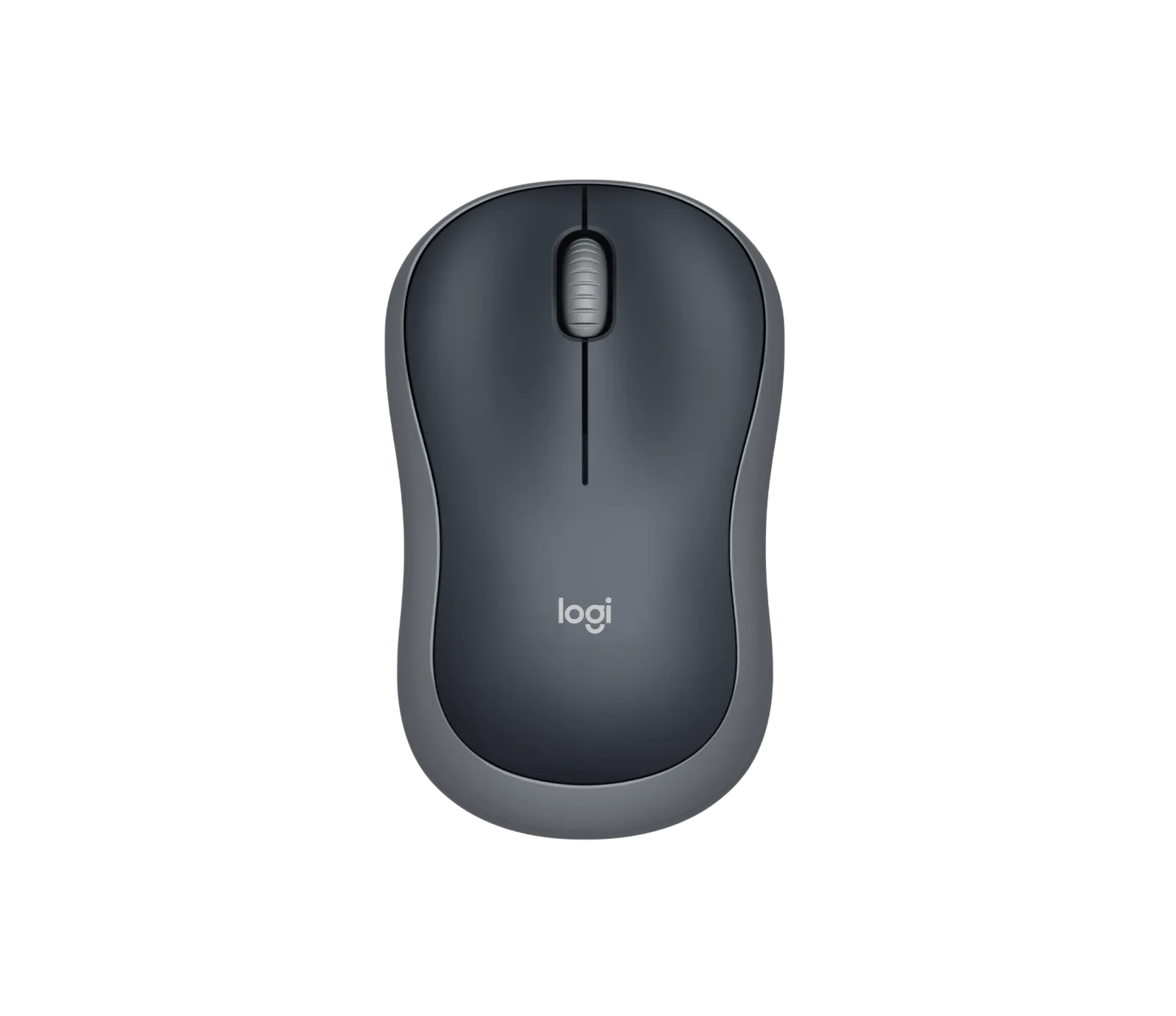
The Logitech M185 is a basic wireless mouse for people who want to plug in a receiver and start working. It suits one computer on Windows, macOS, ChromeOS or Linux, for office, study or travel use.
9th of 9 mice we've reviewedAffiliate link. As an Amazon Associate I earn from qualifying purchases. Details
New to mice? What they are and what to look for
A mouse is the pointer you move around your screen. A better one is more comfortable, more precise and can work with several computers.
Do you need a new mouse? Worth upgrading if your hand or wrist aches after long days, or you game and want quicker, lighter control.
What to look for
- Comfort: ergonomic shapes suit long workdays
- Both Bluetooth and a USB receiver, and USB-C charging
- Long battery life, and extra buttons if you'll use them
Unsure about a word? Jargon explained
How the 5.6 adds up
Our mice rubric- Comfort and shape25% of score
- Sensor and tracking20% of score
- Connectivity and battery25% of score
- Build and buttons15% of score
- Software and value15% of score
Against the 9 mice we've reviewed
bar = the range of all 9 · dot = this one · better →
- Overall score 5.6/109th of 9
- Price £12.992nd cheapest
- Value for money Better value than most2nd best of 8
Running costs and support
| Software updates | No end date announced. source |
|---|
Compatibility
| Linux | Works on Linux. Logitech lists Linux kernel 2.6+ support, and the generic USB/HID kernel drivers work with no vendor driver needed. source |
|---|
Pros and cons
+ pros
- No software or driver needed on four operating systems
- Compact and light, easy to carry
- Ambidextrous shape with a rated 12-month battery life
− cons
- No Bluetooth, only a USB nano receiver
- Owners report left-click failures after about a year
- Only three buttons and loud clicks
Price history
Price history appears here once we have tracked this product for a few days.
The full review
Where it fits
The M185 is a simple wireless mouse built around a USB nano receiver and a single AA battery. It has three buttons, a 2D scroll wheel and a 1000 DPI optical sensor. It connects over 2.4 GHz with a 10 m range. Logitech lists no Bluetooth, so the receiver is the only way to connect it. That makes it a plug-in mouse for one computer at a time.
Shape and comfort6/10
Logitech describes the shape as contoured and designed for both left- and right-handed users. It measures 99 × 60 × 39 mm and weighs 75.2 g with the battery fitted. Owners call it compact and light, and easy to carry. The research contains no owner reports on long-session comfort, so the portability comments are the clearest guide to who it suits.
Sensor and tracking5/10
The sensor is optical and runs at 1000 DPI. Logitech claims tracking on almost any surface. Logitech's listing gives no polling rate or DPI adjustment, and the mouse has no button for changing DPI. With a single fixed 1000 DPI setting, it suits everyday pointing and clicking. Some owners mention occasional lag, which may matter if you rely on a steady wireless connection. The claim about surfaces comes from the manufacturer rather than from independent measurement.
Connectivity and battery6/10
The receiver is a small USB nano unit, and the mouse needs no pairing software. One AA battery comes in the box, and Logitech rates it at 12 months. The mouse also includes auto-sleep and an on/off switch. Owners are less happy with the switch, which they say sits awkwardly at the rear. They also report that the battery drains fast once it runs low. With a single AA cell and no USB-C charging, keeping a spare battery is sensible.
The lack of Bluetooth is the main limit here. Because the mouse connects only through the receiver, it occupies a USB port on every machine you use it with. Logitech's listing offers no multi-device switching either.
Buttons and build4/10
The M185 has three buttons: left, right, and a middle click on the wheel. The wheel scrolls in two dimensions. There are no side buttons, so it offers nothing beyond the basics. Build quality is where owner feedback is most mixed. Some report a left-click failure or inconsistent click after about a year. Others mention loud clicks, and some raise concerns about the scroll wheel. Logitech doesn't list a switch rating, so there is no durability figure to set against those reports. If you use the mouse heavily every day, the click reports are worth weighing. Loud clicks also count against it in a shared or quiet room.
Software and setup7/10
No software is needed on Windows, macOS, ChromeOS or Linux. Logitech offers Logi Options+ as an optional download on Windows and macOS only. Owners back this up, listing easy setup with no driver needed as a recurring positive. For a mouse you plug in and use, that is the strongest part of the package. With three buttons and one fixed sensor setting, there is little for optional software to configure anyway.
Where it leaves you
The M185 does the basics across four operating systems with minimal setup. Its limits are clear from the specifications: no Bluetooth, no side buttons, one fixed 1000 DPI sensor and a single AA battery. The durability reports on the left click are the main caution. It suits a buyer who wants a light, ambidextrous mouse for light daily work or travel and accepts that the clicks may not last.
What owners report
Recurring themes from public owner feedback, summarised in our own words.
- Owners find setup easy, with no driver needed.
- Owners like how compact and light it is for carrying.
- Some report left-click failure or inconsistent clicking after about a year.
- Some mention loud clicks, occasional lag and scroll wheel concerns.
- Owners dislike the on/off switch placement at the rear, and say the battery drains fast once low.
Who should skip it
- Buyers who want Bluetooth or switching between several devices
- Heavy daily users who need proven click durability
- People who want side buttons, adjustable DPI or a larger shape
Full specifications
| Connection | 2.4 GHz wireless via USB nano receiver, 10 m range; no Bluetooth |
|---|---|
| Sensor and DPI | Optical, 1000 DPI |
| Battery life | One AA battery included; rated 12 months by Logitech |
| Weight | 75.2 g with batteries; 99 × 60 × 39 mm |
| Buttons | 3 (left, right, middle/wheel press); 2D scroll wheel |
| Shape and hand | Contoured, designed for left- and right-handed users |
| Software | No software needed on Windows, macOS, ChromeOS and Linux; optional Logi Options+ on Windows and macOS |
Sources
- Logitech M185 wireless mouse (shop page)
- Logitech M185 wireless mouse (product page, snippet)
- Logitech M185 quick start guide
- Amazon UK listing B0056I3IDW
- Viking Direct UK M185 Grey
- Viking Direct UK M185 promo
- Posturite M185
- LDLC M185 reviews
- Best Buy M185 reviews
- Best Buy M185 reviews (summary)
- Walmart M185 reviews
- eBay M185 reviews
- ProductReview.com.au M185
- Studio Supplies M185 review
- PriceSpy M185
Compare head to head
- Logitech Wireless Mouse M185 vs UGREEN Wireless Mouse, Silent Computer Mouse, 18-Month Battery ›
- Logitech Wireless Mouse M185 vs TECKNET Wireless Mouse BT5.0/3.0 & 2.4G 4800 DPI Grey ›
- Logitech Wireless Mouse M185 vs Logitech MX Anywhere 3S ›
- Logitech Wireless Mouse M185 vs Razer Basilisk V3 ›
- Logitech Wireless Mouse M185 vs Razer DeathAdder Essential ›
- Logitech Wireless Mouse M185 vs Logitech G305 LIGHTSPEED Wireless Gaming Mouse ›