Logitech C922 PRO HD STREAM WEBCAM
No live price yetAffiliate link. As an Amazon Associate I earn from qualifying purchases. Details
Logitech C922 PRO HD STREAM WEBCAM review
Researched, not hands-on tested.How we review ›
by SudoPicks Research · published 24 Oct 2026 · updated 24 Oct 2026
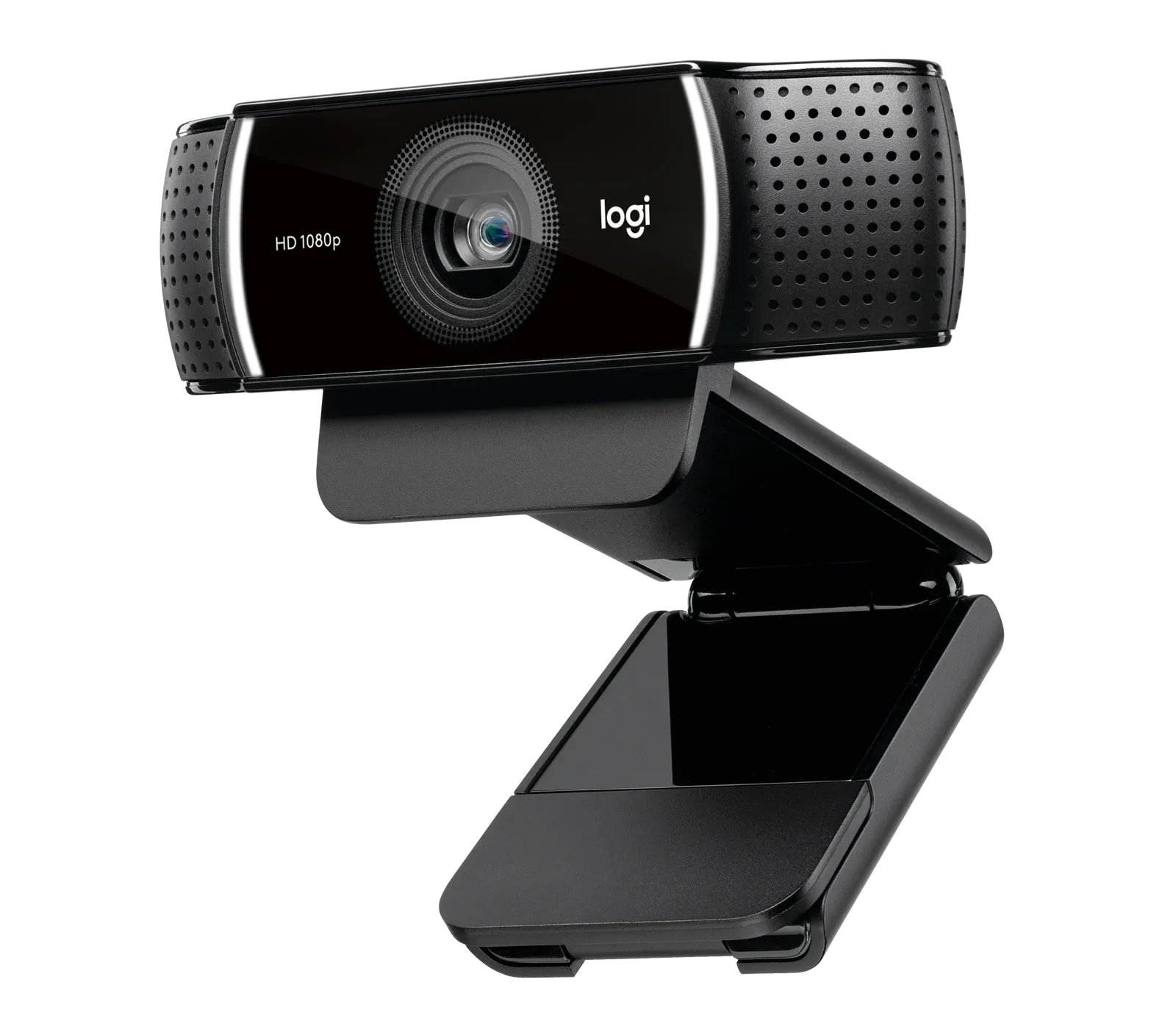
The Logitech C922 Pro HD Stream suits people who want a wired 1080p webcam with autofocus for calls and streaming. It offers a 60 fps mode at 720p for smoother motion.
7th of 8 webcams we've reviewedAffiliate link. As an Amazon Associate I earn from qualifying purchases. Details
New to webcams? What they are and what to look for
A webcam is a small camera that sits on your monitor for video calls and streaming.
Do you need a webcam? Worth it if your laptop's built-in camera looks grainy, or you use a desktop PC without one.
What to look for
- 1080p is enough for calls; good low-light performance matters more than 4K
- Autofocus and a built-in privacy shutter
- Works without extra software on your computer
Unsure about a word? Jargon explained
How the 5.4 adds up
Our webcams rubric- Picture quality30% of score
- Low light20% of score
- Microphone15% of score
- Features and privacy20% of score
- Compatibility and value15% of score
Against the 8 webcams we've reviewed
bar = the range of all 8 · dot = this one · better →
- Overall score 5.4/107th of 8
- Price £60.994th cheapest
- Value for money About average4th best of 8
Running costs and support
| Software updates | No webcam-specific end date announced; the end-of-support notice on the support page refers to Logitech Options software. source |
|---|
Compatibility
| Linux | Works on Linux. The webcam is a USB video class device that works through the standard kernel driver, though one Ubuntu 21.04 owner reported it was often not recognised. source |
|---|
Pros and cons
+ pros
- 1080p at 30 fps or 720p at 60 fps
- Autofocus with a glass lens
- Bus-powered, so no separate power supply
− cons
- No built-in privacy shutter
- Tripod not included
- No owner feedback in the research
Price history
Price history appears here once we have tracked this product for a few days.
The full review
Where it fits
The C922 Pro is a wired USB webcam from Logitech. It records at 1080p and 30 fps, or at 720p and 60 fps. It has a 78° diagonal field of view, a glass lens with autofocus, and two omni-directional microphones. It connects over USB-A 2.0 on a 1.5 m cable and takes its power from the bus.
That makes it a plain, practical webcam for a desk setup. The research doesn't list features such as auto-framing, so it is best judged as a straightforward camera that points where you aim it.
Picture and frame rate6/10
The headline choice is between two modes. At 1080p you get 30 fps. At 720p you get 60 fps. If you stream or record something with a lot of movement, the 60 fps mode gives you more frames per second at the cost of resolution. If you mostly sit still on calls, the 1080p mode is the obvious pick.
The 78° diagonal field of view frames you and a little of the space around you. The research doesn't say whether the angle can be adjusted, so don't plan on switching between wide and narrow views.
The glass lens and autofocus are the other picture-related specs. Autofocus helps if you move toward and away from the screen, or hold up an object to show it. The research has no reviewer measurements of sharpness or colour, so there is nothing here to say how the image compares with other webcams at this price.
Low light5/10
Logitech says the automatic light correction helps in dim rooms and under flickering lights. That is the manufacturer's claim, and the research holds no independent result to back it up or contradict it. The sensor size isn't listed either. If your desk sits in a dark corner, a lamp pointed at your face is a safer plan than relying on the camera alone.
Microphones5/10
Two omni-directional microphones are built in. That means you can join a call without a separate microphone. The research gives no detail on how well they isolate a voice from room noise. If you share a noisy space, or you record audio that people will judge closely, a dedicated microphone is a sensible addition.
Privacy and what's in the box5/10
The spec sheet lists no built-in privacy shutter and notes that one is sold separately. If you want the lens covered when you aren't on a call, that is an extra purchase. Unplugging the USB cable is the other route, and it is easy because the camera is bus-powered and has no separate power lead.
The tripod is not included. The research doesn't say how the camera mounts, so check the mounting details with the retailer if you plan to use it away from the top of a monitor.
Connection and setup
The camera uses USB-A 2.0 with a 1.5 m cable. A single cable carries both data and power, which keeps the desk tidy. The research doesn't list which operating systems it supports or whether it works without extra software, so check Logitech's support pages if you run Linux or macOS. Logitech's sources for this product include a software page and a setup guide, which suggests there is optional software, but the research doesn't say what it does.
Who it suits
With 1080p at 30 fps, a 60 fps option at 720p, autofocus and built-in microphones, it suits a home office or a basic streaming desk where a wired USB camera is fine. The missing privacy shutter and tripod mean a little extra spending for some buyers. There is no owner feedback in the research, so reliability and long-term behaviour are unknown here.
Who should skip it
- Buyers who want a built-in privacy shutter
- Anyone who needs auto-framing or other smart tracking features
- Users who want a tripod included in the box
Full specifications
| Resolution and frame rate | 1080p at 30 fps or 720p at 60 fps |
|---|---|
| Field of view | 78° diagonal |
| Focus and framing | Autofocus with glass lens |
| Microphone | Two omni-directional microphones |
| Privacy shutter | No privacy shutter (sold separately) |
| Connection | USB-A 2.0, 1.5 m cable |
Sources
- Logitech C922 Pro Stream Webcam UK product page
- Logitech US webcam page (test subdomain)
- C922 Pro Stream Webcam Technical Specifications
- C922 Pro Stream Webcam setup guide
- Logitech press release (C922 Pro Stream Webcam)
- Logitech Capture software page
- Logitech C922 Pro Stream Webcam - Amazon UK
- Logitech C922 Pro Stream Webcam - B&H Photo
- Logitech C922 Pro Stream Webcam review - Tom's Guide
- Logitech C920 vs C922 comparison - WFH Kit
- Logitech C922 Pro Stream Webcam - Lancetrend
- C922 Pro Stream Webcam Technical Specifications copy - Scribd
- Logitech C922 Pro - Versus
- Logitech C922 Pro Stream Webcam - PriceSpy
Compare head to head
- Logitech C922 PRO HD STREAM WEBCAM vs Logitech Brio 100 Full HD Webcam ›
- Logitech C922 PRO HD STREAM WEBCAM vs Logitech C920s PRO HD Webcam ›
- Logitech C922 PRO HD STREAM WEBCAM vs Logitech C270 HD Webcam ›
- Logitech C922 PRO HD STREAM WEBCAM vs Logitech MX Brio ›
- Logitech C922 PRO HD STREAM WEBCAM vs Insta360 Link 2 ›
- Logitech C922 PRO HD STREAM WEBCAM vs Anker PowerConf C200 2K Webcam ›