TP-Link Deco X10
Price unavailable right nowAffiliate link. As an Amazon Associate I earn from qualifying purchases. Details
TP-Link Deco X10 review
Researched, not hands-on tested.How we review ›
by SudoPicks Research · published 24 Oct 2026 · updated 24 Oct 2026
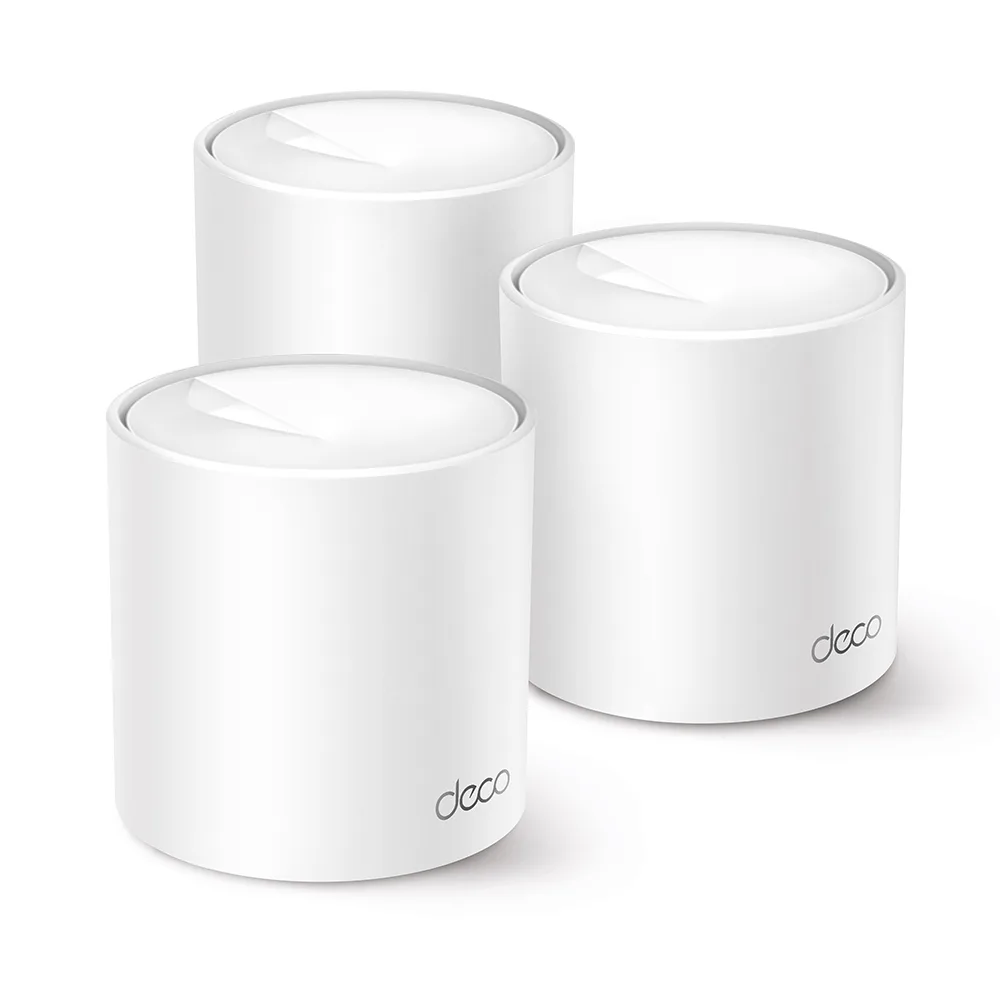
The Deco X10 is a dual-band Wi-Fi 6 mesh system for households that want simple, app-led setup and broad coverage. It suits homes with modest wired needs and moderate wireless loads.
9th of 10 Wi-Fi routers and mesh systems we've reviewedAffiliate link. As an Amazon Associate I earn from qualifying purchases. Details
New to Wi-Fi routers and mesh systems? What they are and what to look for
A router connects your home to the internet and creates your Wi-Fi network. Mesh systems use several units around the house for stronger signal everywhere.
Do you need a Wi-Fi router? Your broadband provider gives you one, but a better router can fix weak Wi-Fi, slow speeds in far rooms and frequent drop-outs.
What to look for
- Wi-Fi 6 or newer
- Mesh if your home is large or has thick walls
- Regular security updates from the maker
Unsure about a word? Jargon explained
How the 5.2 adds up
Our Wi-Fi routers and mesh systems rubric- Wi-Fi standard and bands25% of score
- Wired ports20% of score
- Coverage15% of score
- Software and security25% of score
- Value15% of score
Against the 10 Wi-Fi routers and mesh systems we've reviewed
bar = the range of all 10 · dot = this one · better →
- Overall score 5.2/109th of 10
- Price £153.898th cheapest
- Value for money 3.4 per £1008th of 10
Running costs and support
| Power draw | 11.5W under load (manufacturer's figure, source) |
|---|---|
| Software updates | Until November 2029. TP-Link's Singapore list gives security support until 9 November 2029, with extended support possibly after that date; no UK end-of-life date was verified. source |
- Mesh
- VPN server
Featured in: Best Wi-Fi routers and mesh systems with mesh
Security and compatibility
| Latest firmware or software | March 2026updated in the last year source |
|---|---|
| Known security issues | None found in public advisories. That's a good sign, not a guarantee. |
| Update record | Latest firmware 1.4.0 Build 20251222 was published 2026-03-17 and fixes wireless stability issues; no advisory found that names the Deco X10, and the related CVEs found either name other models or the app. |
| Linux | Not confirmed. Linux support was not researched and no verified information was found. |
Pros and cons
+ pros
- Manufacturer rates the 3-pack for up to 5,600 ft²
- Owners report easy app setup and smooth roaming
- Guest networks, WPA3 and regular firmware releases
− cons
- Gigabit ports only, two per unit, shared with WAN
- Dual-band only; owners report shared backhaul limits under load
- Advanced HomeShield features reportedly need a paid subscription
Price history
Price history appears here once we have tracked this product for a few days.
The full review
Where it fits
The Deco X10 is TP-Link's dual-band Wi-Fi 6 mesh system. It comes in packs of one, two or three units. It is rated AX1500, with 300 Mbps on 2.4 GHz and 1201 Mbps on 5 GHz. The research lists no 6 GHz band and no tri-band mode. That points to a system built around coverage and easy setup rather than peak wireless speed.
Wi-Fi and bands5/10
The spec sheet lists 802.11a/n/ac/ax on 5 GHz and 802.11b/g/n on 2.4 GHz. Mesh roaming protocols 802.11k, v and r are listed, along with WPA, WPA2-PSK and WPA3. Owners report seamless roaming, with one network name shared between units.
The main owner complaint is throughput. Owners say shared backhaul limits speed under heavy load. One report says a three-unit setup mixing wired and wireless links did not reach full speeds. With only two bands listed and that feedback, the X10 suits lighter, everyday traffic better than a household that runs many heavy streams or transfers at once.
Wired ports4/10
There is no dedicated WAN port. Each unit has two Gigabit Ethernet ports that auto-sense WAN or LAN, so the ports are shared. Nothing faster than 1GbE is listed. With two gigabit ports per unit and a gigabit ceiling, it suits a handful of wired devices such as a desktop or a games console. It is a poor match for a wired setup that needs multi-gigabit links or several wired devices per node.
Coverage6/10
TP-Link's US page rates the 3-pack at up to 5,600 ft² (520 m²). The 2-pack is rated at 3,900 ft² and the 1-pack at 2,100 ft². The India page gives a figure of 3,900 ft² (360 m²). These are manufacturer ratings, not measurements of real homes. For a larger property, the three-unit pack is the one with the highest rated area. Owner feedback on a mixed wired and wireless three-unit setup is a reminder that rated area and delivered speed are separate questions.
Software and security6/10
The feature list includes WPA3, an SPI firewall, a blocklist, guest networks on both 2.4 GHz and 5 GHz, parental controls, QoS, port forwarding, IPv6, TP-Link DDNS, IPTV, and local and remote management. The research doesn't list VLAN support.
The update record is clear. Firmware releases are dated 1.1.6 (23 September 2024), 1.2.0 (7 May 2025), 1.3.0 (6 January 2026) and 1.4.0 (17 March 2026). The 1.3.0 notes for US firmware add a VPN client and server, WiFi access control, a dedicated IoT network and automatic Deco firmware upgrades. The research lists those notes for US firmware only.
One caution applies. A third-party review says advanced HomeShield features need a paid subscription. That claim wasn't checked against TP-Link's own pricing, so check what is included before relying on those features.
Setup and power
Owners describe easy app-based setup. Spalding reports it taking under 15 minutes. The manufacturer rates power at a maximum of 11.5 W per unit, including the power adapter. That is a rating, not a load measurement, and TP-Link says normal use is typically lower. TP-Link doesn't give a release date in any source the research found.
Verdict
The Deco X10 makes sense where simple setup, roaming under one network name and wide rated coverage matter more than raw speed. Dual-band Wi-Fi 6, gigabit-only ports and owner reports of backhaul limits under heavy load keep it to modest demands. The firmware record and guest network support count in its favour. The reported subscription for advanced HomeShield features counts against it.
What owners report
Recurring themes from public owner feedback, summarised in our own words.
- Roaming between units is smooth, with a single network name.
- Setup through the app is quick, with one report of under 15 minutes.
- Shared backhaul limits throughput under heavy load.
- A three-unit setup mixing wired and wireless links did not reach full speeds.
Who should skip it
- Buyers who want 2.5GbE or faster wired ports
- Households with heavy simultaneous traffic who want tri-band or 6 GHz
- Anyone who wants advanced security features without a possible subscription
Full specifications
| Wi-Fi standard | 802.11a/n/ac/ax on 5 GHz and 802.11b/g/n on 2.4 GHz; mesh protocols 802.11k/v/r; WPA/WPA2-PSK/WPA3 |
|---|---|
| Bands and speed class | Dual-band, 2.4 GHz and 5 GHz (AX1500; rated 300 Mbps on 2.4 GHz and 1201 Mbps on 5 GHz) |
| WAN port | No dedicated WAN port; each unit has two Gigabit Ethernet ports that auto-sense WAN/LAN |
| LAN ports | Two Gigabit Ethernet ports per unit, shared with WAN |
| Mesh nodes in the box | Packs of 1, 2 or 3 units; the 3-pack has three units |
| Rated coverage | Up to 5,600 ft² (520 m²) for the 3-pack, 3,900 ft² for the 2-pack and 2,100 ft² for the 1-pack (US page); India page gives 3,900 ft² / 360 m² |
| Security and VPN features | WPA3, SPI firewall, blocklist, 2.4 GHz and 5 GHz guest networks, parental controls, QoS, port forwarding, IPv6, TP-Link DDNS, IPTV, local and remote management; VPN client and server added in US firmware 1.3.0 |
Sources
- TP-Link Deco X10 EU datasheet
- TP-Link Deco X10 US product page
- TP-Link Deco X10 US download and firmware page
- TP-Link Deco X10 India product page
- Amazon UK Deco X10 3-pack listing
- Amazon UK Deco X10 2-pack listing
- CamelCamelCamel UK price history
- PriceSpy UK
- Spalding Broadband review
- Ranked10 Deco X10 review
- Vivid Repairs Deco X10 review
- TP-Link community forum thread
- TP-Link FAQ on power