Raspberry Pi Zero WH
Price unavailable right nowAffiliate link. As an Amazon Associate I earn from qualifying purchases. Details
Raspberry Pi Zero WH review
Researched, not hands-on tested.How we review ›
by SudoPicks Research · published 24 Oct 2026 · updated 24 Oct 2026
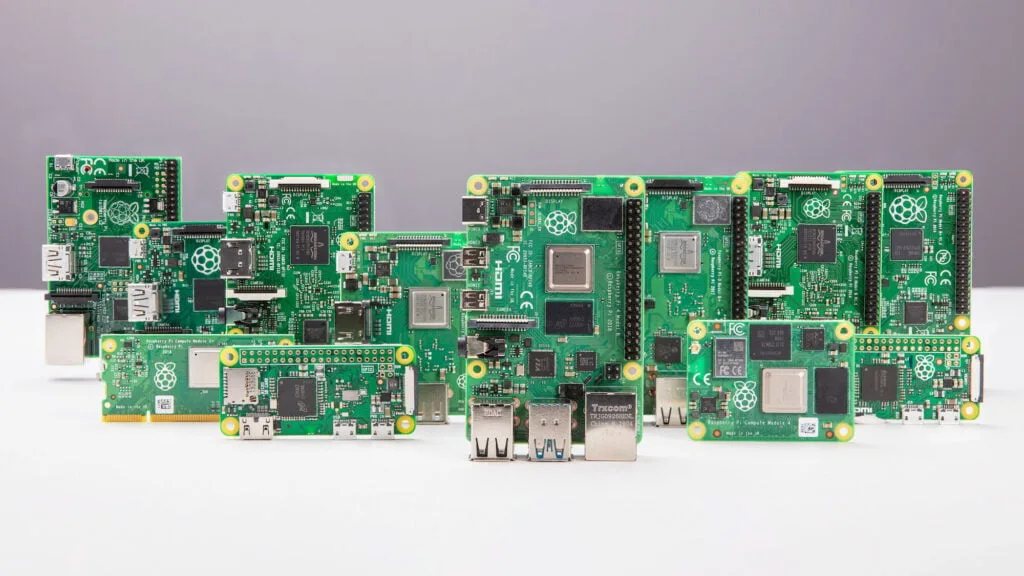
The Raspberry Pi Zero WH is for people who want a small, low-power board with GPIO ready to use straight away. It suits single-purpose projects that need Wi-Fi, Bluetooth and header-based add-ons rather than much processing power.
5th of 6 single-board computers we've reviewedAffiliate link. As an Amazon Associate I earn from qualifying purchases. Details
New to single-board computers? What they are and what to look for
A single-board computer, like a Raspberry Pi, is a tiny, cheap computer on one circuit board. People use them to learn coding, build gadgets, and run small home servers.
Do you need a single-board computer? Great for tinkering, learning Linux or electronics, or running things like a home-automation hub or ad blocker. Not a replacement for a normal PC.
What to look for
- A power supply, case and microSD card: they're often sold separately
- 4GB or more of memory for anything beyond simple projects
- How big the community is: more guides and help for popular boards
Unsure about a word? Jargon explained
How the 5.9 adds up
Our single-board computers rubric- Software support30% of score
- Performance25% of score
- Storage15% of score
- I/O and networking15% of score
- Value15% of score
Against the 6 single-board computers we've reviewed
bar = the range of all 6 · dot = this one · better →
- Overall score 5.9/105th of 6
- Price £15.40cheapest
- Value for money 38.3 per £1001st of 6
Running costs and support
| Software updates | No end-of-life or end-of-support date found for the Zero WH |
|---|
Security and compatibility
| Latest firmware or software | October 2026updated in the last year source |
|---|---|
| Known security issues | None found in public advisories. That's a good sign, not a guarantee. |
| Open firmware | Supported by OpenWrt |
| Update record | No advisory found names the Zero WH or its firmware, and the notes could not confirm whether any were fixed; the 2026-10-06 date is a general Raspberry Pi OS build, not a Zero WH firmware release. |
| Linux | Not confirmed. Raspberry Pi OS is the maker's Linux distribution, but the notes do not verify Zero WH driver support, NUT UPS support, or mainline kernel support for this board. source |
Pros and cons
+ pros
- 40-pin GPIO header comes pre-soldered
- Same header as flagship Model B boards, so HATs fit
- Wi-Fi and Bluetooth built in
− cons
- Single-core 32-bit CPU with 512 MB RAM
- No wired Ethernet; 2.4 GHz Wi-Fi only
- microSD is the only storage option
Price history
Price history appears here once we have tracked this product for a few days.
The full review
Where it fits
The Raspberry Pi Zero WH is the Zero with its GPIO header already soldered on. Raspberry Pi's documentation describes it as the first Zero model to offer pre-soldered headers. A January 2018 trade article announced it as a new model on that basis. The board is for small, single-purpose builds where you want to connect parts to the header without picking up a soldering iron first.
Processor and memory
The board uses a Broadcom BCM2835 with a 1 GHz single-core 32-bit ARM11 CPU and a 400 MHz VideoCore IV GPU. Memory is 512 MB of LPDDR2 at 450 MHz. The research lists no other RAM option.
With one core and 512 MB, it suits a single dedicated task more than several services running side by side. A sensor logger, a small display controller or a simple network-connected gadget fits that profile. Anything that needs multiple containers or virtual machines does not.
GPIO and expansion
The 40-pin header uses a 0.1in (2.54 mm) pin pitch and arrives pre-soldered. According to the research, it is the same header as on the flagship Model B devices, which gives HAT compatibility. That is the main reason to choose the WH over a bare Zero: the pins are ready on day one, and the pinout matches the larger boards.
Video comes from a mini HDMI port. Composite video is also available, but only through two unpopulated pins, so that route needs extra work on your side.
Connectivity
Wireless is 2.4 GHz 802.11b/g/n Wi-Fi plus Bluetooth with BLE. Sources disagree on the Bluetooth version. Raspberry Pi lists 4.0, while The Pi Hut lists 4.1. Treat the manufacturer's figure as the reference.
There is no wired Ethernet port, and the Wi-Fi band is 2.4 GHz only. A project that depends on a wired link or a 5 GHz network does not match the listed specification.
Power comes in at 5V over micro USB. The board has two micro-USB ports: one takes input power and the other connects external devices. The research lists no USB 3.
Storage4/10
Storage is a microSD slot and nothing else. The research lists no NVMe, PCIe or eMMC option. For the small tasks this board targets, that is a limit on speed and capacity choices rather than a blocker, but it does mean microSD is the only storage the board offers.
Software and ecosystem9/10
Raspberry Pi publishes Zero documentation and a guide on what you can build with the Zero. That puts the board inside the manufacturer's own documented range, which matters for anyone who wants guidance from the maker. The research gives no detail on specific OS images or kernel status, so check Raspberry Pi's pages for the current software before you commit to a build.
Availability
Retailer listings in the research show the board out of stock. One listing gives a restock date of 25 November 2026. Stock may have changed since, so check before you plan around it. Kiwi Electronics lists the part as MPN SC0065 with EAN 5056561800295. That detail comes from a retailer, not the manufacturer.
Bottom line
The Zero WH is a narrow, specific board. Its strengths are the ready-fitted header, HAT compatibility through the Model B-style pinout, and built-in wireless. Its limits are the single 32-bit core, 512 MB of RAM, microSD-only storage and no wired Ethernet. Buy it for a small, dedicated, wireless job that uses the header. Look elsewhere if you need more processing power or a wired network connection.
Who should skip it
- Buyers who need wired Ethernet or 5 GHz Wi-Fi
- Anyone running several containers or VMs on one board
- Users who want storage beyond a microSD card
Full specifications
| Processor (SoC) | Broadcom BCM2835 with a 1 GHz single-core 32-bit ARM11 CPU and 400 MHz VideoCore IV GPU |
|---|---|
| Memory | 512 MB LPDDR2 RAM at 450 MHz |
| Storage options | microSD slot only |
| Networking | 2.4 GHz 802.11b/g/n Wi-Fi; Bluetooth 4.0 with BLE per Raspberry Pi (4.1 per The Pi Hut); no wired Ethernet port |
| GPIO | 40-pin GPIO header, pre-soldered on this model, 0.1in (2.54 mm) pin pitch |
| Video outputs | Mini HDMI port and composite video (via 2 unpopulated pins) |
| Power input | 5V via micro USB port; two micro-USB ports, one for input power and one for external devices |
Sources
- Raspberry Pi Zero documentation
- Raspberry Pi documentation
- Raspberry Pi product series explained
- What can you build with Raspberry Pi Zero
- New Raspberry Pi Zero WH launched with pre-soldered headers
- The Pi Hut - Raspberry Pi Zero WH with pre-soldered header
- Rapid Online - Raspberry Pi SC0065 Zero WH
- Kiwi Electronics - Raspberry Pi Zero WH pre-soldered header
- PiShop.ca - Raspberry Pi Zero WH pre-soldered header